I've got the steps on how to fix this, thehandypirate19.
Here's how:
- Go to the Settings icon and select Custom Form Styles.
- Look for the template, then choose Edit.
- Go to the Design tab and select Make logo edits.
- Change the Placement as you desire.
- Click Done.
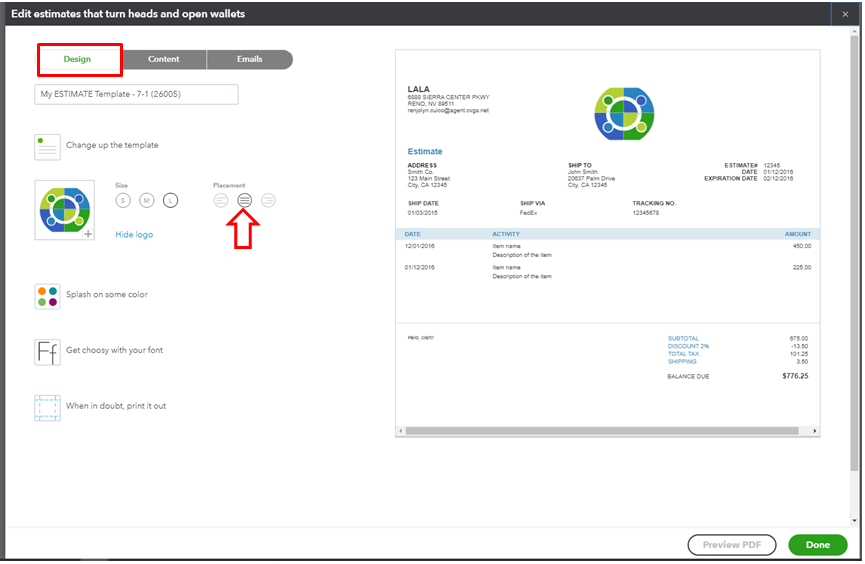
Once done, make sure to select the template when creating the Estimate.

Moving forward, the new logo placement should appear on your estimates when sending it to your customers.
Here are some articles related to customizing sales forms for additional reference:
That should do it! Keep on posting if there's any else you want to add. I'll be sure to help




