Turn on suggestions
Auto-suggest helps you quickly narrow down your search results by suggesting possible matches as you type.
Showing results for
Get 50% OFF QuickBooks for 3 months*
Buy nowI really appreciate the ability to click into any P&L or BS account and view the line items, however, by default there are too many columns for my liking (see attached). I'd like to remove most of them but add a few other ones. Is there a way to save this as a default for any drill down?
I'm aware of Custom reports capability, but this is different. What I want is that any time I drill down into any account on chart of accounts, I see specific columns. Saving a custom report for each account would be awfully cumbersome, and also it's inconvenient to look at them from custom reports tab. I like looking at them from P&L and BS and drill down into those that look interesting.
Thank you in a advance!

Let me provide some details on what action you'll have to take with your reports, annayugova.
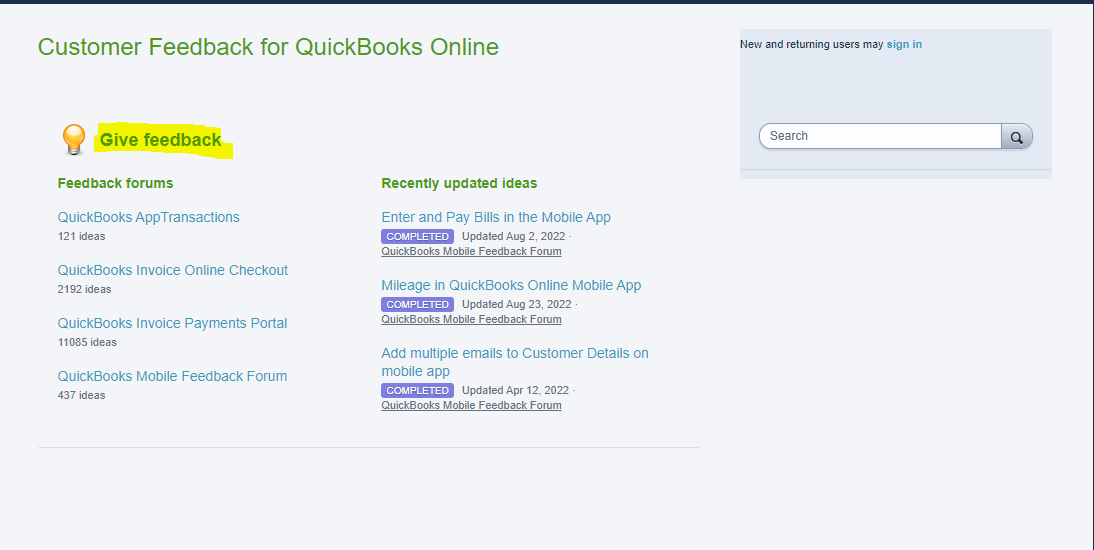
I can see the importance of being able to remove and add columns for your P&L or BS accounts. You'll want to let our product team know how this will help your business by visiting our Customer Feedback page to submit a request. I have added a screenshot for your guide:
In the meantime, I suggest customizing the report so you'll be able to control what specific information you want to show. Go through this article for your guide: Customize Reports In QuickBooks Online.
In addition, here are some of the ways that you can customize reports to fit your need: Common Custom Reports In QuickBooks Online.
Feel free to leave your comment if there's anything else that you need help with your reports. I'll be here to further assist you.
Just wanted to bump this up. Is there any way for drilldown reports to default to show Debit Credit Balance, rather than Amount?
I swear I spend a total of 30 minutes every day fixing the columns when I need to see details on my P&L or Balance Sheet.
Hi, e_kileen.
We appreciate you for reaching out and bringing this up. I understand how adjusting report columns every time you review your P&L or Balance Sheet reports can take extra time.
Currently, the option to default reports to show Debit, Credit, and Balance columns instead of the Amount column is unavailable.
As a workaround, you can run the Transaction Detail by Account report and customize it by adding the Debit and Credit columns. Then, filter by Distribution Account Type to easily identify transactions tied to income/expense for P&L or asset/liability accounts for the Balance Sheet.
Here's how:
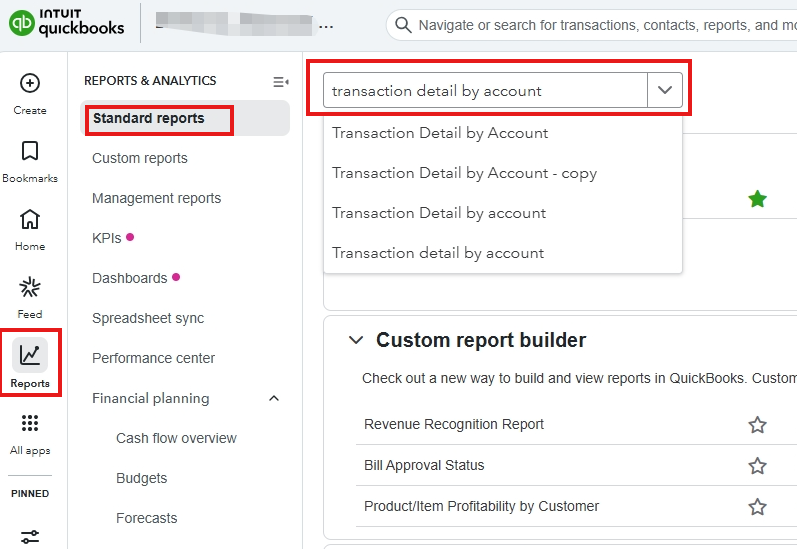
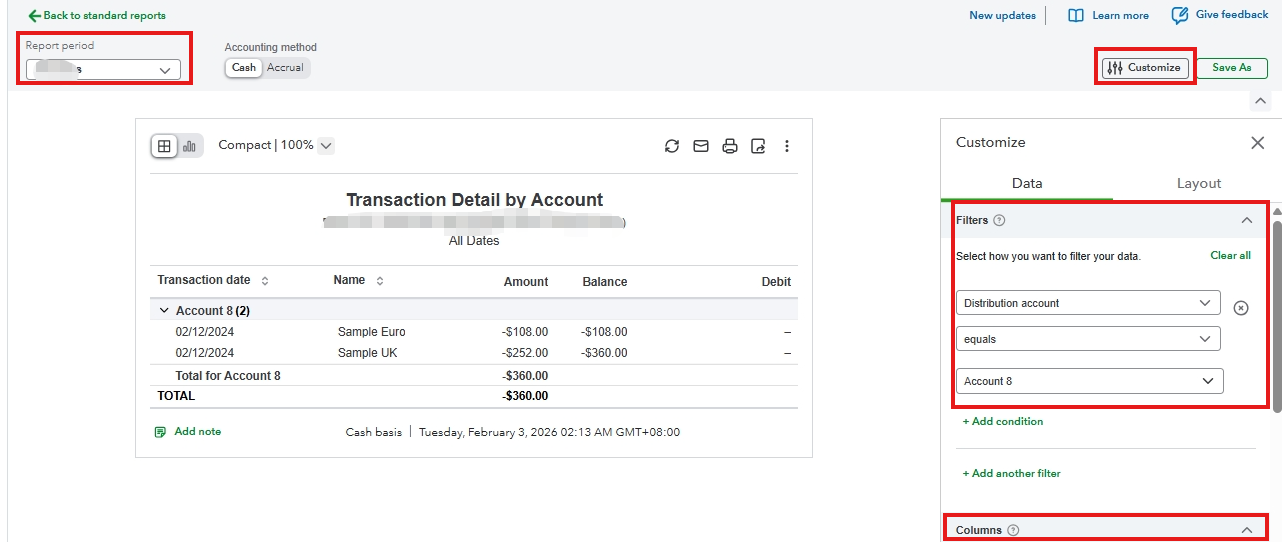
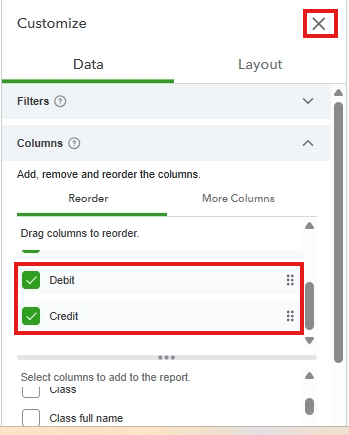
This workaround provides a clearer breakdown tailored to your needs.
If you have any additional concerns, please reply below.


You have clicked a link to a site outside of the QuickBooks or ProFile Communities. By clicking "Continue", you will leave the community and be taken to that site instead.
For more information visit our Security Center or to report suspicious websites you can contact us here


