Hi daytonstudenthou!
Welcome to the QuickBooks Community! I'll help you with recording your property income and expenses.
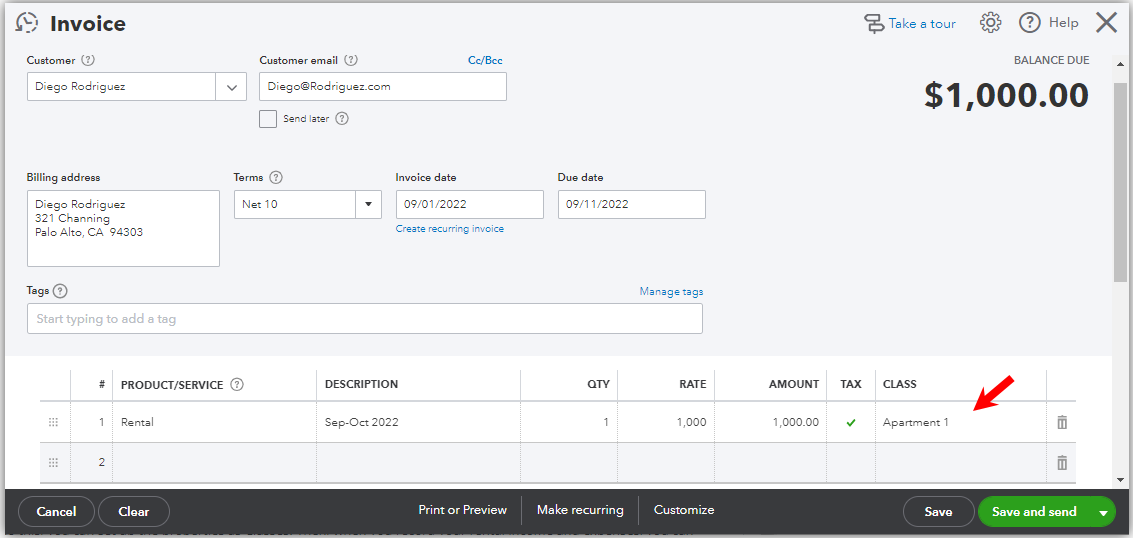
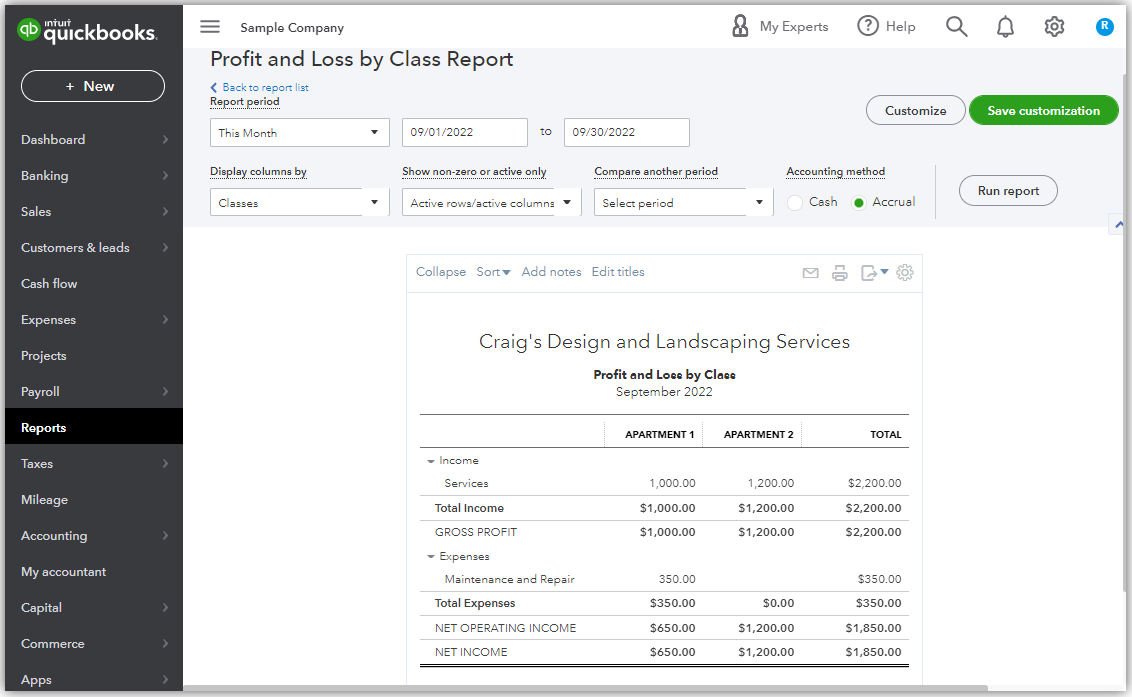
To do this, you can set up the properties as classes. Then, you can tag them in the line items of your sales or expense transactions to post the income and expenses under each property. This will let you create reports like Profit and Loss by Class or Sales by Class Detail.
Please note that Class tracking is only available in the Plus and Advanced plans. If you're using Simple Start or Essentials, you can consider upgrading your plan to address the needs of your business.
Turn on Class tracking:
- Go to the Gear icon and choose Accounts and settings.
- Choose the Advanced bar and click on the Categories section.
- Switch on Track classes and put a checkmark in the Warn me when a transaction isn’t assigned a class checkbox if you want to.
- In the Assign classes dropdown, select One to each row in transaction.
- Click Save and then Done.
Set up classes that represent each property:
- Go to the Gear icon and select All Lists.
- Click Classes and then the New button.
- Give this class a name. Example: Apartment 1, or Home 1. Then, do the same thing for other properties. For the three-unit triplex, you can add each unit as a sub-class of the main class.
- Click Save.
Record your sales or expenses for each property. For example, an invoice.
Run reports, like Profit and Loss by Class:
You can always go back to this thread if you need more assistance with tracking your transactions. Take care and have a good one!




