Good day qbo8,
If you want to upload your bank statement to QuickBooks Online, WebConnect can help you import them.
Here’s how:
- Go to the Banking menu or Transactions menu.
- Select Upload transactions.
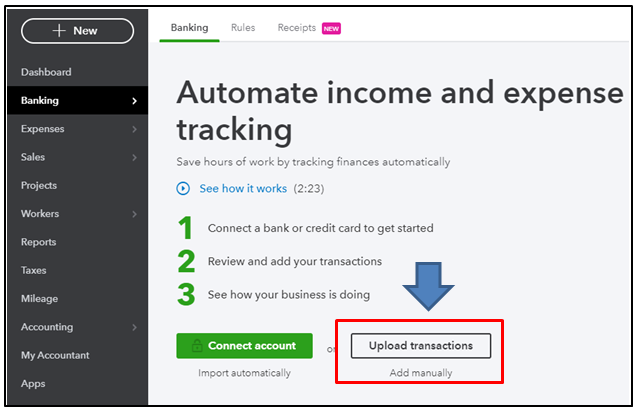
- Browse and select a file to upload.
You can also upload a picture or PDF of your Bank statement in the Attachment page. I can show you how:
- Select Gear, followed by Attachments.
- Click Attachments in the left top.
- Choose the file.
- Select to upload.

For further details about uploading bank transactions through a WebConnect file, you can check this article:Manually upload transactions into QuickBooks Online.
I’m also adding a link on how to add attachments to your customer and vendor profiles: Attachments in QuickBooks Online
The Community team is here in case you need further assistance.




