Turn on suggestions
Auto-suggest helps you quickly narrow down your search results by suggesting possible matches as you type.
Showing results for
Get 50% OFF QuickBooks for 3 months*
Buy now
Hi there, elisa-insideplan.
I can share some information about handling customer lists in QuickBooks Online (QBO).
You can click on the Triple Bar icon (→≡) to show the customer list. This way, you won't need to start from the beginning when clicking the customer's profile.
I've added screenshots for your visual reference.
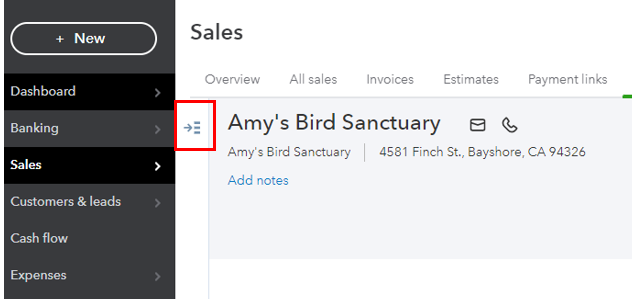
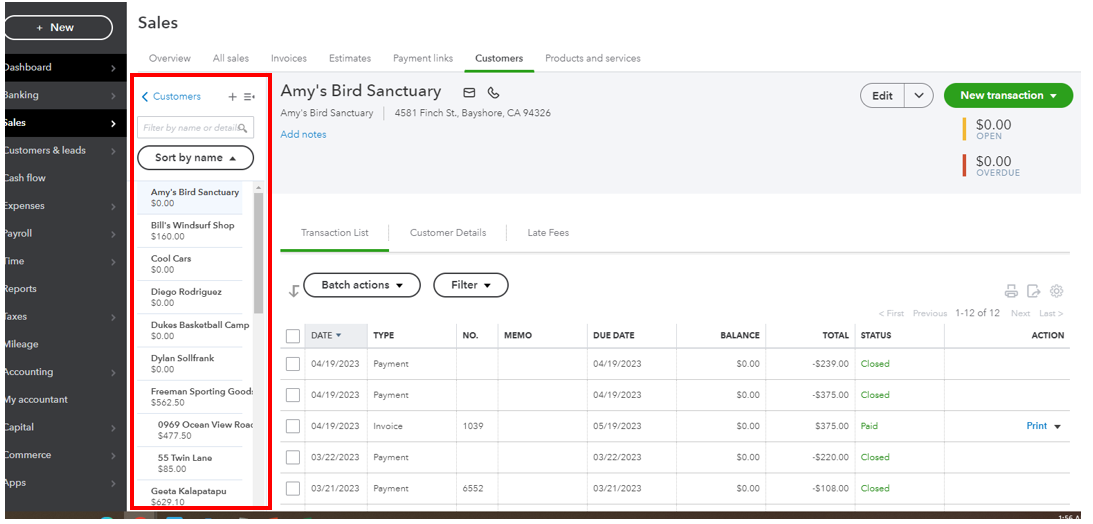
If this is not what you're referring to, can you provide us with a screenshot? We just want to make sure that we're giving the right steps and information to sort this out.
You might also want to check out these articles to learn how to manage customers and customize your sales forms in QuickBooks Online:
Let me know if you need more help with your customer in QuickBooks, I'll be more than happy to assist you. Take care!
Yes. That was what I was talking about. I appreciate the help. Thanks!
You're welcome, Elisa.
We're happy to hear that the steps outlined by my colleague above were able to resolve your issue about the customer lists in QuickBooks Online (QBO). Please know that you can always visit us again in the Community if you have other QBO-related concerns. We're open 24/7 to assist you further.
Stay safe!


You have clicked a link to a site outside of the QuickBooks or ProFile Communities. By clicking "Continue", you will leave the community and be taken to that site instead.
For more information visit our Security Center or to report suspicious websites you can contact us here


