Turn on suggestions
Auto-suggest helps you quickly narrow down your search results by suggesting possible matches as you type.
Showing results for
Get 50% OFF QuickBooks for 3 months*
Buy nowMy business discounts before charging tax, but when we use the discount, the sales tax liability will show a negative number in non-taxable income column making what I have to pay in sales taxes more! Can anyone explain why this is? It seems like this is a failure in programing. I've had many issues around sales taxes with QBO.

Here’s what’s likely happening: when you apply a discount in QuickBooks Online, it reduces the taxable amount, which is what you want, but it also gets logged in the Sales Tax Liability Report under non-taxable sales. So even though the tax itself goes down, the report layout makes it look like something weird is happening, especially if the discount pushes that column into a negative.
It’s not a bug, just QuickBooks’ odd way of representing how discounts interact with taxable vs. non-taxable totals. But yeah, it’s confusing at first glance. The key thing is: your actual tax due should still be calculated correctly based on the post-discount subtotal, just double-check the transaction details.
If you're doing a lot of discounting and need cleaner tax reporting, I’d recommend exporting a custom report or using a connected sales tax tool that breaks it down more clearly. Avalara has been helpful in some cases, but also overkill if you're not doing multi-state stuff.
I know how you want for QuickBooks to work smoothly for your business. May I know how you add a discount in QuickBooks? The confusion on why giving a discount increases the amount of sales tax happens due to how discounts are applied and how sales tax are calculated.
If you are adding discount as a negative line item when creating an invoice, this is one of reasons why the non-taxable amount will show up as a negative number.
On the other hand, if you haven't had utilized the Discount feature yet, you can turn this on. Here's how:
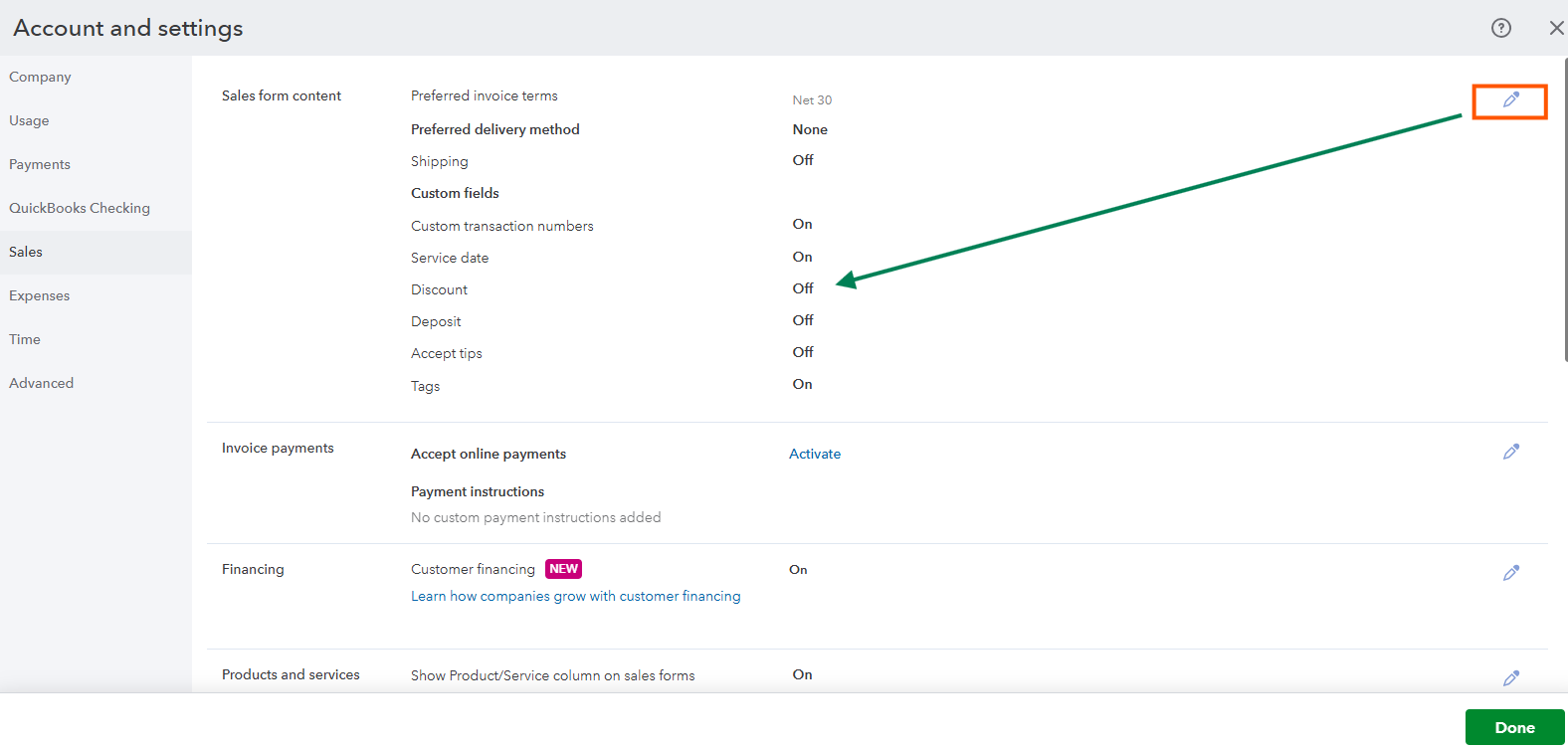
Once enabled, this will show that discounts are calculated first before charging sales tax. I've added a screenshot for your visual guide: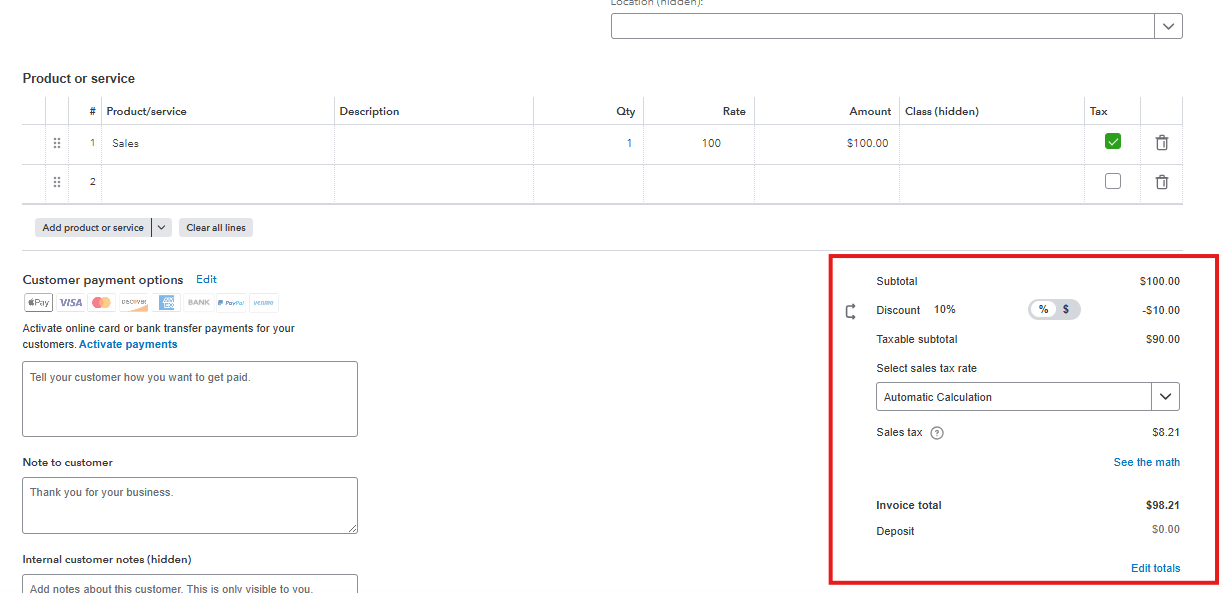
In the meantime, you can drill down into your transactions in the Sales Tax Liability report to verify and compare how discounts and sales tax are applied and calculated. Simply click the See the math hyperlink when routed to a transaction and check the computation.
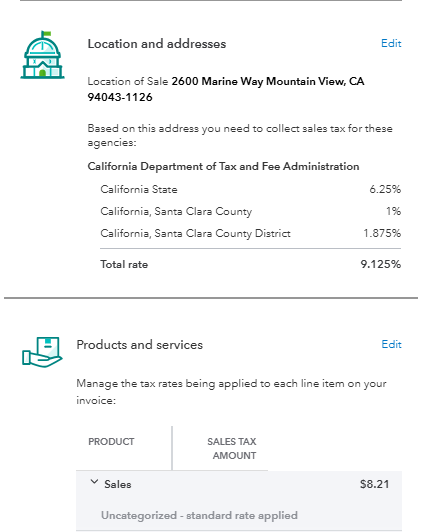
For more information when adding discounts in your sales form, check this out: Add a discount to an invoice, estimate or sales receipt in QuickBooks Online.
You can always get back to us if you have any questions or other concerns when adding discounts. We're always around to help you anytime.


You have clicked a link to a site outside of the QuickBooks or ProFile Communities. By clicking "Continue", you will leave the community and be taken to that site instead.
For more information visit our Security Center or to report suspicious websites you can contact us here


