Turn on suggestions
Auto-suggest helps you quickly narrow down your search results by suggesting possible matches as you type.
Showing results for
Get 50% OFF QuickBooks for 3 months*
Buy nowI'd gladly help you record your returned ACH payment using the Record Bounced Check option, hfrantz.
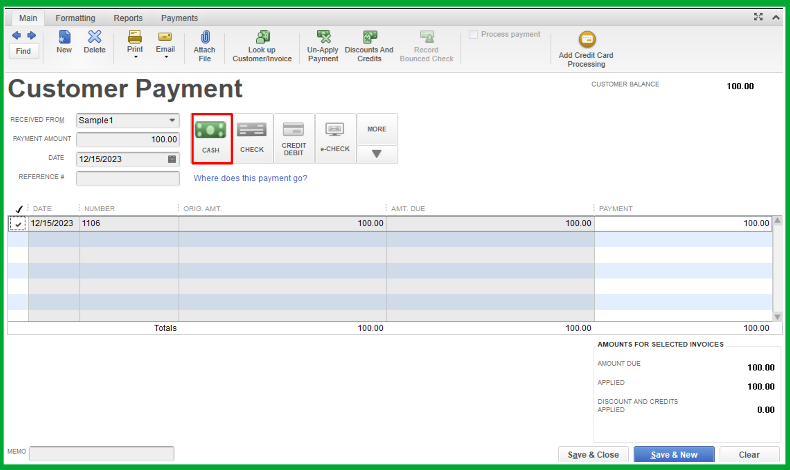
To begin with, it is important to note that the Record Bounced Check icon remains available and can still be used in QuickBooks Desktop. You'll need to change the payment method to Check to make this option available when recording your returned ACH payment. Let me guide you through the process.
In this sample, I recorded the payment using the Cash method. Now, let's change this to Check.
Here's how:
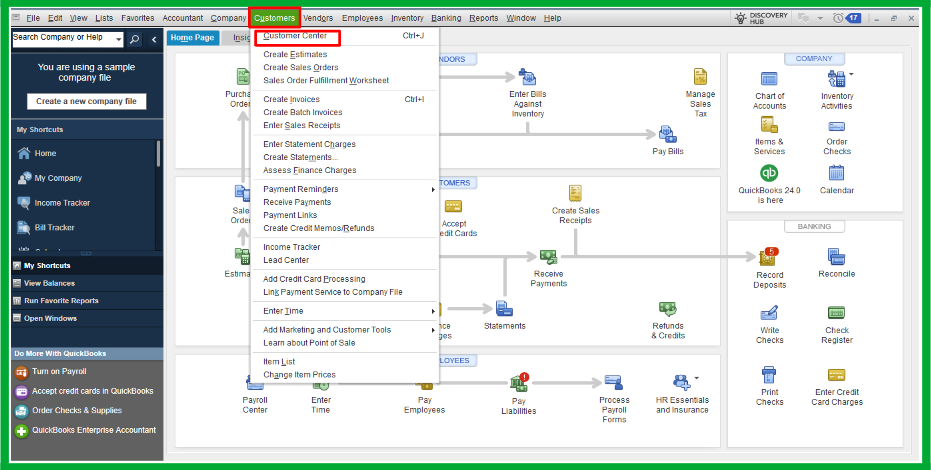

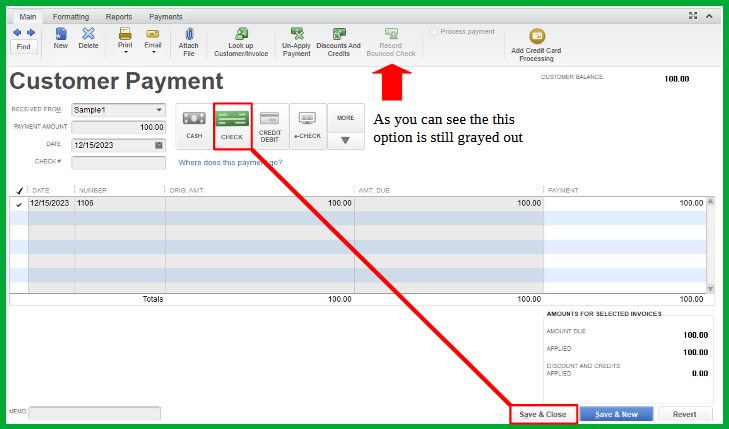
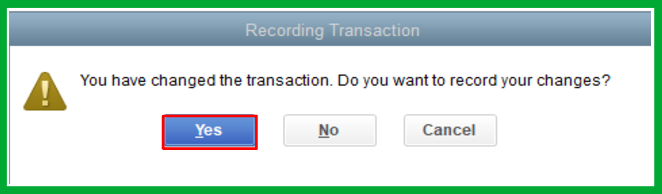
Now, let's proceed in recording the bounced check.

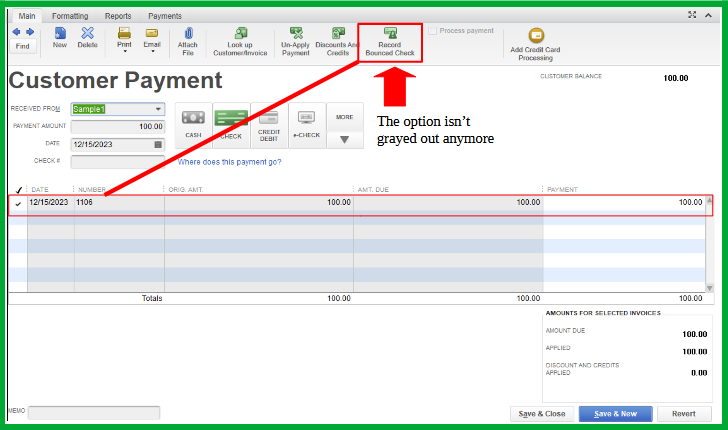
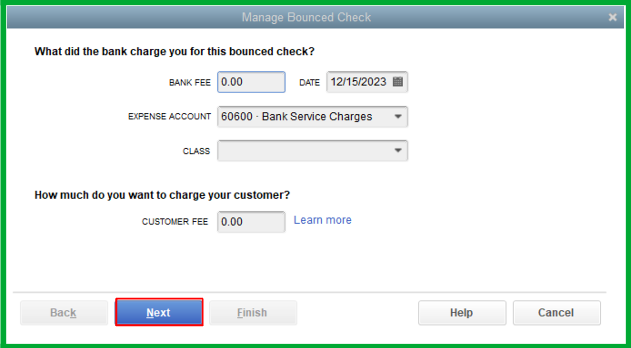
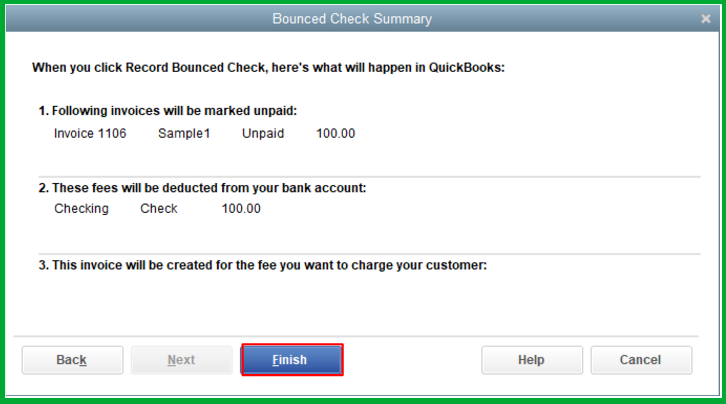
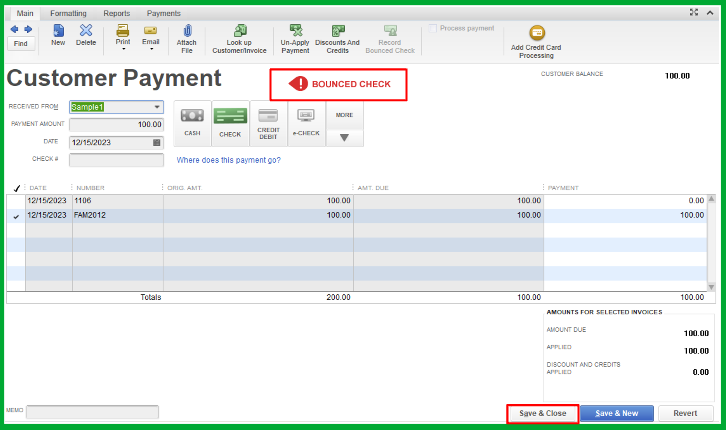
Moreover, you might want to check this article on handling returned checks from your vendor by journal entry and bill payment check: Manage a bounced check you wrote.
Keep your questions coming if you have other concerns about recording bounced checks in QuickBooks Desktop. I'll be here to lend a hand.