Turn on suggestions
Auto-suggest helps you quickly narrow down your search results by suggesting possible matches as you type.
Showing results for
Get 50% OFF QuickBooks for 3 months*
Buy nowThanks for joining this thread, HHHInc.
I'm here to help you resolve the reconciliation differences.
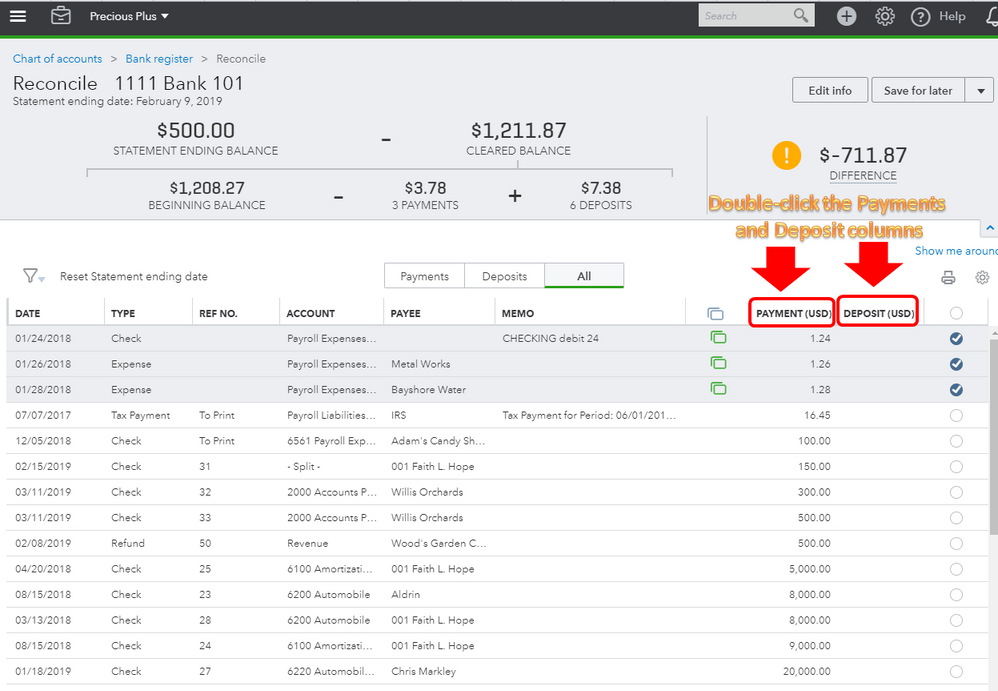
First, let's sort the transactions by amount. I'll show you how:
Please refer to the screenshot below.
As for your main concern, there are a few reasons why the difference amount won't match up on the Reconcile page. It's possible that there are missing transactions, incorrect opening or ending balance.
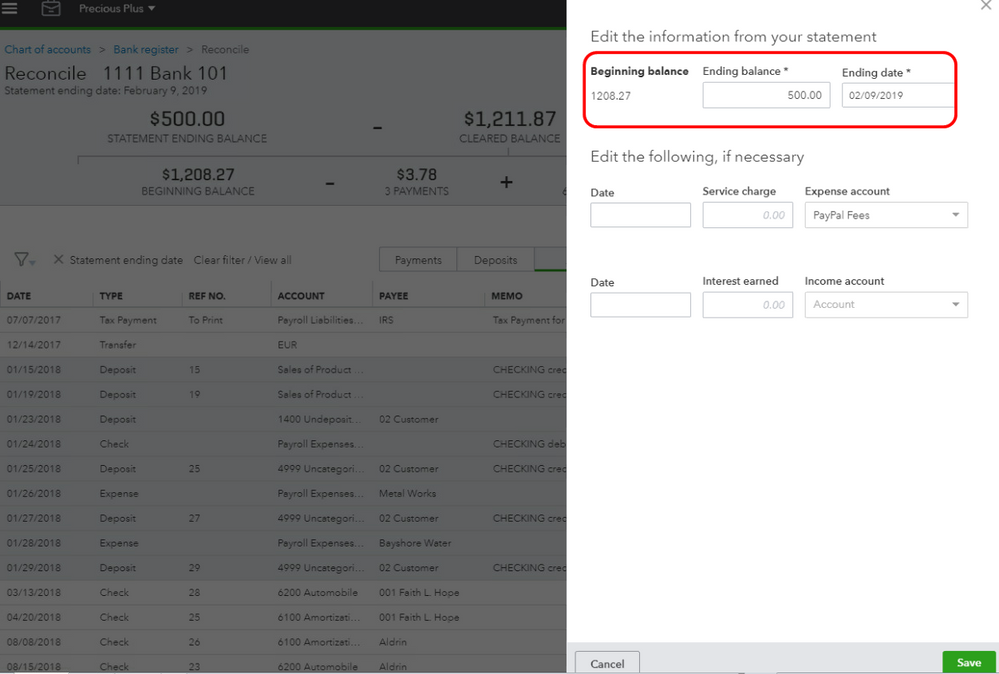
To make sure the beginning balance of the reconciliation is correct, please follow the steps below:
This article will provide you more troubleshooting about reconciliation: How to resolve reconciliation differences.
That should do it. Let me know how this turns out. I'm happy to help some more if you have questions in QuickBooks Online. Have a good one.