Turn on suggestions
Auto-suggest helps you quickly narrow down your search results by suggesting possible matches as you type.
Showing results for
Get 50% OFF QuickBooks for 3 months*
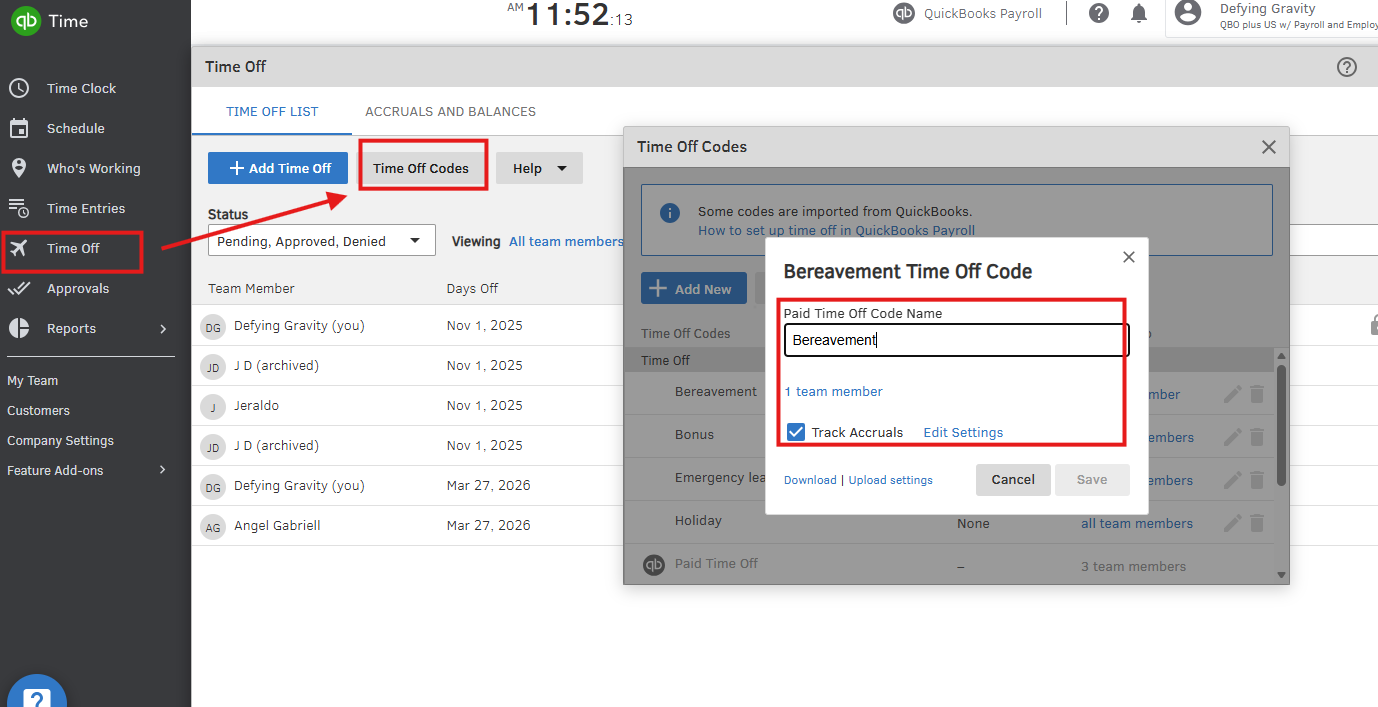
Buy nowHi there, @LDO. In QuickBooks Time and QuickBooks Online Payroll, holiday pay, jury duty, and bereavement hours will only accrue vacation if those pay items are designated as Time Off codes in QuickBooks Time.
When they're add as time off, QuickBooks will treats them like PTO and include them in the accruals.
To set this up:
If you have follow up questions, please don't hesitate to click the Reply button.

