Turn on suggestions
Auto-suggest helps you quickly narrow down your search results by suggesting possible matches as you type.
Showing results for
Get 50% OFF QuickBooks for 3 months*
Buy nowI appreciate you sharing the details about your current inventory tracking situation, livepilot. Let me clarify the things with the As-of-date error you're encountering.
The error occurs because the inventory start date you entered (01/31/2026) is after the dates on the invoices (starting 05/30/2025) where you used those items. QuickBooks won't allow you to record a purchase or sale for an item before its official As-of-date.
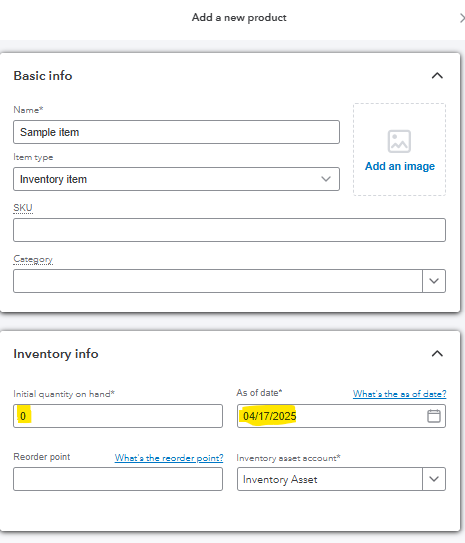
To fix this, you'll need to create a new inventory item dated 04/17/2025, set the quantity to 0. This way, you can enter a bill of your desired quantity, and it will be added to the quantity of the newly added inventory item.
You can check out the screenshots below as a reference:
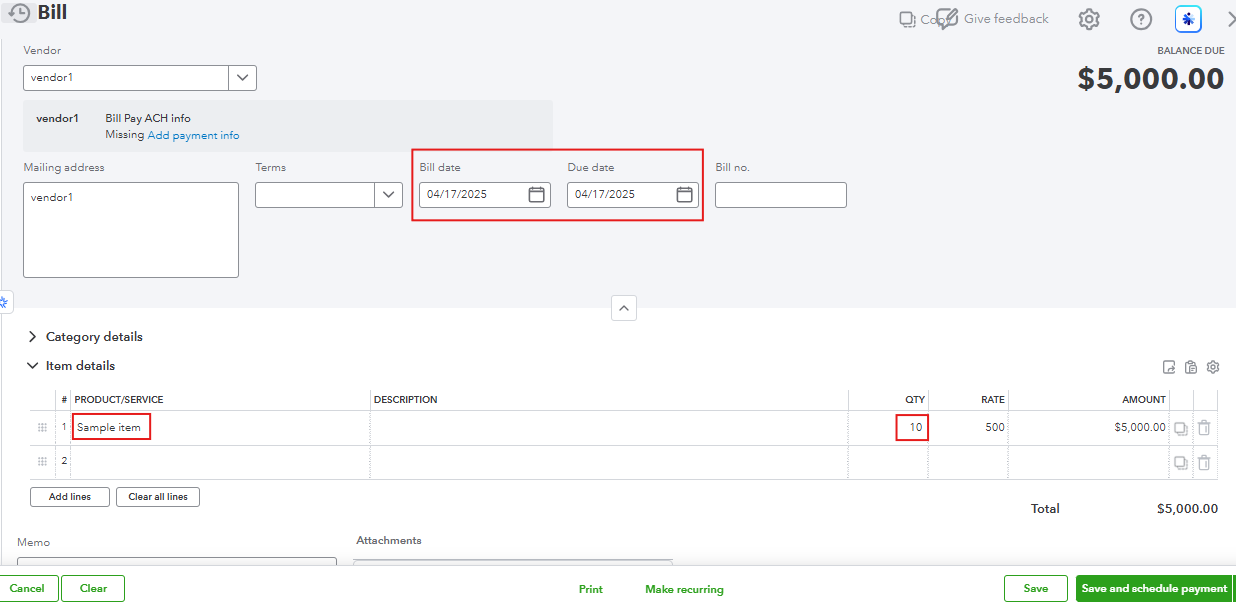
After creating a bill, edit the invoices from 05/30/2025 and replace the old service/non-inventory items with this new inventory item. Here's how:
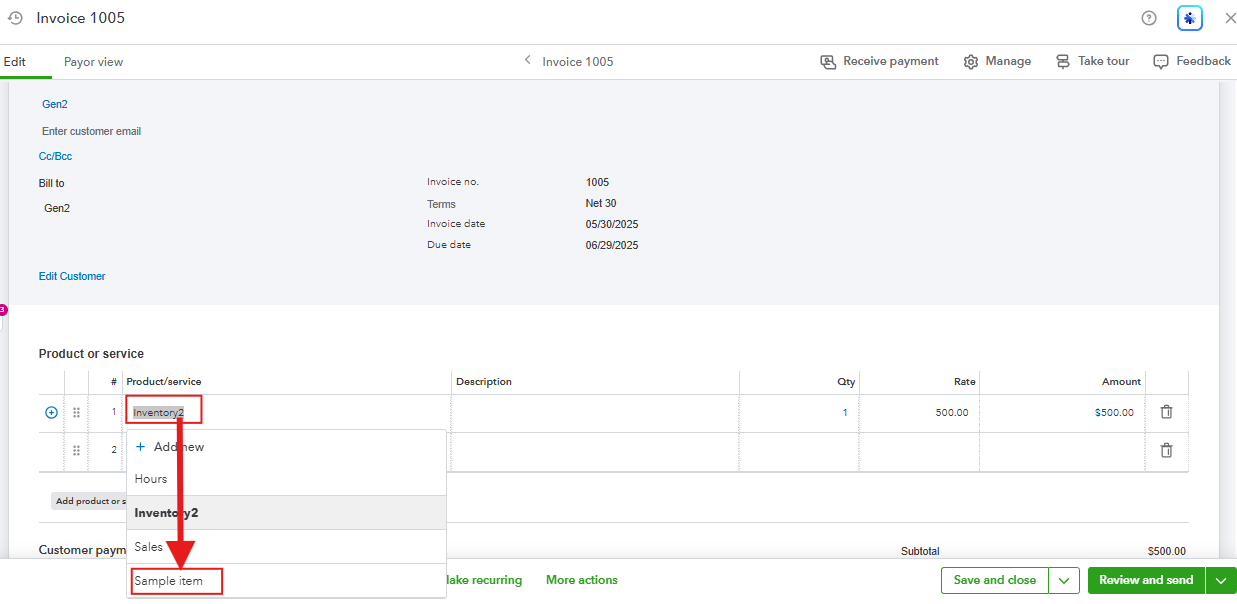
Once the history is moved, you can safely remove or inactivate the original item dated 01/31/2026 to avoid future confusion.
Moving forward, it is best to check the starting date of your inventory item before creating any transaction associated with that item to avoid errors and conflicts.
Feel free to go back to this thread if you have more questions. We're always here to help.

