Turn on suggestions
Auto-suggest helps you quickly narrow down your search results by suggesting possible matches as you type.
Showing results for
Get 50% OFF QuickBooks for 3 months*
Buy nowAllow me to walk you through the steps, @parksbarbie.
Once the journal entry is deleted in the system, it will automatically zero out the balance in the register.
You'll have to choose a period when you want to start tracking your finances, so it will give you an option to enter the opening balance. Here are the steps:
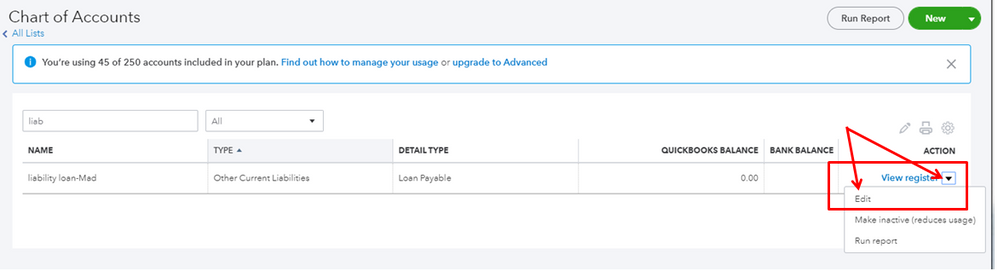
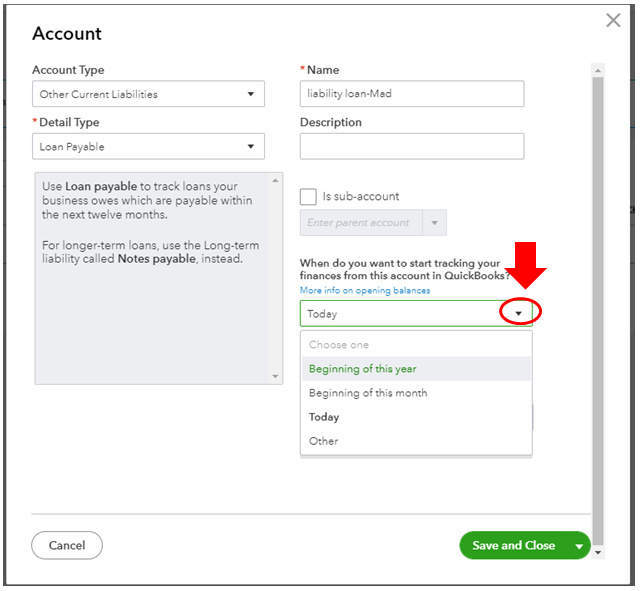
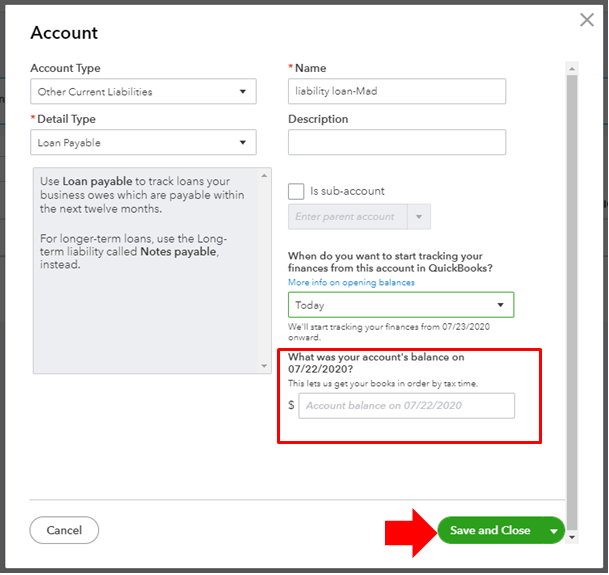
You can check this article for more information: Enter opening balances for accounts in QuickBooks Online.
This resource also gives you a better way on how to organize Chart of Accounts (COA) moving forward: Understand the chart of accounts in QuickBooks. I’m sure you’ll find it helpful.
Let me know if there’s anything else I can help you with. I’m just right in the corner, take care.

