Turn on suggestions
Auto-suggest helps you quickly narrow down your search results by suggesting possible matches as you type.
Showing results for
Get 50% OFF QuickBooks for 3 months*
Buy nowI can share some ideas about the difference between vendor and contractors in QuickBooks, @Gabby1582.
If the person works for you as an independent contractor, you should set up that person as a vendor. The general IRS rule is that an individual is an independent contractor if you have the right to control or direct the result of the work but not the means and methods of accomplishing the result.
An independent contractor is a person, business, or corporation that provides goods or services under a written contract or a verbal agreement. Unlike employees, independent contractors do not work regularly for an employer but work as required.
You can either set them up as vendors or contractors. To add a contractor as a vendor, here's how:
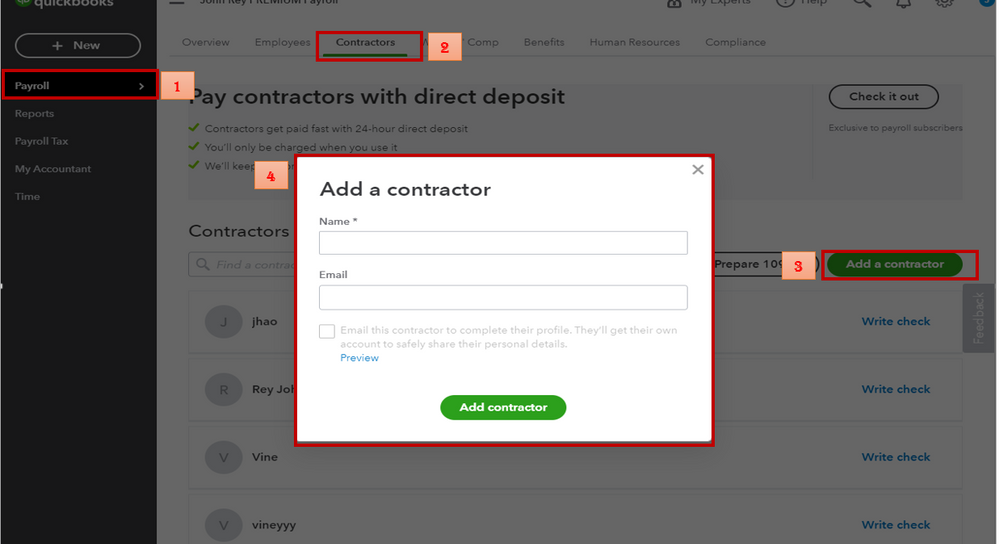
Now that you entered the contractor as a vendor, you need to start tracking their payments. Let me show you how:
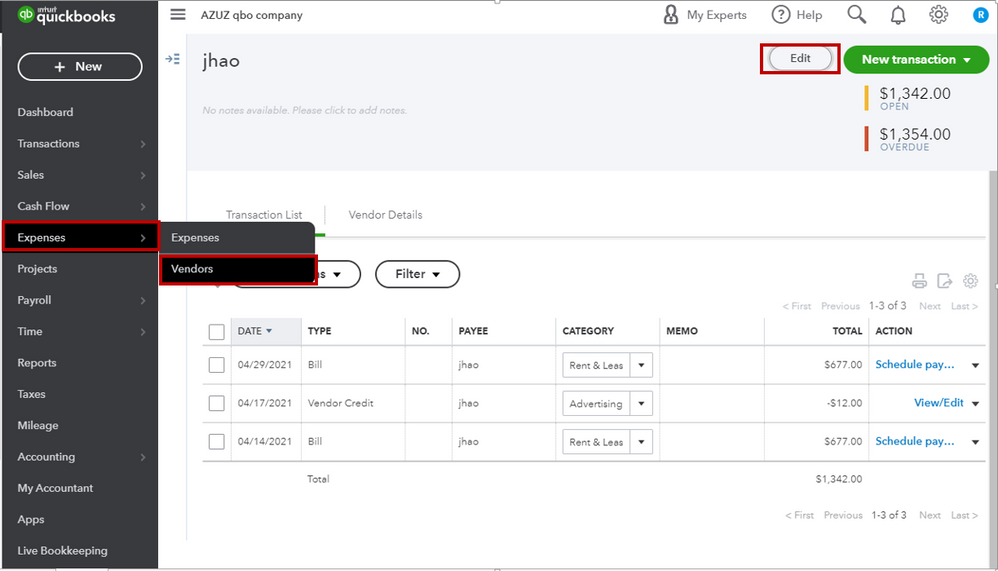
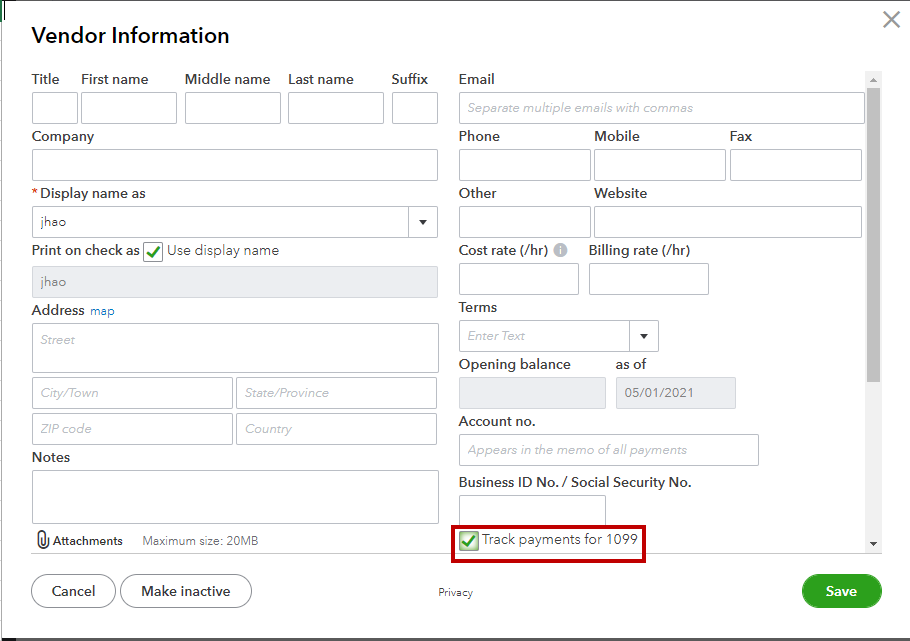
QuickBooks will start tracking all of its payments. When you're ready to file your 1099s, you can easily add the tracked payments to the form.
I'm also adding this link on how to prepare and file your 1099s during tax season.
Feel free to drop a line below if you have any other questions about setting up vendors or contractors in QuickBooks. Have a wonderful day.

