Turn on suggestions
Auto-suggest helps you quickly narrow down your search results by suggesting possible matches as you type.
Showing results for
Get 50% OFF QuickBooks for 3 months*
Buy nowThanks for choosing QuickBooks, SnoKingRef.
I agree with aj4fluentbiz. A Vendors are those people or companies that you pay money to, such as a store, utility, landlord, or subcontractors who do work for you. On the other hand, Customers are people who owe you money for products purchased or service rendered.
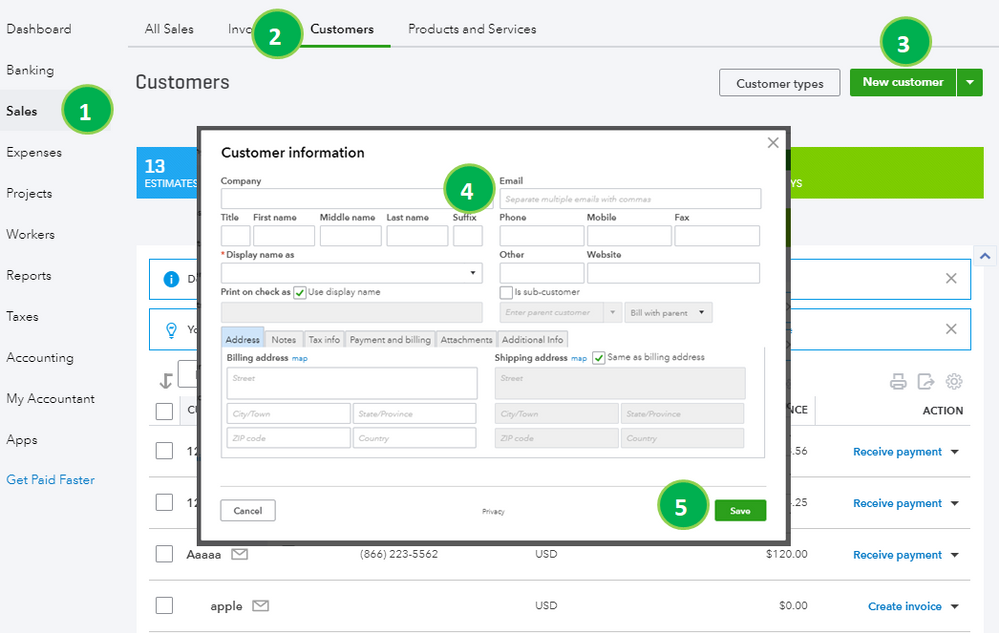
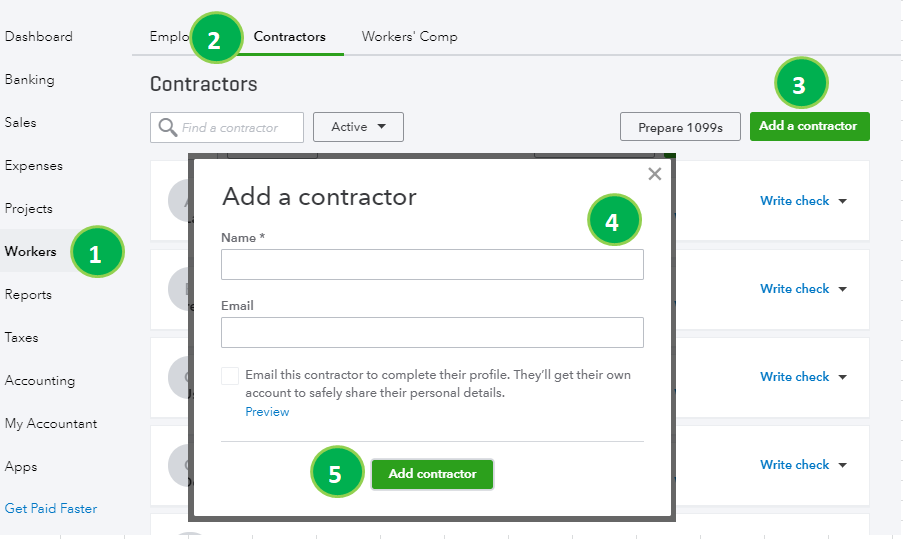
I'd be happy to walk you through on how to add Customer/Vendors by following the steps below:
To add Customers:
To add Vendors:
I've attached some screenshots below so you can have a better view.
Should you have additional questions about vendors and customers or anything else QuickBooks, don't hesitate to ask me here in the Community. I'll be around to help you out