Turn on suggestions
Auto-suggest helps you quickly narrow down your search results by suggesting possible matches as you type.
Showing results for
Get 50% OFF QuickBooks for 3 months*
Buy nowHello, E2015.
Thanks for following-up! I'd like to take it over from here and clarify the steps to help you record the payment from a third-party company.
There's no need to create another invoice for the third-party company. What you'll want to do is to create a customer account for them, then transfer the balance using a journal entry.
First, create a customer account for the third-party company. Simply click the Customers menu, then select Customer Center.
Click the New Customer & Job button, then add the company's details. Skip this part if you've already created a profile for them.
After creating a profile, create a clearing account. We will be using this a medium to move the balance:
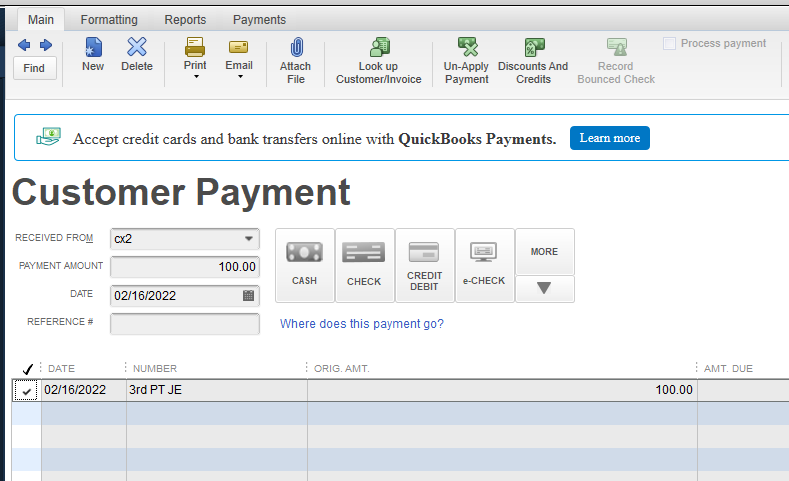
Next, create a payment entry under the company's profile:
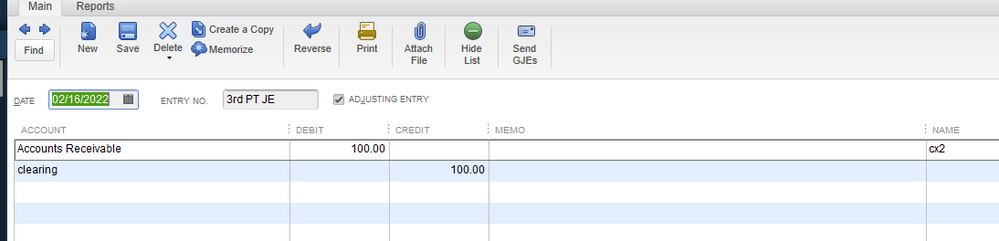
This will create a credit on their account. We'll use this to move the funds. Next, create a journal entry to move the funds:
Then, you'll want to close out the payment entry by linking the journal entry together.
Simply go to the third-party company's customer account, then open the Payment transaction. Check the journal entry you've created, then hit Save & Close.
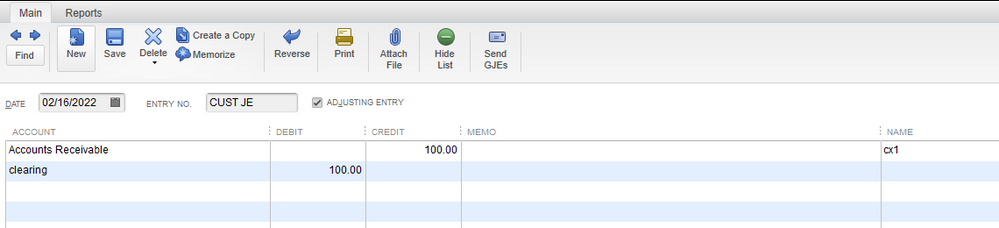
Next, create a journal entry under your customer's account:
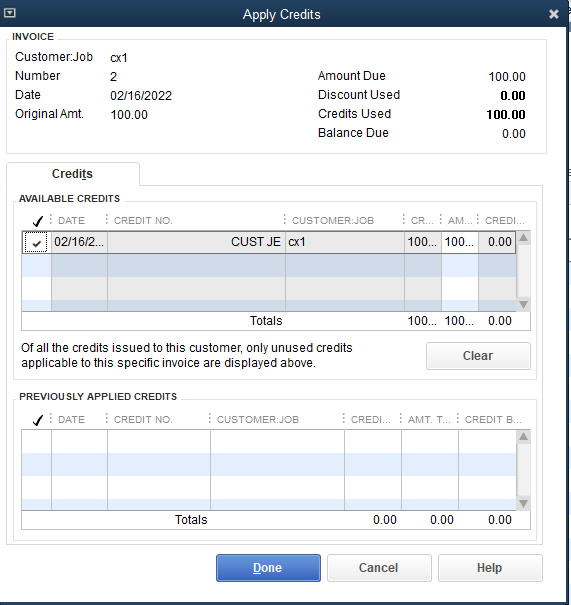
Finally, tie it all together by opening the customer's invoice. Click the Apply Credits button, then check the journal entry for this customer profile. Hit Done to close out the transactions.
For references about these steps, you can check this article: Transfer customer credit from one job to another in QuickBooks Desktop.
Need help reconciling your accounts and closing out the current period? Check out this article if you need a guide: Reconcile an account in QuickBooks Desktop.
Do you have more questions in recording your customer transactions? Or do you need help with a specific task? Let me know and I'll keep an eye out for your reply. I'll see you soon.