Turn on suggestions
Auto-suggest helps you quickly narrow down your search results by suggesting possible matches as you type.
Showing results for
Get 50% OFF QuickBooks for 3 months*
Buy nowTo properly remove the customer discount is to toggle the Discount until it shows zero, dianem1.Please see the screenshot for reference.
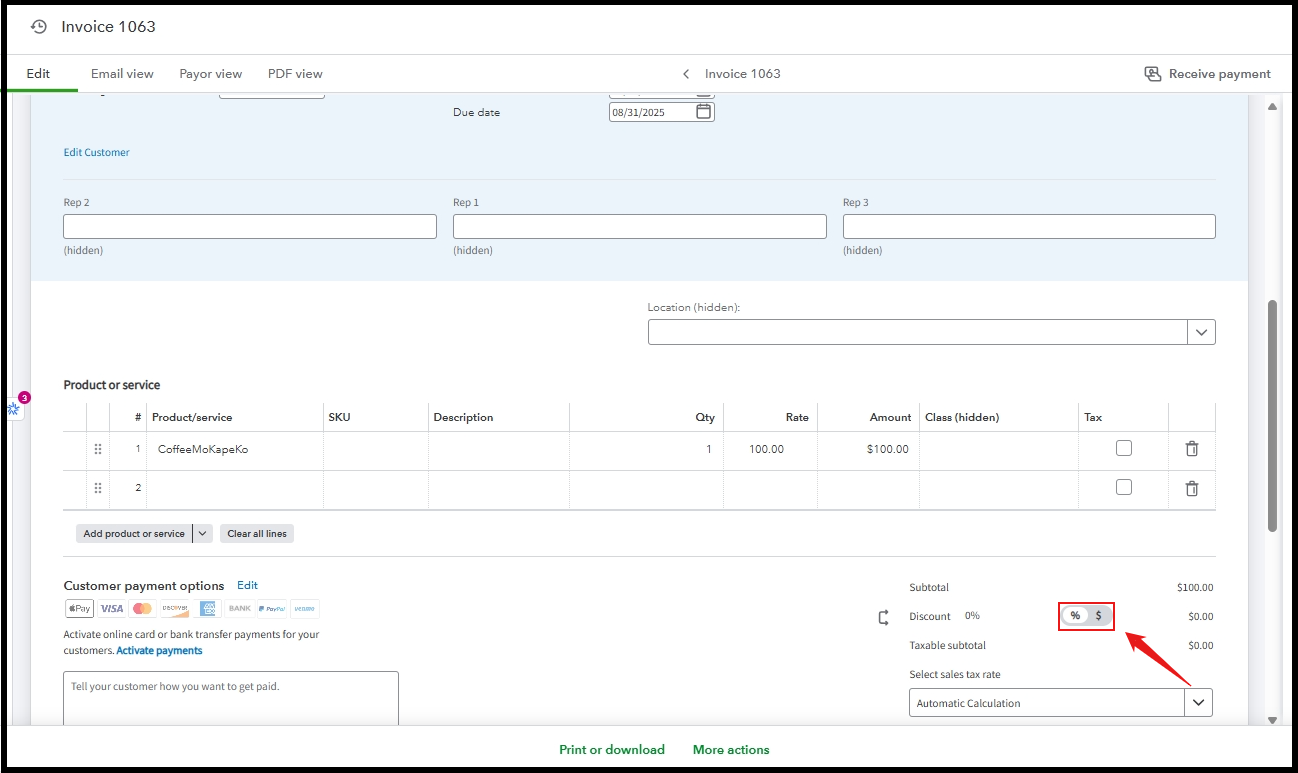
On the other hand, deleting a customer payment in QuickBooks may not fully remove it from the customer’s profile it may just unlink it from the invoice. Alternatively, if the payment amount exceeds the invoice total in the Receive Payment screen, QuickBooks automatically creates a credit on the customer’s account.
I also suggest running the Customer Balance Detail Report to track down the credit. This report also provides a detailed look at all the transactions tied to the customer and can help pinpoint the exact credit that is causing the incorrect balance. Here's how:
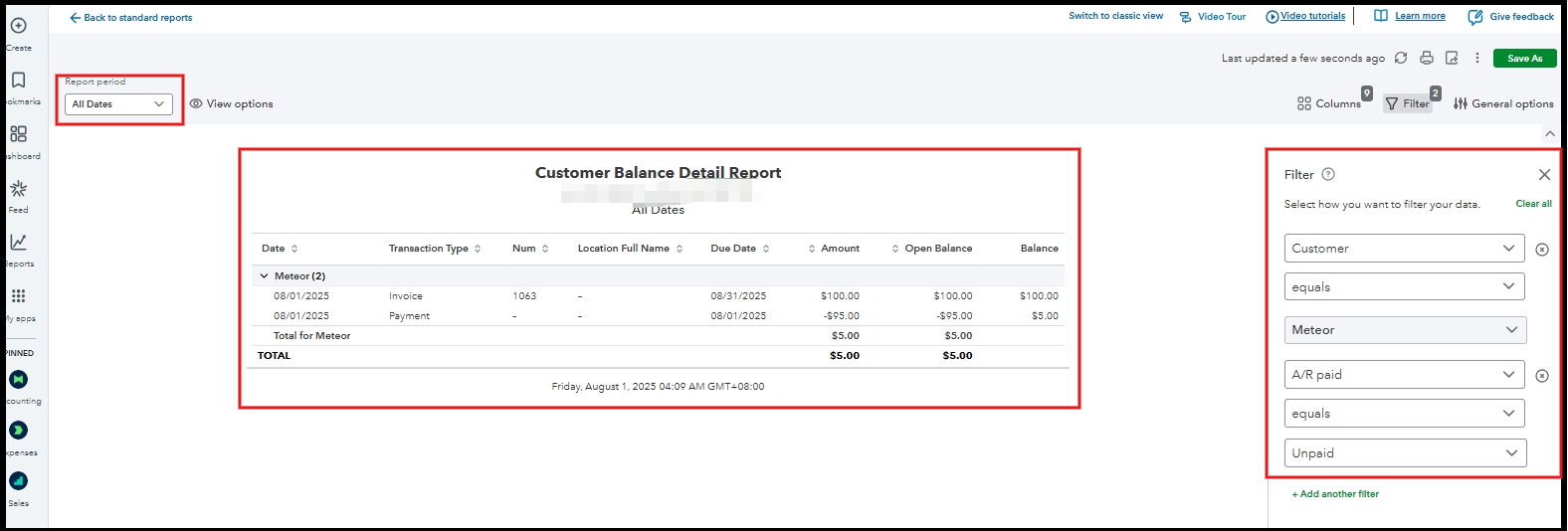
Once you find the credit, click on the specific payment transaction, More actions and Delete.
If you have further questions, click the Reply button below.

