Turn on suggestions
Auto-suggest helps you quickly narrow down your search results by suggesting possible matches as you type.
Showing results for
Get 50% OFF QuickBooks for 3 months*
Buy nowThanks for reaching out here in the Community, and I hope you're doing well, too, Pavel. I understand that privacy is a priority for you, and I'd be glad to help you with your concern.
Before that, I'd like to clarify what you’re trying to do. For example, do you want to remove saved login sessions or passwords from your browser, or update your QuickBooks account credentials, like your email address or password? This will help us assist you and provide accurate guidance on your concerns.
If you'd like to sign out active sessions in QBO for security, you can change your Intuit account password, which automatically logs them out of all devices and sessions.
Here's how:
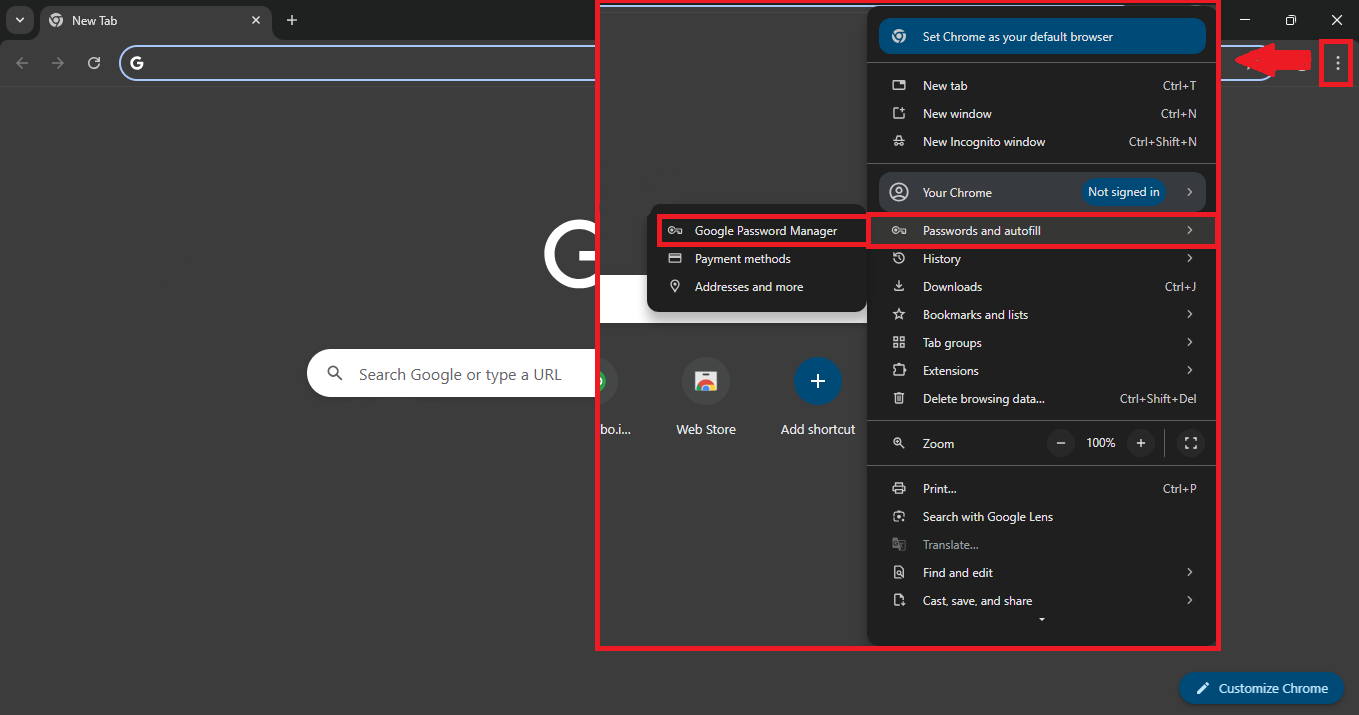
There's also another way to remove the saved passwords in your browser by going to your browser's settings.
Here's how:
If you're referring to something else, please don't hesitate to reply here in this thread. We're here to help you anytime.

