Turn on suggestions
Auto-suggest helps you quickly narrow down your search results by suggesting possible matches as you type.
Showing results for
Get 50% OFF QuickBooks for 3 months*
Buy nowWe appreciate your continued support and loyalty as you upgraded from QuickBooks Desktop (QBDT) to QuickBooks Online (QBO, John. We are committed to ensuring a seamless transition and providing you with the best possible service.
The Balance Sheet report presents the company's financial position, including assets, liabilities, and equity. However, checks are not directly listed because they are not categorized under assets, liabilities, or equity.
We can generate a Transaction Detail by Account report, applying filters for Transaction Type to show only checks. This report will list those that meet your criteria without affecting the Balance Sheet's structure.
Here's how:
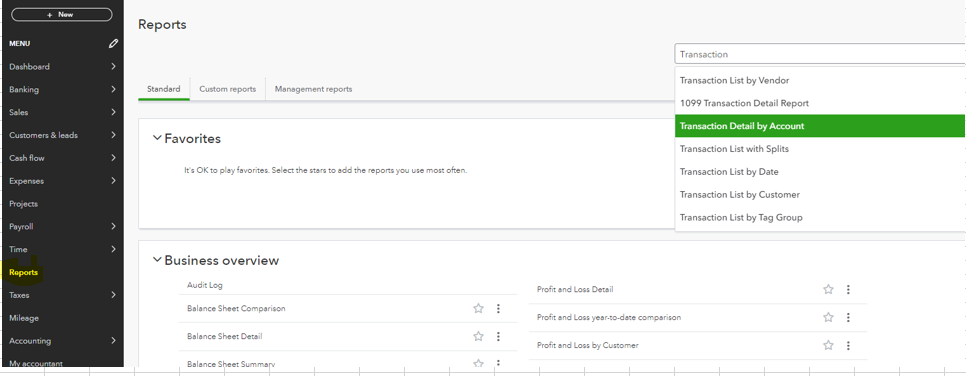
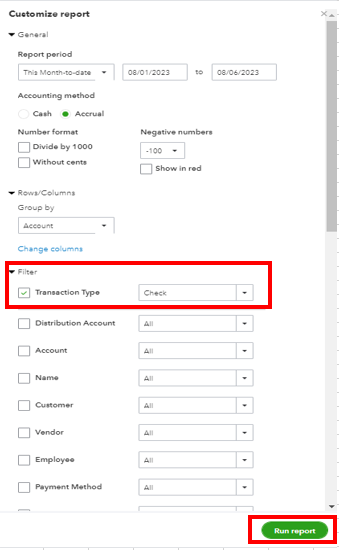
Moreover, I recommend exporting the data to Excel and manually applying filters to display checks exceeding $1000. See the screenshots below to export the data.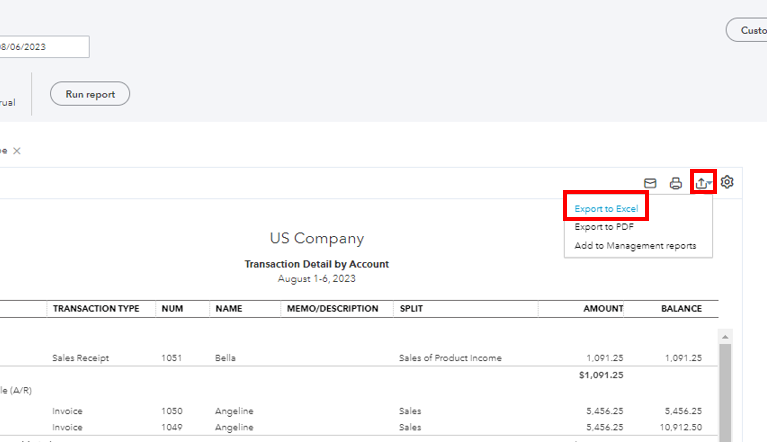
Additionally, you can run a Balance Sheet report to see the Designated Fund (equity) with its sub-account.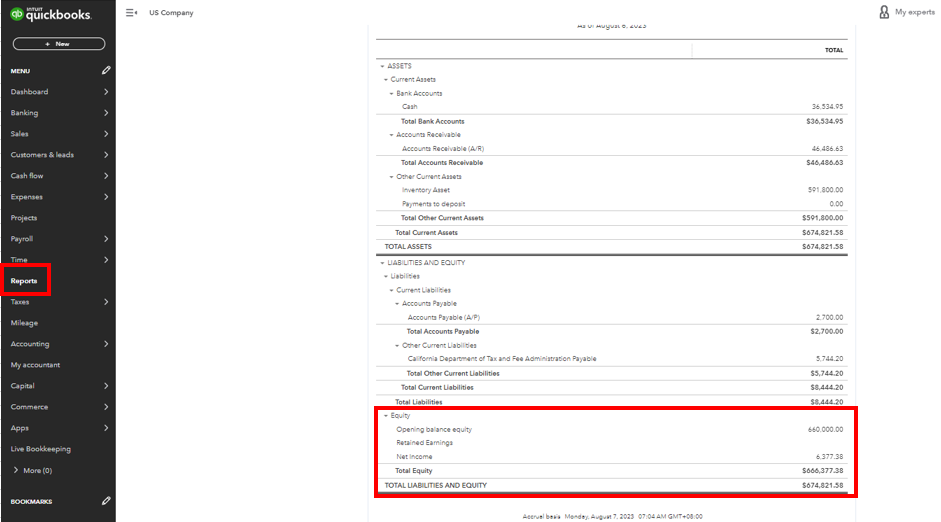
I can see the importance of having this option for your business. With that, I suggest sending feedback to our product developers so they can review it and might consider adding this in our future updates. Please refer to the steps below:
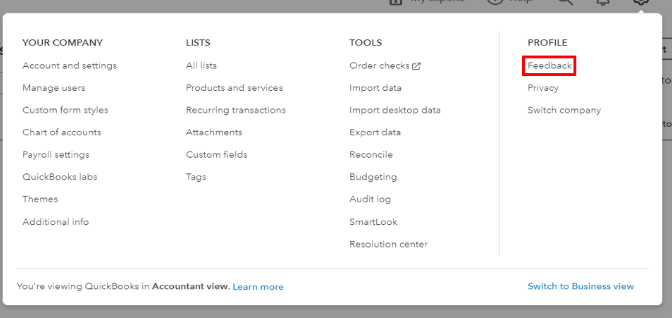
You can track your feature requests through our QuickBooks Online Feature Requests website.
Let me know in the comment below if you have other concerns or follow-up inquiries about managing reports in QBO. I'm just around to help. Take care!

