Turn on suggestions
Auto-suggest helps you quickly narrow down your search results by suggesting possible matches as you type.
Showing results for
Get 50% OFF QuickBooks for 3 months*
Buy nowI'd be delighted to help you through identifying the Gear icon in QuickBooks Online, @Sdhelo. It looks like a small cogwheel or sprocket, located on the upper right corner of your screen next to your company name. Let me show you.
Below, is the screenshot of what the Gear icon looks like and its location.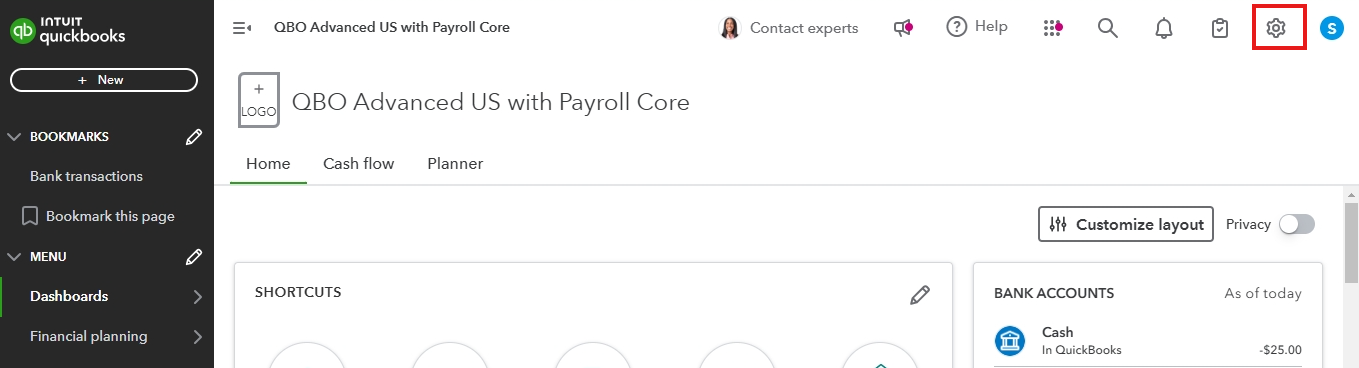
In addition to this, I recommend exploring this resource: Understand the navigation menu in QuickBooks Online. This guide thoroughly This guide covers every aspect of the QuickBooks Online navigation menu, offering in-depth insights into its features and functionalities.
Furthermore, I'm thrilled to share an exclusive offering that might be of great interest to you—QuickBooks Live. If you're looking for expert guidance or need additional support with financial management, particularly during tax season, QuickBooks Live could be the perfect fit. To explore how this service can enhance your QuickBooks experience, feel free to schedule a free consultation at a time that suits you best.
If you're still having difficulty locating the Gear icon or if you have any questions, please don't hesitate to provide more details in your response. My team and I are here and ready to assist you every step of the way to ensure your experience with QuickBooks Online is as smooth as possible.

