Turn on suggestions
Auto-suggest helps you quickly narrow down your search results by suggesting possible matches as you type.
Showing results for
Get 50% OFF QuickBooks for 3 months*
Buy nowWe can navigate to the Account and settings to unlock your books so you can make necessary corrections and updates to your records, @KHBS.
Here's how:
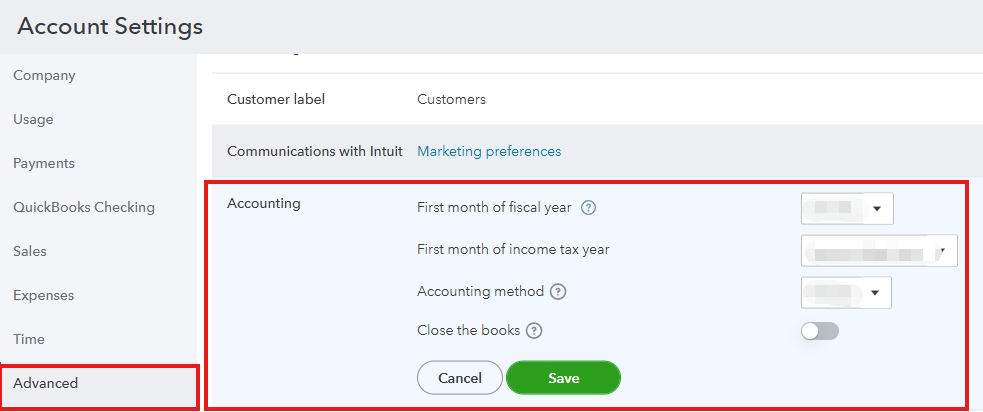
You can also visit this article for more details and information abut closing books in QuickBooks: Close your books in QuickBooks Online.
Additionally, I’ve included this article to help ensure your records align with your bank or credit card statement: Reconcile an account in QBO.
To further enhance your QuickBooks experience, our QuickBooks Live Expert Assisted team is available to guide you best practices before closing your books.
Please keep the discussion going if you have further questions about closing books in QuickBooks, we'll be here to help.

