Turn on suggestions
Auto-suggest helps you quickly narrow down your search results by suggesting possible matches as you type.
Showing results for
Get 50% OFF QuickBooks for 3 months*
Buy nowThanks for reaching out to me here in the Intuit Community, @dallasbrews.
Right now, there isn't a pending status for sales receipts.
QuickBooks automatically deposits your sales receipts into the Undeposited funds account. What you can do instead is open a quick report for this account to see all sales receipts.
Let me guide you through the steps on how to run the report:
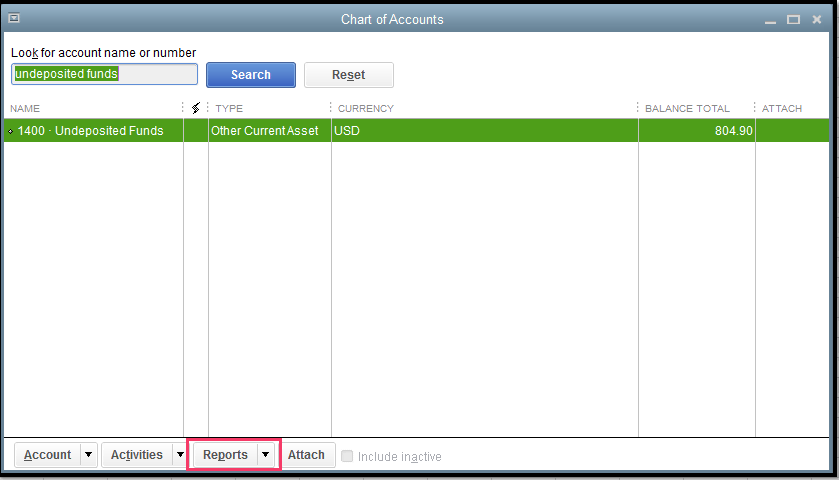
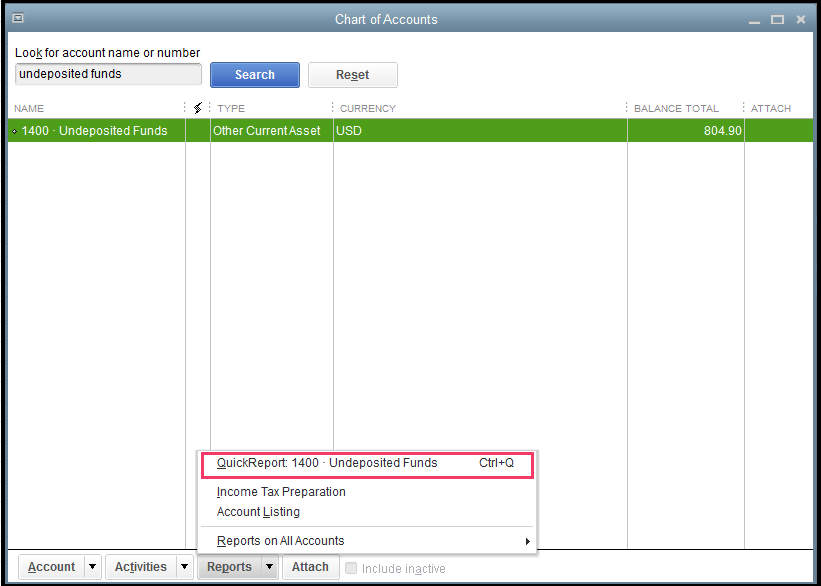
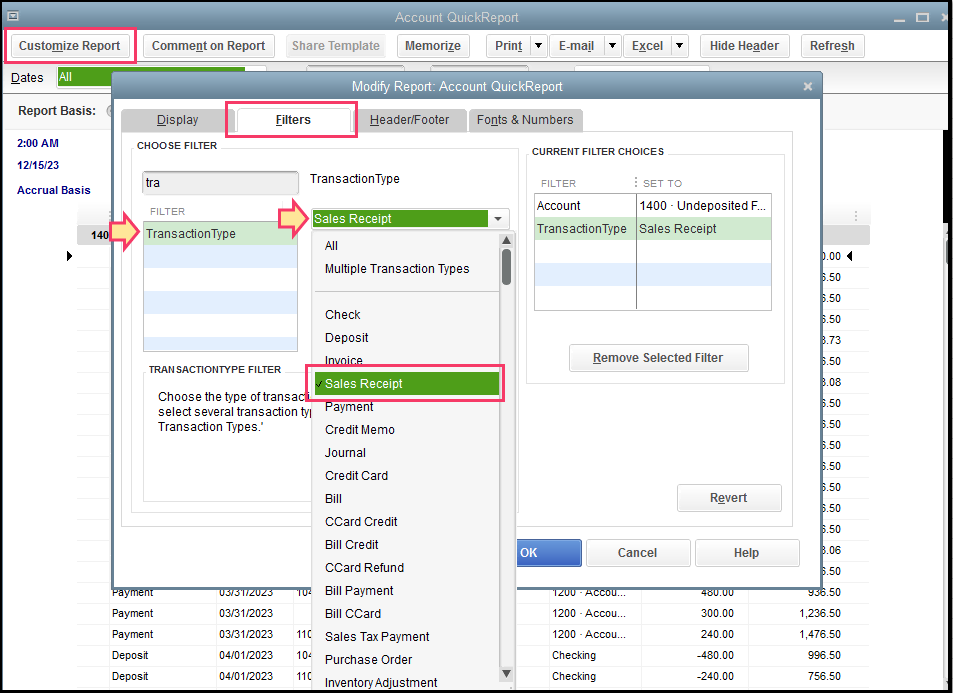
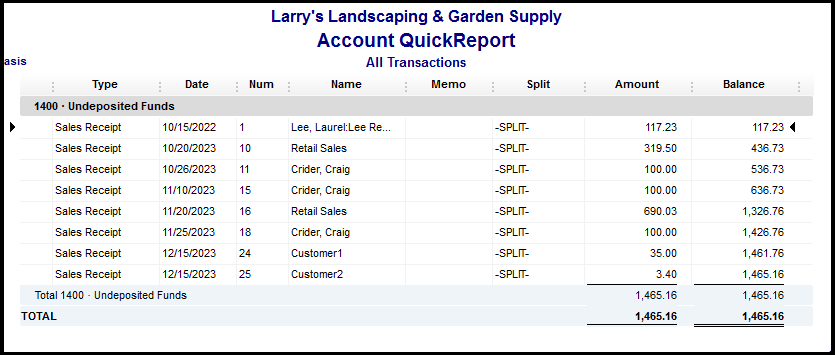
To learn more about creating sales receipts, feel free to read through this article: Create sales receipts.
If you need to save this report with its current customization settings, you can click the Memorize button. For additional information about memorizing reports, please check this out: Create, access and modify memorized reports.
By following the solution above, you won't miss any payments once you create a check.
Let me know if there's anything else you need when creating sales receipts in QuickBooks Desktop. Just leave a comment below and I'll get back to you.

