Turn on suggestions
Auto-suggest helps you quickly narrow down your search results by suggesting possible matches as you type.
Showing results for
Get 50% OFF QuickBooks for 3 months*
Buy nowWelcome to the Intuit Community, Neal.
Let’s create a specific sale tax for each item and then set up a 0% rate. We’ll use the latter in the Tax section for QuickBooks to calculate the correct amount.
If you haven’t turned on the Sales Tax feature, go to the Preferences page to set it up. Here’s how:
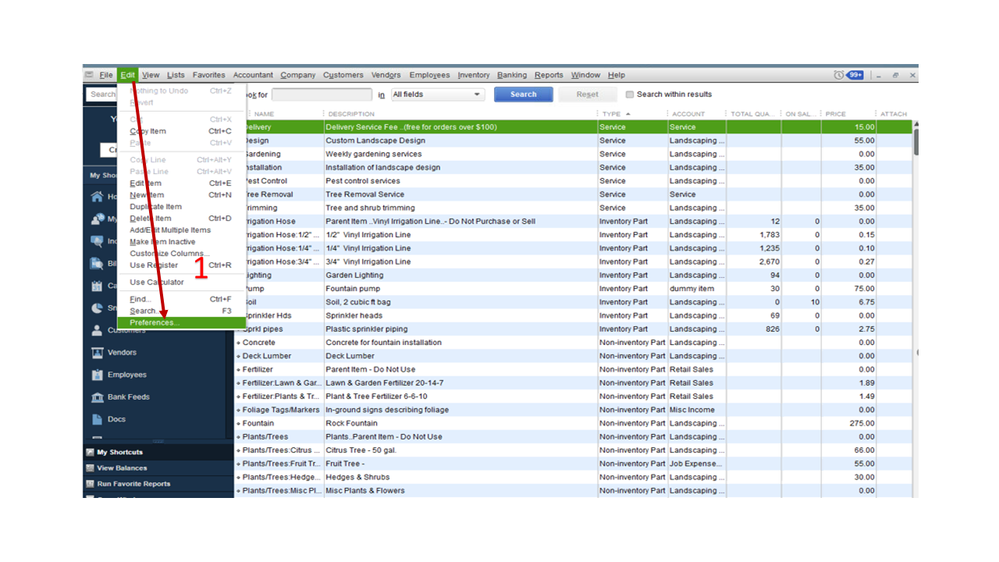
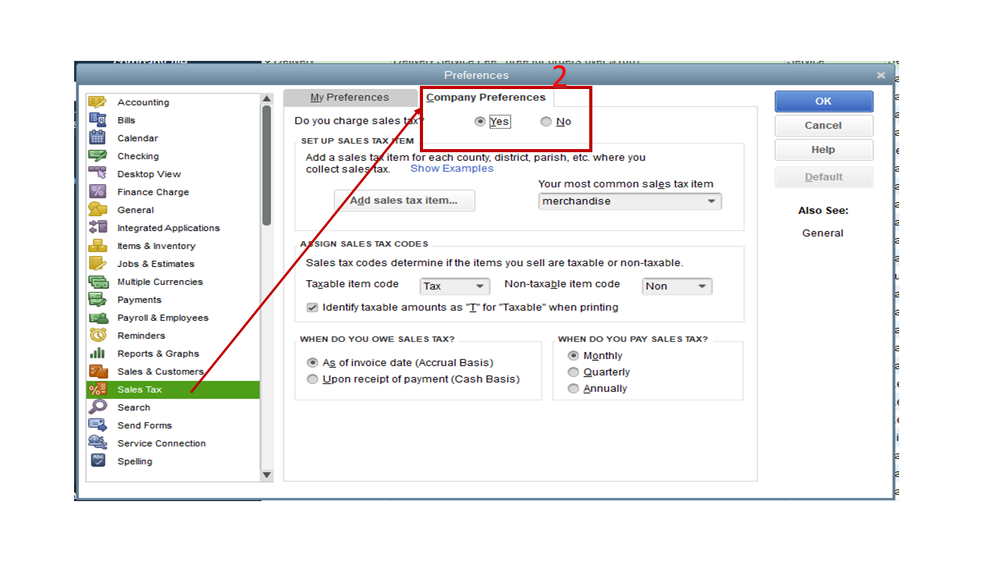
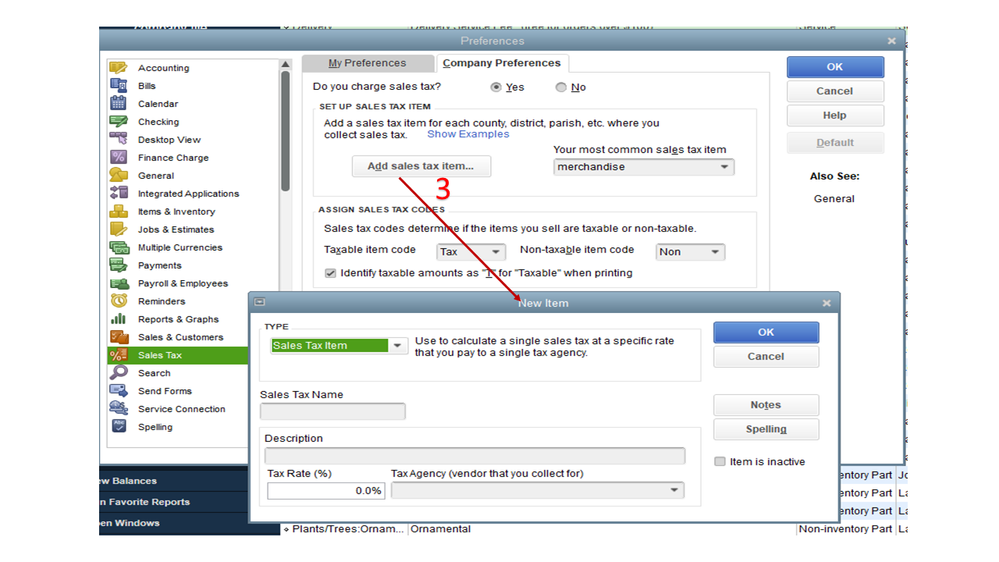
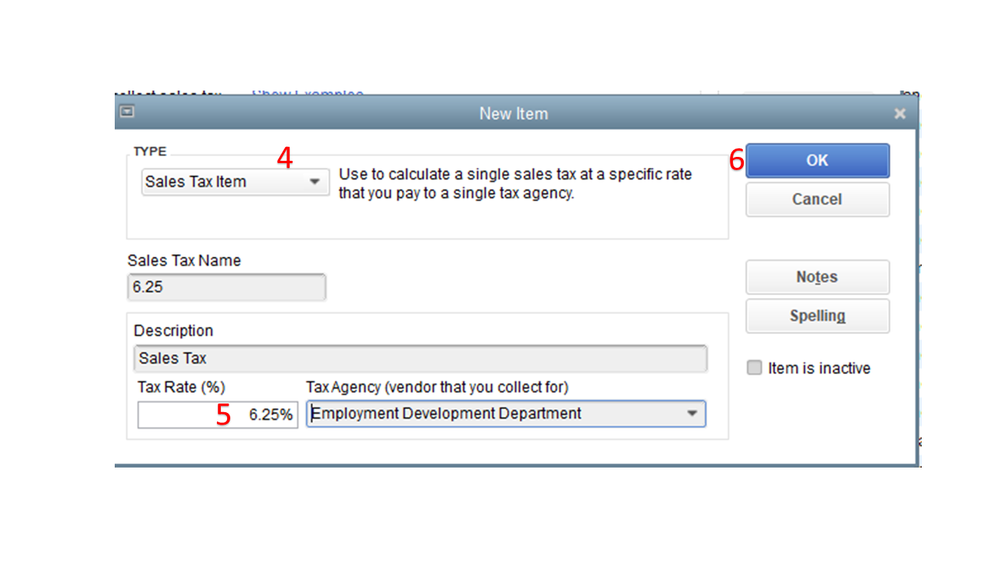
When creating an invoice, input the service/merchandise on the first line item. Next, go to the next line and select the appropriate sales tax rate (8.25% or 6.25%).
We’ll have to perform the same procedure for the remaining product/service. Once done, click the Tax drop-down to choose 0% and then tap the Save and close button.
I’m also adding an article with a breakdown of the links for each topic about the Sales Tax option in the desktop version: How do I?
Stay in touch if you have any other concerns or questions about the product. Please know I’m here to help you. Have a good one.

