Turn on suggestions
Auto-suggest helps you quickly narrow down your search results by suggesting possible matches as you type.
Showing results for
Get 50% OFF QuickBooks for 3 months*
Buy nowThanks for sharing the details with me, @Anonymous.
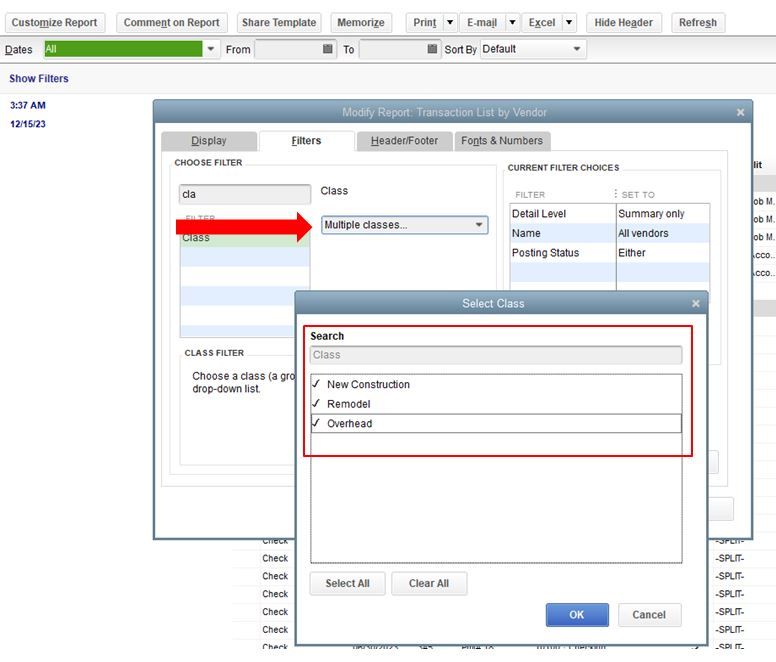
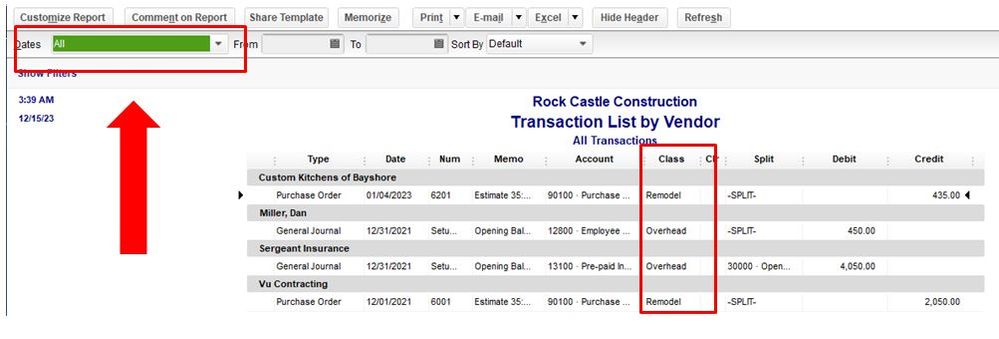
You’ll want to adjust the date of the report to All. That way, it'll show all the classes. Then, look for the year 2019 transactions for reference. Let me show you how in your QuickBooks Desktop (QBDT) software.
Here's how:
You can also check this link for more details in customizing reports in your QBDT software.
Once done, you can memorize the report to save its current settings. This way, you won’t have to customize it in case you need to run it again in the future.
Let me know if you have other concerns about reports in your QBTD software @Anonymous, it’s always my pleasure to help you anytime. Have a great day ahead.

