An accountant using an accounting CRM
CRM

The best accounting software with CRM support


Key Takeaways

  • CRM accounting software connects client and financial data and includes features like a secure portal and reliable support.
  • QuickBooks stands out with AI automation, built-in client tools, and seamless CRM integrations.
  • Tools like QuickBooks support invoicing and client-tracking features through connected apps.

  • Running a successful business means managing your finances while keeping client relationships strong. But when your accounting tools and customer systems work separately, it's easy to miss details and become less efficient.

    An accounting CRM bridges that gap by connecting your financial data and customer data in a single system. It gives you a clearer view of your business and helps you deliver a smoother client experience.

    Let’s take a look at the top accounting CRM solutions, what key features to look for, and how CRM accounting in QuickBooks can help you streamline workflow for maximum productivity.

    What is CRM in accounting?

    An accounting product with CRM capabilities brings your financial data and customer information together in one place. With all your client interactions, invoices, and payments in a single view, teams can better understand client relationships and how they impact revenue.

    There are different ways this connection can work, all depending on where you start. Accounting software with CRM capabilities combines bookkeeping, reporting, and client-management tools in one place.

    For example, in QuickBooks, the Customer Hub includes a built-in AI Agent to help grow your business and support customer relationships.

    A CRM with accounting features focuses on client relationships first and connects them to your financial data for better visibility.

    When your accounting and CRM systems work together, your teams stay on the same page, from how customers engage to how revenue moves through your books. This connected view also helps you spot patterns in workload and project volume, which can inform HR performance indicators like staffing needs and team capacity.

    Benefits of integrating CRM and accounting

    Integrating your CRM and accounting systems creates one connected workflow across sales, customer service, and finance teams. Key benefits include:

    • Improved client management: Get a full view of every customer from first contact to final payment, so you can respond quickly and build stronger relationships.
    • Streamlined operations: Save time by creating a single source of truth for data, so your team has access to the same real-time information.
    • Regulatory compliance: Maintain accurate, up-to-date records that simplify audits and reporting.
    • Better collaboration: Sales and accounting teams can track invoices, payments, and customer history in the same system, improving visibility and communication.
    • Scalability: As your business grows, integrated systems manage more clients and transactions without extra admin work.
    • Better hybrid/remote work support: Cloud-based access keeps your team connected and productive from anywhere.
    tip icon

    It’s not just your back office that benefits from accounting CRM. Clients enjoy faster responses, accurate invoices, and smoother customer service.

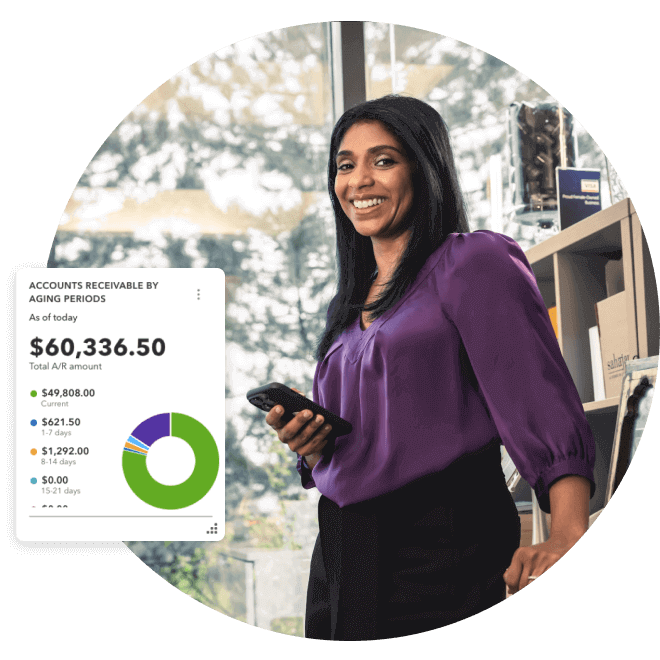
    Sahajan Beauty owner stands by the shelf with a confident smile and mobile in hand. A pop-up screenshot showing accounts receivable by aging periods.


    Work smarter, not harder

    Automate and organize your business on any device everywhere you go with QuickBooks Online.

    CRM software with accounting integration

    Managing customers and keeping your books up to date shouldn't feel like two separate jobs. When your CRM connects with accounting software, customer and financial data stay in sync automatically.

    You can quickly see who's paid, what's outstanding, and how your sales affect your bottom line, all in one place. Here are some top CRM options that integrate with accounting tools:

    • HubSpot: Great for marketing automation and sales tracking, helping you attract leads, nurture relationships, and close deals faster.
    • Zoho CRM: Strong in sales automation and reporting, giving you real-time visibility into leads, deals, and customer activity.
    • Method CRM: Offers deep customization and workflow automation so you can tailor processes around your sales and accounting needs.
    • OnePageCRM: Focuses on simple, action-based contact management that helps small teams turn leads into paying customers.

    Is QuickBooks a good option if I need accounting with CRM support?

    QuickBooks is a good option if you need accounting software with built-in CRM capabilities. It includes AI-powered CRM tools that help connect client activity with accounting data, giving businesses a more connected workflow without needing external CRM integrations.

    A book about computers is shown with a sign.

    QuickBooks also helps you manage clients and finances in one place. You can automatically track estimates, invoices, and payments, while customer details and transaction history stay organized and easy to access.

    What makes QuickBooks stand out is the depth of insight you get when everything comes together. You can see how client activity, cash flow, and sales performance link to each other in real time, giving you a clearer picture of your business.

    QuickBooks Customer Hub

    The Customer Hub centralizes client management and helps you maintain stronger relationships by keeping customer information connected in one place.

    Key features include:

    • Client profile management: View customer details, transaction history, and account information at a glance.
    • Customer activity visibility: See invoices, payments, and other customer-related activity tied to each client.
    • Follow-up support: Identify outstanding invoices and customer status to help prioritize next steps.
    • Centralized customer records: Keep customer information organized within QuickBooks.

    AI-powered Customer Agent

    QuickBooks' AI-powered Customer Agent automates relationship management and can help you move leads through your sales pipeline more efficiently.

    Key features include:

    • Lead detection: Identify potential leads and opportunities based on customer behaviour.
    • Opportunity visibility: Monitor customer-related opportunities.
    • Workflow support: Help surface relevant information that supports timely follow-ups.

    Important CRM features to look for in accounting software

    Many accounting platforms now offer CRM capabilities to help you manage clients and finances in one place. Here are the CRM-focused features to look for when choosing accounting software for your business:

    • Secure client portal: A client portal lets customers view invoices, upload files, and share information safely. It keeps communication organized and supports smoother collaboration.
    • Two-way data sync: This feature keeps your customer and accounting records aligned. Any update to contacts, invoices, or payments appears automatically across both systems.
    • Compliance tracking: Compliance features help you maintain accurate records and meet audit or review requirements. They make it easier to log changes, store documents, and keep reliable client histories.
    • Automated billing/proposals: Automated workflows help you create invoices, send reminders, and manage proposals on time. This reduces administrative tasks and helps keep cash flow steady.
    • Reliable support and community: Quality support matters when you're working across CRM and accounting features. Look for software with clear guides, responsive service, and an active user community to help you resolve issues quickly.
    Key CRM support features an accounting software should have

    Explore QuickBooks Accounting's CRM support features

    Integrated CRM support helps businesses stay organized and keeps client and financial information connected. With everything in one place, you get a clearer picture of your work and how each client relationship is progressing.

    With QuickBooks, the AI Customer Agent helps you stay on top of client activity and opportunities while keeping your financial and customer information connected in real time.

    Explore QuickBooks Customer Hub to see how it helps keep your client and financial workflows aligned.

    Frequently asked questions

    Disclaimer

    Money movement services are provided by Intuit Canada Payments Inc.

    This content is for information purposes only and should not be considered legal, accounting or tax advice, or a substitute for obtaining such advice specific to your business. Additional information and exceptions may apply. Applicable laws may vary by region, province, state or locality. No assurance is given that the information is comprehensive in its coverage or that it is suitable in dealing with a customer’s particular situation. Intuit does not have any responsibility for updating or revising any information presented herein. Accordingly, the information provided should not be relied upon as a substitute for independent research. Intuit does not warrant that the material contained herein will continue to be accurate nor that it is completely free of errors when published. Readers should verify statements before relying on them.

    We provide third-party links as a convenience and for informational purposes only. Intuit does not endorse or approve these products and services, or the opinions of these corporations or organizations or individuals. Intuit accepts no responsibility for the accuracy, legality, or content on these sites.


    Your privacy

    We collect data when you use our website to improve its performance. Doing so also helps us provide a secure, personalized experience. Select 'Accept cookies' to agree or 'Cookies settings' to choose which cookies we use. You can change your preferences anytime by clicking the 'Manage cookies' link in the footer.

    Choose your cookie preferences

    Some cookies are needed to make our website work and can't be turned off. But we need your consent to use others that are not essential. You can make your choices below and update them at any time using the 'Manage Cookies' link. To find out more, visit our Cookies Policy.

    These cookies are necessary for the site to function. They also help us keep your data safe.
    These cookies allow us to enhance your experience and remember your preferences, region or country, language, and accessibility options.
    These cookies tell us how customers use our website. We study and organize this data to help us optimise our content and provide you with personalised experiences.
    These cookies help us provide you with relevant communications and ads in our products and on other sites.

    Looking for something else?

    Get QuickBooks

    Smart features made for your business. We've got you covered.

    Firm of the Future

    Expert advice and resources for today’s accounting professionals.

    QuickBooks Support

    Get help with QuickBooks. Find articles, video tutorials, and more.