Professional woman using smartphone and tablet
Payroll

How QuickBooks Payroll simplifies direct deposit in Canada


Key Takeaways

  • QuickBooks Payroll streamlines direct deposit by automating pay runs, deductions, and employee payments in one workflow.

  • Direct deposit helps businesses pay employees faster while reducing cheque handling and admin work.

  • Canadian businesses should look for CRA-compliant deductions, secure data handling, and reliable deposit timing.

  • Integrating payroll with accounting gives clearer visibility into payroll costs as teams grow.


  • Many Canadian businesses rely on direct deposit payroll to pay employees quickly and consistently. Instead of managing cheque processing or manual transfers, payroll systems send wages directly to employee bank accounts on the scheduled payday.

    When combined with payroll automation, direct deposit becomes part of a more streamlined process, with everything handled in one system. QuickBooks Payroll supports this by automating payroll calculations and direct deposits while helping businesses stay aligned with Canada Revenue Agency (CRA) requirements.

    To help you better understand how direct deposit fits into your payroll process, this article walks through how it works, what to look for in payroll services, and how connecting payroll with accounting can simplify things as your business grows.

    Why is direct deposit essential for modern payroll in Canada?

    Direct deposit has become the standard payroll method for Canadian businesses, and for practical reasons. With Electronic Funds Transfer (EFT), payments typically clear within one to two business days, so timing your payroll run matters.

    A payroll system that manages deposit scheduling alongside deductions and remittances helps reduce manual coordination. This makes it easier to ensure employees are paid on time, every pay period.

    Here's how direct deposit supports modern payroll:

    • Faster employee payments: Money goes straight into employee bank accounts on payday, with no delays from printing or mailing cheques.
    • Reduced administrative work: Payroll teams don't need to print, sign, or distribute cheques, which makes each pay run easier to manage.
    • Fewer cheque-related errors: Electronic payments reduce the risk of lost, damaged, or incorrectly issued cheques.
    • Improved employee satisfaction: Employees receive their pay on time without needing to deposit a cheque.
    Direct deposit electronic paycheque illustration

    How QuickBooks Payroll automates direct deposit for Canadian businesses

    With QuickBooks Payroll, businesses can manage payroll and direct deposit in one place. Employee bank details are stored securely, so wages can be deposited directly into employee accounts on payday.

    QuickBooks automates payroll calculations, including deductions such as CPP, EI, and income tax based on current CRA rates. This helps reduce manual work while keeping payroll aligned with Canadian requirements.

    Businesses can schedule payroll in advance and review totals before approval. Once payroll is confirmed, wages are sent through direct deposit, and pay stubs and reports are created automatically.

    What happens during an automated pay run

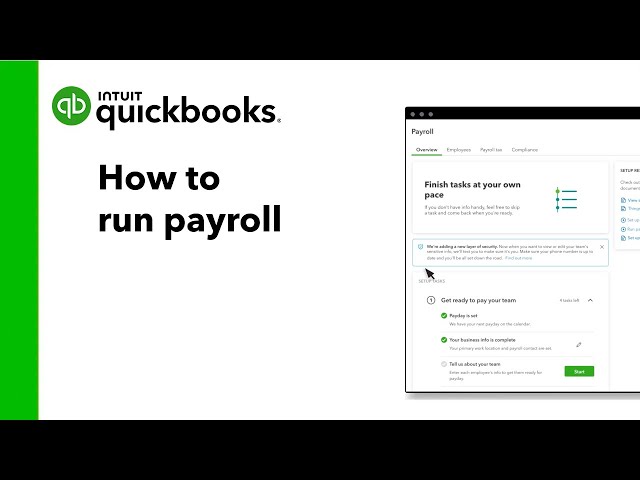
    A typical automated pay run with direct deposit follows a simple workflow:

    1. Sync data: Employee hours, salaries, and pay information are pulled into the payroll system.
    2. Calculate deductions: Payroll deductions are calculated using current CRA rates.
    3. Review and approve: The employer reviews payroll totals and confirms the pay run.
    4. Process direct deposit: Employee wages are sent electronically to their bank accounts on payday.
    5. Generate pay records: Employees receive pay stubs, and payroll reports are created for recordkeeping.

    What to look for in payroll services with direct deposit in Canada

    Before choosing a payroll provider, it's important to make sure it supports both direct deposit and Canadian payroll requirements.

    Use this checklist to evaluate payroll services with direct deposit:

    • Automatic direct deposit: Employees should receive their wages directly in their bank accounts on payday without manual payment processing.
    • Canadian payroll tax calculations: The payroll service should calculate payroll deductions and income tax using current CRA rates.
    • Secure banking information: Employee bank details, often collected through a direct deposit form, should be stored securely to protect sensitive financial data.
    • Accounting integration: Payroll should connect with accounting software so wage expenses and payroll records stay aligned.
    • EFT processing and deposit timing: The provider should support Electronic Funds Transfer (EFT) and ensure deposits reach employee accounts on the scheduled payday.
    • Automatic pay stub delivery: Employees should receive digital pay stubs automatically after each pay run.
    • Support for growing teams: The payroll service should make it easy to add employees and manage different pay types as the team grows.
    • Reliable customer support: Accessible payroll support can help resolve payroll questions quickly.
    QuickBooks Payroll direct deposit process overview

    Why growing Canadian teams choose QuickBooks for payroll with direct deposit

    As teams grow, payroll responsibilities often grow with them. Businesses may need to add employees, manage multiple pay types, and keep payroll data linked to accounting. QuickBooks Payroll helps simplify these changes while keeping direct deposit easy to manage.

    Here's how QuickBooks supports growing teams:

    • Unified payroll and accounting: Payroll and accounting live in the same system. Wage expenses, payroll taxes, and financial records stay aligned automatically, reducing the need for manual reconciliation.
    • Automation that reduces manual entry: Payroll calculations and direct deposit payments run automatically. This helps save time and reduce errors in each pay run.
    • Clear visibility into payroll expenses: Payroll data flows directly into accounting reports. Businesses can track labour costs more easily and see how payroll affects overall expenses.
    • Support for CRA remittance schedules: QuickBooks helps businesses stay organized with schedules for Regular and Accelerated remitters. Payroll deductions and income tax are tracked so businesses can prepare remittances on time.
    • Scales as your team grows: As teams expand, payroll needs often change. QuickBooks makes it easier to add employees, manage different pay types, and pay contractors alongside salaried staff.
    • Integration with time tracking: Employee hours from time tracking tools can flow directly into payroll. This reduces the need to re-enter timesheets and helps improve payroll accuracy.
    A person sitting in front of a laptop computer.

    Payroll made easy

    Simplify your payroll processes and taxes with QuickBooks - effortlessly complete forms and quickly run payroll with auto payroll and direct deposit.

    Upgrade your payroll process with direct deposit

    Managing direct deposit payroll means keeping employee payments and deductions running smoothly and ensuring scheduling runs smoothly every pay period. The more your team grows, the more moving parts there are to track.

    With payroll software like QuickBooks, direct deposit, payroll calculations, and CRA deductions are handled in one place, so each pay run is easier to manage, and employees are paid on time.

    Frequently asked questions


    Related Articles

    Your privacy

    We collect data when you use our website to improve its performance. Doing so also helps us provide a secure, personalized experience. Select 'Accept cookies' to agree or 'Cookies settings' to choose which cookies we use. You can change your preferences anytime by clicking the 'Manage cookies' link in the footer.

    Choose your cookie preferences

    Some cookies are needed to make our website work and can't be turned off. But we need your consent to use others that are not essential. You can make your choices below and update them at any time using the 'Manage Cookies' link. To find out more, visit our Cookies Policy.

    These cookies are necessary for the site to function. They also help us keep your data safe.
    These cookies allow us to enhance your experience and remember your preferences, region or country, language, and accessibility options.
    These cookies tell us how customers use our website. We study and organize this data to help us optimise our content and provide you with personalised experiences.
    These cookies help us provide you with relevant communications and ads in our products and on other sites.

    Looking for something else?

    Get QuickBooks

    Smart features made for your business. We've got you covered.

    Firm of the Future

    Expert advice and resources for today’s accounting professionals.

    QuickBooks Support

    Get help with QuickBooks. Find articles, video tutorials, and more.

    Don't Miss Out

    90% Off

    Save big on QuickBooks plans