Get 50% OFF QuickBooks for 3 months*

Buy now
cancel
Showing results for 
Search instead for 
Did you mean: 
Announcements
Simplify payday and set payroll to run automatically on QuickBooks. Explore QuickBooks Payroll
bjversoy-earthli
Level 1

Help. I just signed up for QB Essentials and I cannot find out how to enter in credit acrd charges. I cant download a csv file because BOA does not offer it on my account

I appreciate the help!!!
Beth
2 Comments 2
Jen_D
Moderator

Help. I just signed up for QB Essentials and I cannot find out how to enter in credit acrd charges. I cant download a csv file because BOA does not offer it on my account

Thanks for reaching out to us regarding this credit card charges concern, @bjversoy-earthli.


Don't worry, I can help you record your credit card charges in QuickBooks Online.


For this, you can create a new expense transaction by clicking on + New at the top of the left menu bar and selecting Expense under the Vendors column, as shown below.
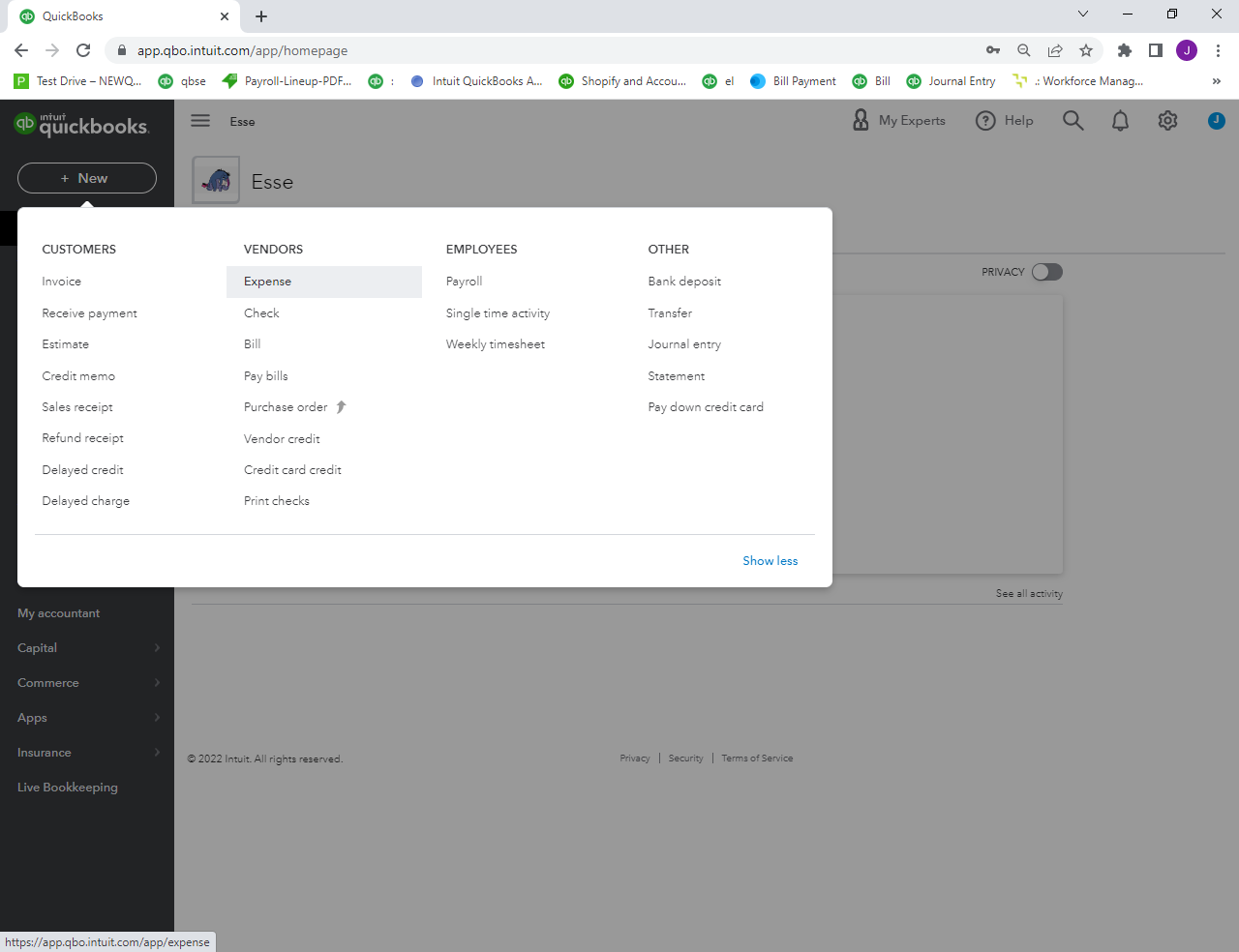
 

QuickBooks will bring up the expense input screen, asking you to change the Payment account and the Payment Method to your credit card. If you need to set up an account for a new credit card, see our tutorial on how to set up the chart of accounts. Enter the remaining transaction details on the expense input screen.


Another option is connecting your credit card to QuickBooks Online. By this you can get a direct bank feed and download the charges automatically.


Let me know if you have other concerns with entering credit card transactions. I'll be right here should you need further help. All the best.

Fiat Lux - ASIA
Level 15

Help. I just signed up for QB Essentials and I cannot find out how to enter in credit acrd charges. I cant download a csv file because BOA does not offer it on my account

@bjversoy-earthli 

Another option, utilize MT Online as a workaround. It is designed to import into any bank or credit card in QuickBooks Online, so there is no specific setting needed. 

https://www.moneythumb.com/?ref=110


Need QuickBooks guidance?
Log in to access expert advice and community support instantly.

Need to get in touch?

Contact us
