Thanks for reaching out to us regarding this credit card charges concern, @bjversoy-earthli.
Don't worry, I can help you record your credit card charges in QuickBooks Online.
For this, you can create a new expense transaction by clicking on + New at the top of the left menu bar and selecting Expense under the Vendors column, as shown below.
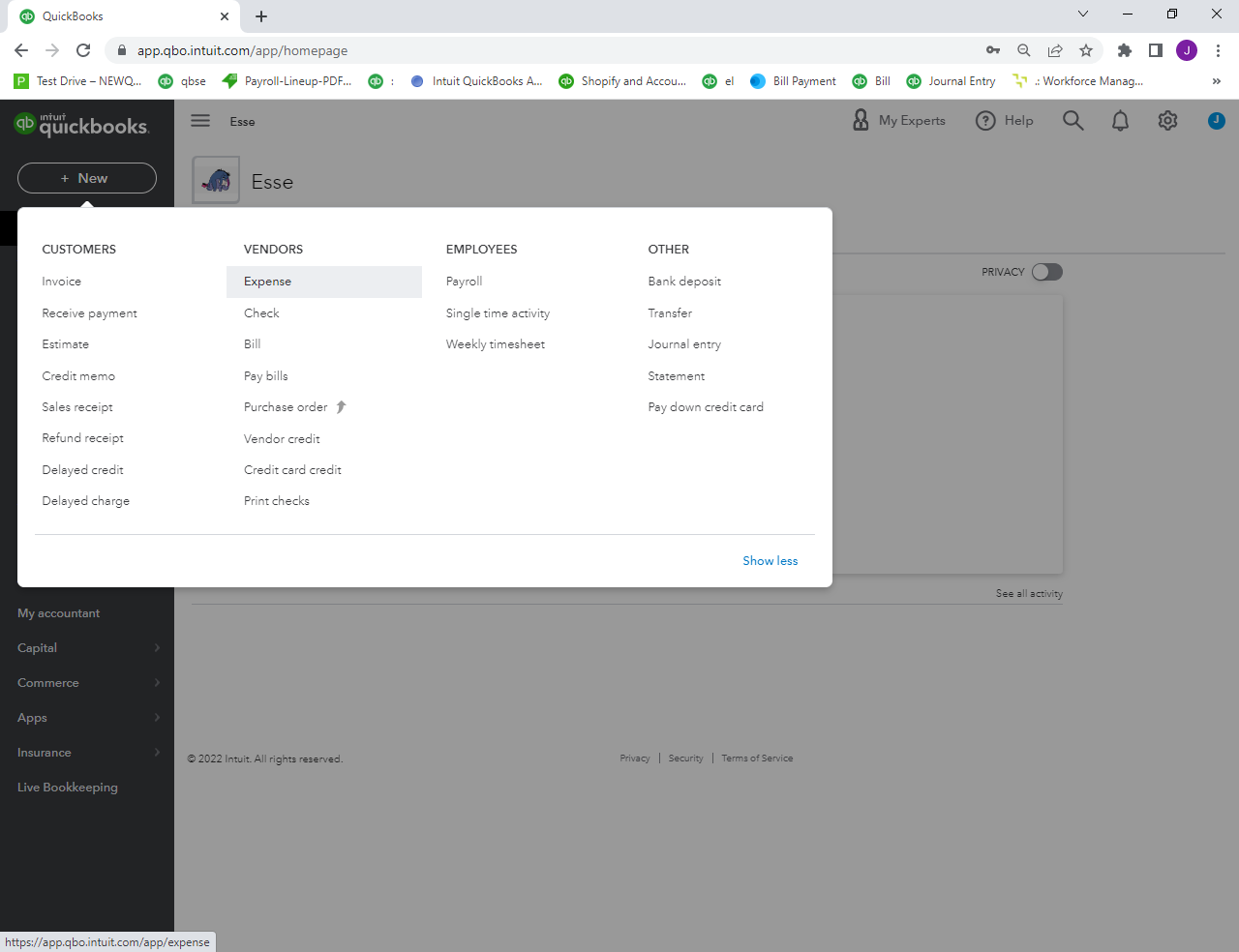
QuickBooks will bring up the expense input screen, asking you to change the Payment account and the Payment Method to your credit card. If you need to set up an account for a new credit card, see our tutorial on how to set up the chart of accounts. Enter the remaining transaction details on the expense input screen.
Another option is connecting your credit card to QuickBooks Online. By this you can get a direct bank feed and download the charges automatically.
Let me know if you have other concerns with entering credit card transactions. I'll be right here should you need further help. All the best.





