Hello, vgardner218.
I appreciate the details provided for the old transactions. I'll help you handle them so you can clean your books.
The best way to clean up these old transactions is to delete them (as you've mentioned) from the Payment history section. Since these are just test transactions and there are no outstanding liabilities, you can safely proceed with the deletion.
Here's how to do it:
- Click the Employees menu, then select Payroll Center.
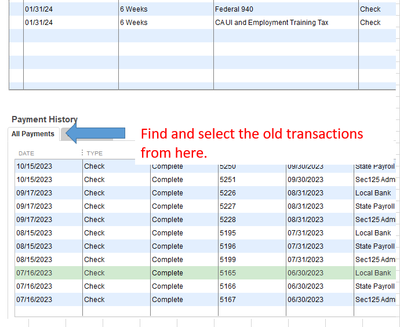
- Under Payment History, click the All Payments tab.
- Find and select a test transaction by double-clicking on it.
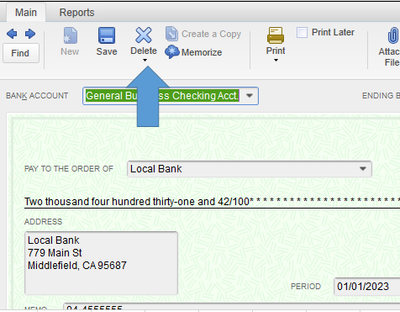
- On the liability check window, click the Delete button.
You can also open the payroll account register and delete the transactions from there. Simply click the List menu, then choose Chart of Accounts. Open the register by double-clicking on the account where those transactions are recorded under.
After dealing with the old transactions, you can run a payroll report to check your employees' year-to-date amounts. Simply click the Reports menu, then hover on Employees & Payroll. Finally, select a specific report you want to run. If you need some pointers or guides on how to customize and manage your report, check out the articles in this page: Customize reports.
Do you have other concerns for QuickBooks Desktop? Please let me know in the reply section below. I'm always here to offer assistance.


