Turn on suggestions
Auto-suggest helps you quickly narrow down your search results by suggesting possible matches as you type.
Showing results for
Get 50% OFF QuickBooks for 3 months*
Buy nowI created a subaccount for our EIDL loan under our main checking account. I would like to record the deposit of the loan funds directly to the subaccount, but the subaccount doesn't appear as an option in the dropdown menu. Only the parent account appears. I created the subaccount so I could pay the expenses from the loan funds. I need the funds to be deposited into the subaccount in order to do this. It was my understanding that this is QBO's workaround for fund accounting. Does anyone know what I'm doing wrong? Thanks.

You've come to the right place for answers, @jk. I'll ensure you'll be able to see the subaccount you've created, so you can assign the transactions to the correct bank account.
Stored cache on the regular browser you're using may affect the display of the software. To isolate this issue, let’s use a private browser to access your QuickBooks account. This doesn't retain local files, so this helps verify if this is a webpage issue.
Use these keyboard shortcuts based on the browser you're using:
Once done, let's create a bank deposit again and check to see if the subaccount appears from the Account dropdown. If this works, you’ll need to clear the browser's cache so you can start with a clean slate. You can also use other supported browsers as alternatives.
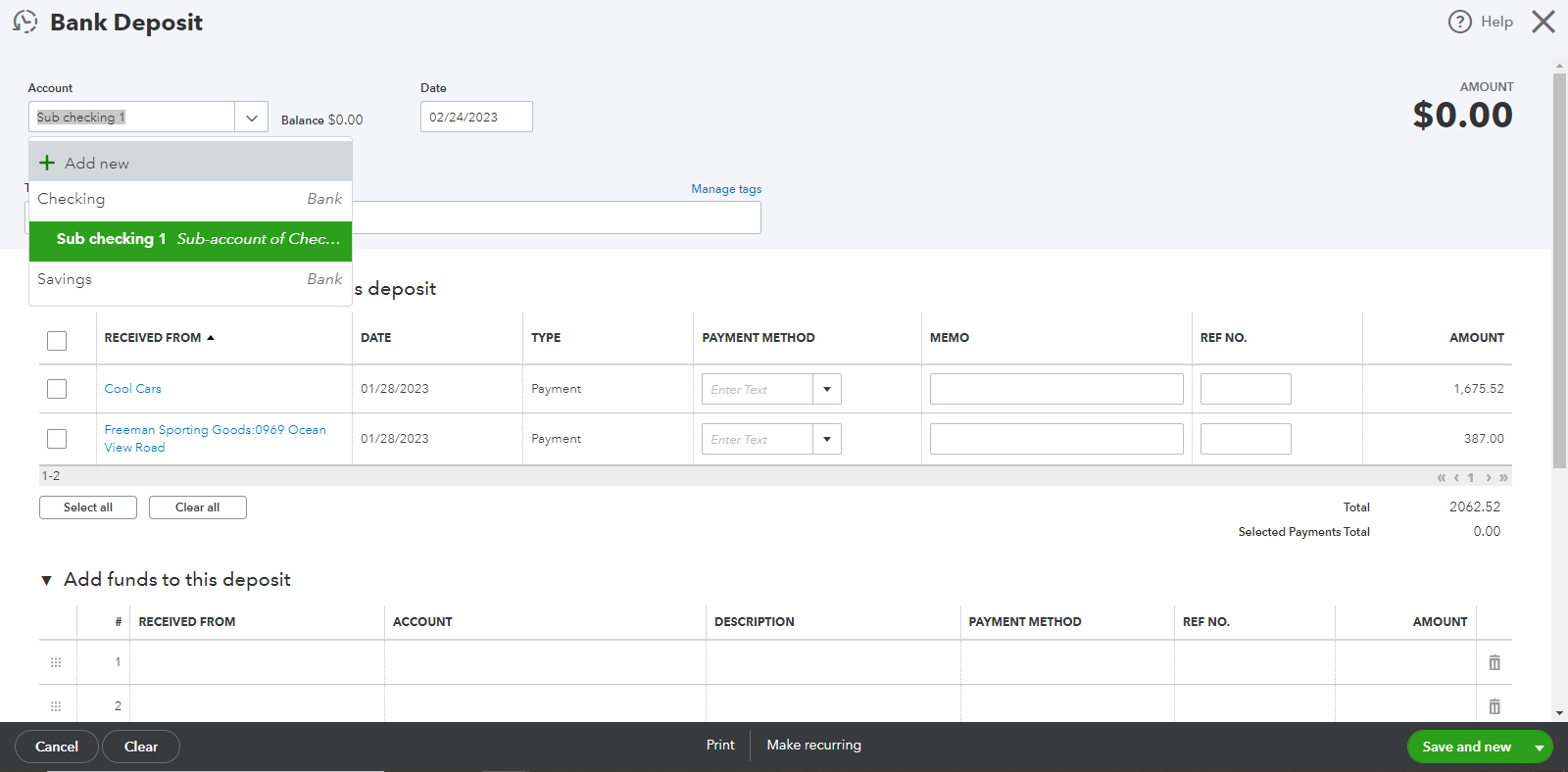
See these resources to learn more about setting up subaccounts and making bank deposits in the program:
For future reference, read through this article: Reconcile an account in QuickBooks Online. It helps you learn about balancing your books in QuickBooks to make sure they match with your actual bank and credit card statements.
You can always come here in the Community if you're experiencing hurdles with your account. Just remember, I'll jump right back into this thread to assist you further. Be safe.
I went on a private page and tried to create a new deposit. It still only showed the parent accounts, and no sub-accounts as options in the dropdown. I also went ahead and cleared the browser cache, with the same results.
Thanks for following the troubleshooting steps provided by my colleague above, @jkmurf.
I'd want to get this resolved as soon as possible so you can record the deposit to the sub-account. This way, your transaction will be more organized and easier to track.
I'd suggest making sure that the sub-account you created is listed in your chart of account list and added as a bank. Let me show you how:
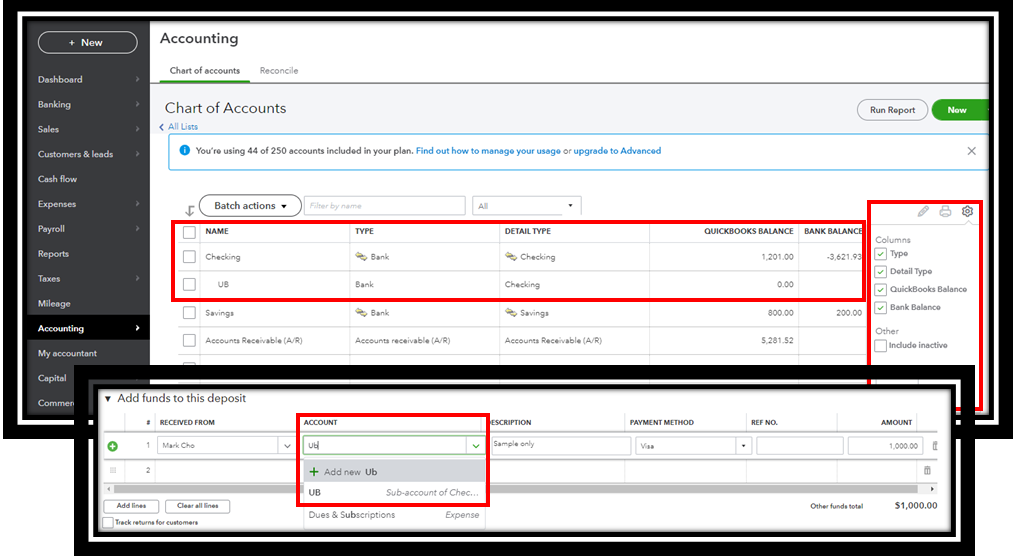
If the setup is correct, then your account needs to be checked in a safe place. With this, I'd recommend contacting our Customer Care team. They can do screen sharing and review your account. They can also send a ticket to our engineers for further investigation.
Here's how:
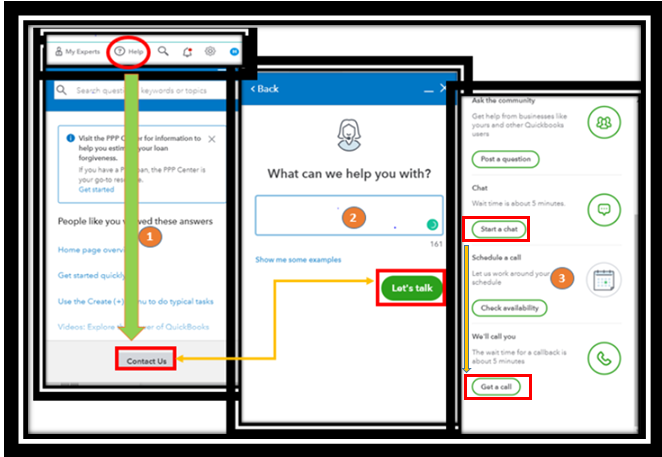
Please call them within business hours to ensure a swift response.
Check out these articles below to know how parent and sub-accounts work in QuickBooks:
I'd be happy to listen and help if there are other problems with your account. Please leave that in the comment section below, and I'll get you back shortly. Be safe always.


You have clicked a link to a site outside of the QuickBooks or ProFile Communities. By clicking "Continue", you will leave the community and be taken to that site instead.
For more information visit our Security Center or to report suspicious websites you can contact us here


