Welcome to the Community, @psincny.
The Connect button will only light up after you've selected an account in the Enter account type drop-down beside the credit card name. 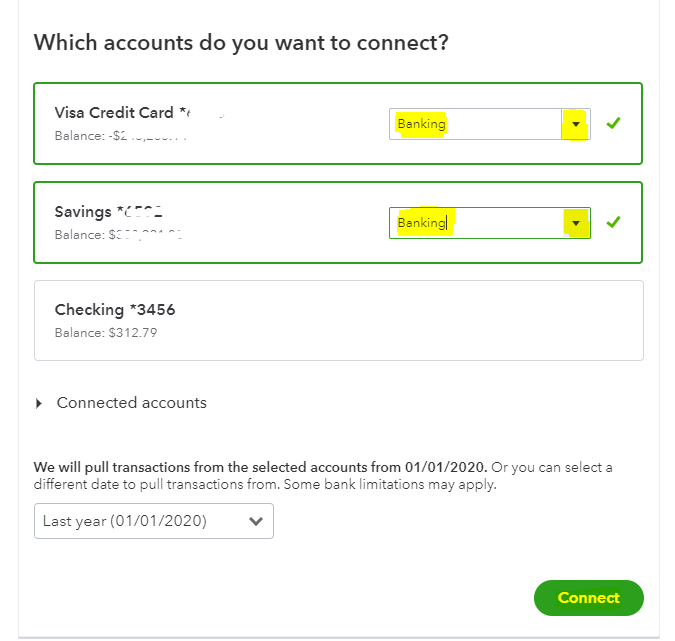
However, if you have already chosen an account and it's still greyed out, try signing into your QuickBooks Online (QBO) using a private browser (incognito). This will help us check if this is a browser-related (cache and cookies) issue.
Here's how:
- Press Ctrl + Shift + N (Google Chrome).
- Ctrl + Shift + P (Firefox).
- Control + Option + P (Safari).
Once logged in, try to connect the credit card again to double-check. Refer to this article for further guidance: Connect bank and credit card accounts to QuickBooks Online.
If it's successful, return to your default browser and perform a clear cache to refresh the system. However, if the issue persists, try using other supported browsers.
After that, you can now proceed with reconciling your accounts so they always match your bank and credit card statements. Check out this article for more information: Reconcile an account in QuickBooks Online.
Reach out to me in the comment section if you have any additional questions or concerns. I'll be more than happy to help. Have a great day!


