Turn on suggestions
Auto-suggest helps you quickly narrow down your search results by suggesting possible matches as you type.
Showing results for
Get 50% OFF QuickBooks for 3 months*
Buy nowI have two questions regarding payroll items in Quickbooks Online. First, I need to set up a *contribution* from the employER for a non-elective annual (paid at the end of the year) 3% Safe Harbor. I can't find any way to set that up, the system defaults to per paycheck. On that same note, we're planning on an elective 12% year-end contribution, as well, same issue.
Second, I inadvertently set up two payroll items in "Edit Payroll Items" and I'd like to delete them so no one is confused. I don't see any way to delete them from "Deductions & Contributions". I haven't assigned them to any employees because they're wrong and the only info I can find involves simply deleting them from the employee's deductions/contributions.
Thanks all!

Thank you for elaborating on your payroll item concerns, @WinnieMT. I'm here to address them and provide a workaround.
Yes, the only option available for the allocations of Safe Harbor is the Percent of gross pay. That's why it defaults to per paycheck and not annually. In this case, you may consider calculating the 3% for a non-elective and elective 12% year-end contribution. After manually computing their equivalent amount, enter them as a flat amount.
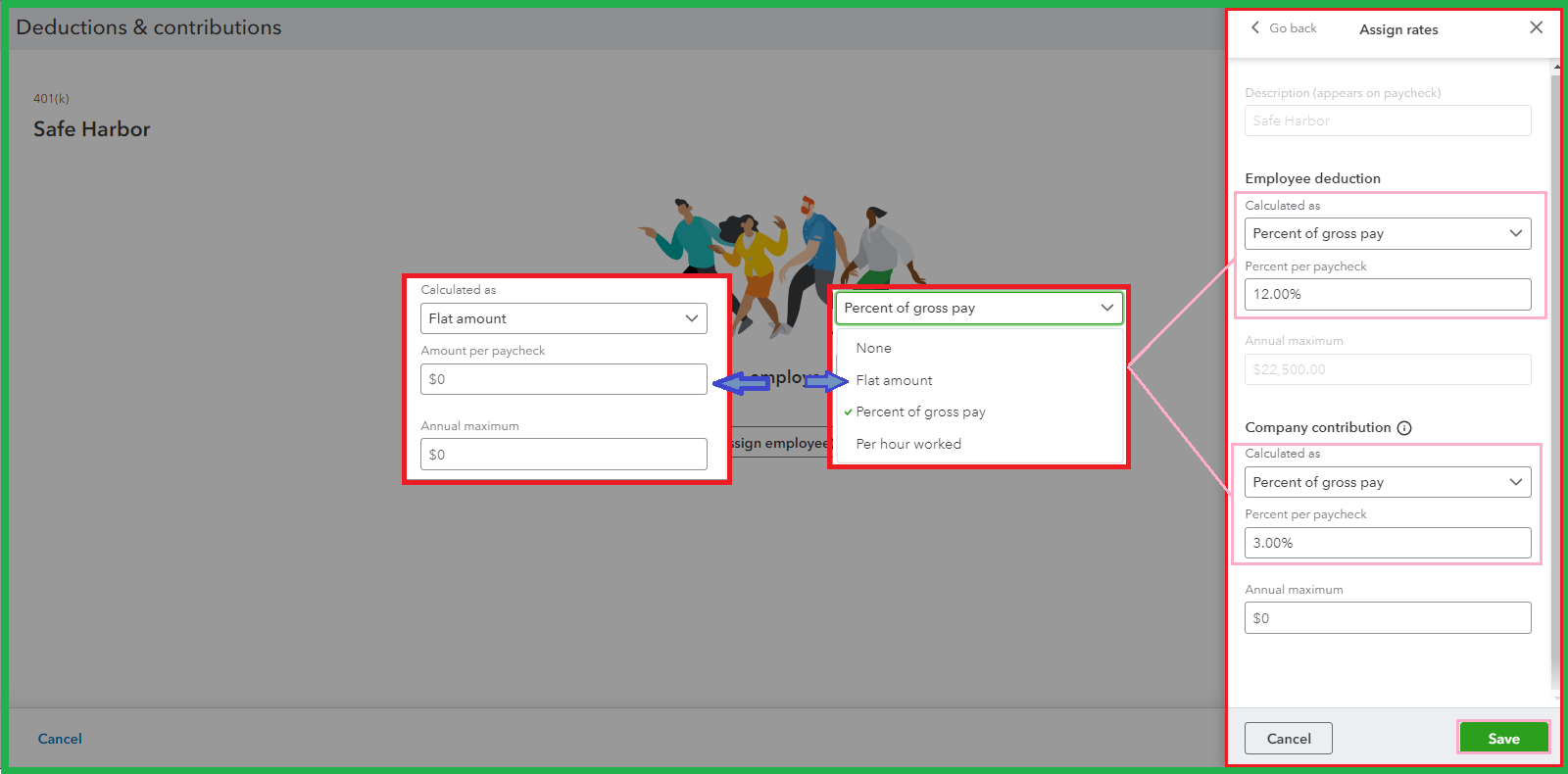
You're right that the only way to delete a payroll item is to go through the Deductions & Contributions section of your employee's profile. Therefore, removing them under the Edit Payroll Items is currently unavailable.
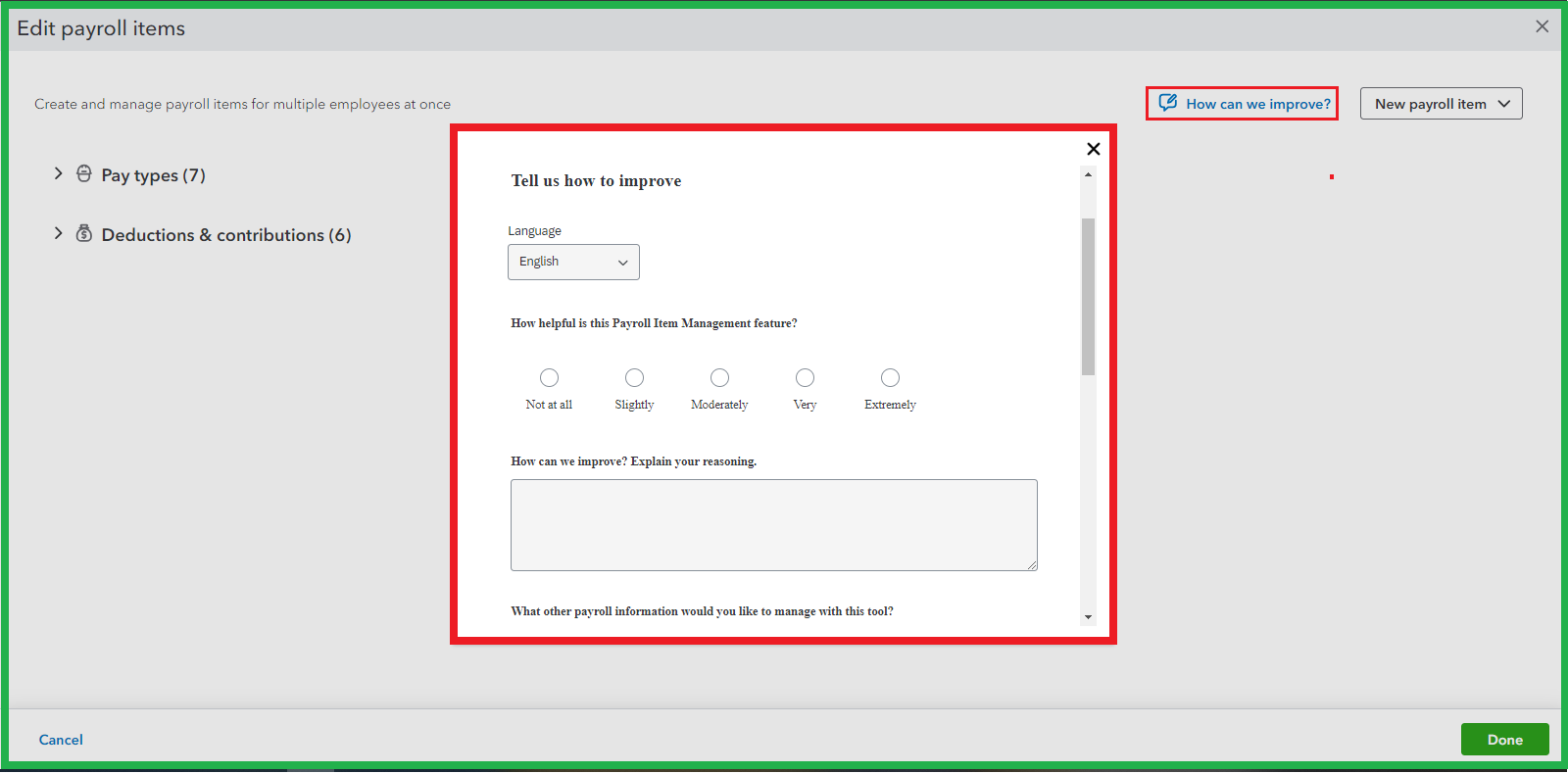
I understand the importance of eradicating the items that may cause any confusion. You'll want to submit a feature request to our Product Developers. We can do so on the Edit payroll items page. On the left corner, select the How can we improve?
For more tips on supervising pay types, deductions, and contributions in one place, refer to these articles:
Generating reports to track data is a breeze. To do so, feel free to browse this guide for the instructions: Run payroll reports.
We always aim to serve you best. I'm always ready to deliver further assistance in navigating payroll to achieve your goals. Have a good day ahead!
So we would enter the flat rate, apply it to everyone's paychecks once a year, and then delete it from their payroll for the following month? Seems like unnecessary extra work. Also, how do we ensure that the contribution is then pre-tax?
I'll elaborate some details to make sure contribution is a pre-tax, Winnie.
QuickBooks Online Payroll (QBOP) provides different types of retirement plans. You'll have to make sure to determine which plan you want to set up for your employees and review its contribution limits.
To choose a retirement plan, you can check out with your plan provider for details or visit the IRS website to learn more. Currently, these are the supported retirement plans in QuickBooks:
To know more information on when a retirement plan tax-deferred or taxable, go through this article for more information: Set Up or Change a Retirement Plan.
Apart from this, in case you want to know if the data recorded are accurate, use some of our payroll reports to compare details. I've added this article so you can check out the list: Run Payroll Reports.
Post your comment here if you have any other concerns about setting up deductions or contributions. Again, we're always here making sure everything is covered.
I've already set up both pre-tax 401(k) employEE deductions and after-tax Roth employEE deductions. What I'm interested in is how to set up a once a year employER contribution of 3% for Safe Harbor (complying with government regs) and a 12% employER contribution. Both of these will be pre-tax and not every paycheck.
Thanks for reaching back with your follow-up, Winnie. I'll share some insights about setting up a once-a-year employer contribution for Safe Harbor in QuickBooks Online.
A safe harbor 401(k) plan is a unique kind of 401(k) plan that avoids the need for nondiscrimination testing, which can be expensive for small businesses. While similar to traditional 401(k) plans, employers are required to make fully vested contributions to their employees' safe harbor plans.
To learn more about it, check out this link: Types of 401k Plans.
You can add another employer contribution of 3% for Safe Harbor 401(k). Since we're unable to select the same deduction type, I recommend reaching out to your accountant to ensure we set this up correctly. If you're not affiliated with one, you can visit this link: Find an Accountant.
Moreover, we have a few reports that we can pull into your book. Please see this link to review the report lists and decide what you want to generate according to your needs: Run payroll reports in QuickBooks Online Payroll.
Let me know if you have more concerns about setting up contributions in QuickBooks. I'm here willing to help you anytime.


You have clicked a link to a site outside of the QuickBooks or ProFile Communities. By clicking "Continue", you will leave the community and be taken to that site instead.
For more information visit our Security Center or to report suspicious websites you can contact us here


