I'm here to help ensure you're able to download your 1099 form in QuickBooks Self-Employed, userrichard1.
To start with, you'll receive an email invitation once your employer has filed your form successfully. After that, you'll be asked to create a new subscription with a self-employed account limited to only viewing your 1099.
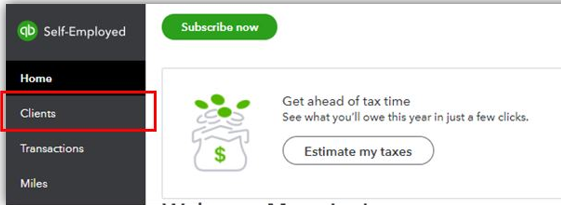
When it's ready, you can view your 1099 form on the Forms section under the Clients menu in QuickBooks Self-Employed.
However, if you wish not to create a new subscription, you can contact your client and ask them for a copy of your form or resend another invitation.
You can get more about this in this write-up: Fill out a W-9 and view your 1099-MISC in QuickBooks Self-Employed. This will provide you detailed information on how you can view your 1099-MISC.
I'm always here if you have follow-up questions about downloading your 1099 forms in QuickBooks Self-Employed. Let me know in the Reply section below. Take care and have a great rest of the day!



