Turn on suggestions
Auto-suggest helps you quickly narrow down your search results by suggesting possible matches as you type.
Showing results for
Get 50% OFF QuickBooks for 3 months*
Buy now
Thanks for reaching out, Wendy. We can change your customer's invoice template to show the balance.
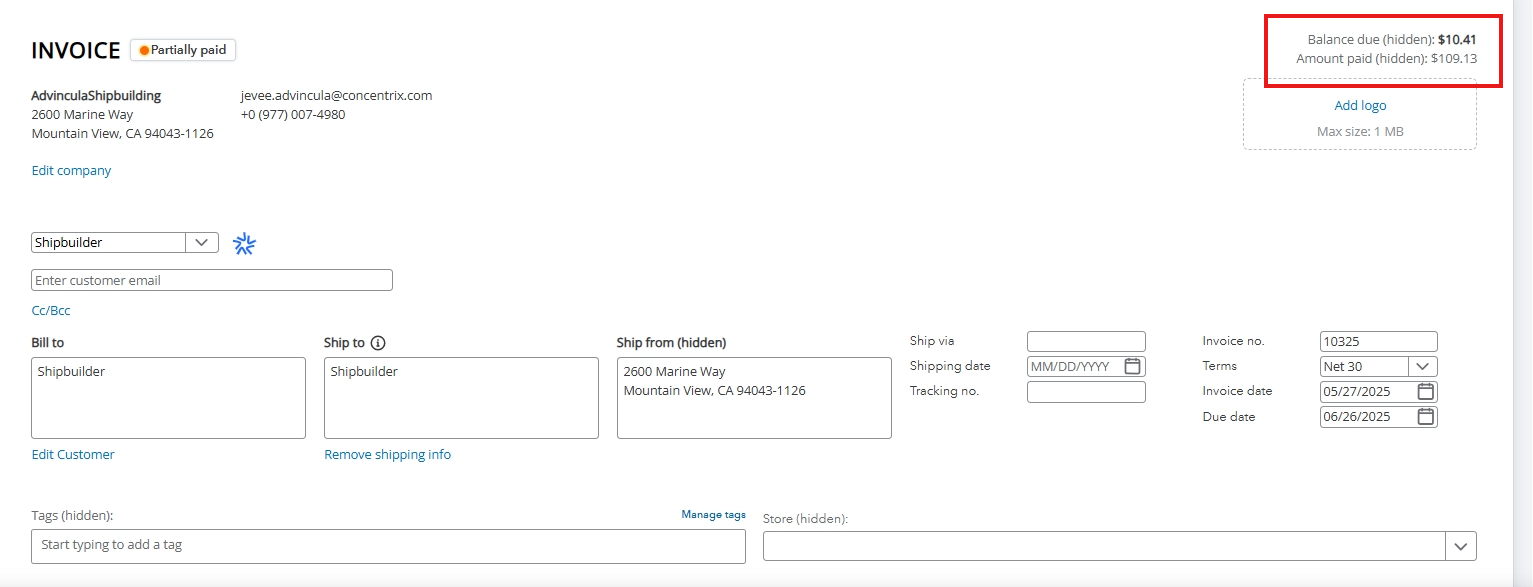
If you refer to the invoice page and you see the word "hidden" next to the balance due, it means that this information will not appear when you print the transaction. Only the total amount appears on the printed form. See the screenshot below for a visual reference.

Please know that the Balance due (hidden) note is generated by the system. If you want to have this information show up when you print the invoice, choose a different template instead of the Modern one. Refer to the process below on how to do it.


You can also customize the appearance and layout of your invoices to enhance your business's communications. This lets you decide what information you want your customers to see.
Moreover, I've included this article to learn how to handle customer payments: Record invoice payments in QuickBooks Online.
I'm all ears if you have more questions about your invoices or customizing your sales forms. Please leave a reply below and I'd be happy to provide the necessary help.
New invoice is not showing a credit balance. It indicates the ‘Balance Due” is “0” and is Hidden. I created a new charge to zero out the credit ;the system created an unpaid invoice. When I applied the credit it cleared the credit balance but now has a new balance for the newly created invoice. I have used this method in the past to clear credit balances but this new hidden balance thing is confusing.
Verify that the credit is correctly applied and that the invoice reflects a balance due of $0, Lee73.
Please note that in the modern invoice format, the customer's credit balance does not appear on the invoice creation screen.
As my colleague mentioned above, the term (hidden) next to the Balance Due in the top right corner when creating or editing an invoice indicates that it will not appear in the printed or emailed version of the invoice.
The Balance Due is the total amount of the invoice and is located in the top right corner for easy reference. When you apply an existing customer credit to this invoice, it will change to Amount Paid (hidden) if it covers the entire invoice amount. If the credit memo only settles a portion of the total invoice, you will see both the Balance Due (hidden) and the Amount Paid (hidden) in the top right corner.
When you referred to creating a new charge, were you talking about a transaction type other than an invoice where existing customer credit could be applied? If so, it's possible that the credit was applied to this new charge, leaving the invoice unpaid.
To ensure the credit is applied to the correct transaction type, you can apply it directly to an existing invoice or refund it to your customer. Go to the Customers page to verify everything is accurate and make any necessary edits.
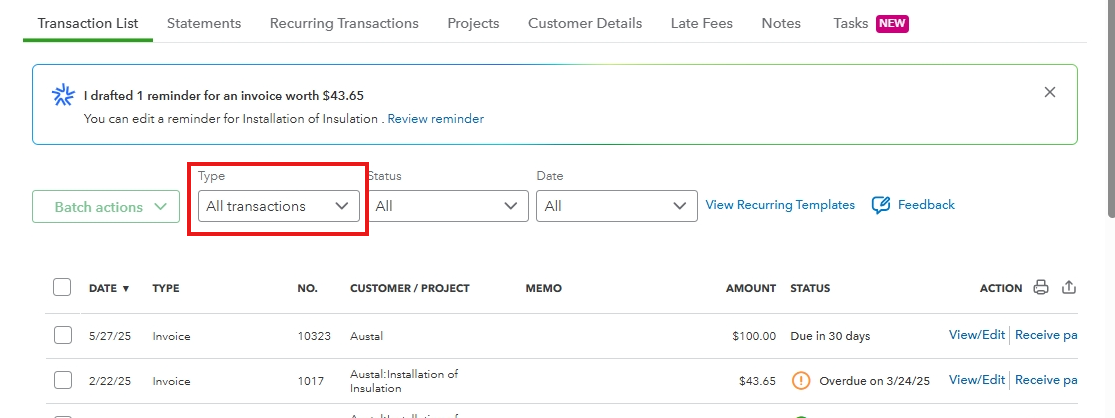
If you believe there are transactions created by mistake, you can delete them. I recommend engaging with your accountant to handle this.
Feel free to return to the Community, if you have additional concerns. We'll offer continuous assistance.


You have clicked a link to a site outside of the QuickBooks or ProFile Communities. By clicking "Continue", you will leave the community and be taken to that site instead.
For more information visit our Security Center or to report suspicious websites you can contact us here


