Turn on suggestions
Auto-suggest helps you quickly narrow down your search results by suggesting possible matches as you type.
Showing results for
Get 50% OFF QuickBooks for 3 months*
Buy nowThe 2022 1099-NEC forms allow you to specify which year you are printing, no longer year specific forms.
QuickBooks Desktop 2020 did not get the November update as the 2023-2021 versions did that allow you to print the year when printing 1099's.
I know 2020 is on its last legs, but should be good until 05/31/2023. Why is the update not being brought to 2020? Any work arounds other than hand writing the year after printing?

Welcome,
Thank you for following up with us here on the Community page. I'm stepping in for a moment to provide clarification about the update and ensure you can print your 1099-NEC form in QuickBooks Desktop.
Yes, QuickBooks updated the 1099 NEC form to print 3-part 1099s as there was a change in the printing format this year. You’re also right that QuickBooks Desktop service will be discontinued after May 31, 2023. To know more about this, see this article: QuickBooks Desktop service discontinuation policy.
Before anything else, I’d like to know if you’ve already updated QuickBooks to the latest release. This will allow you to print the updated form as it ensures you have the recent feature and fixes. If you haven’t, please follow the steps below.
Here's how:
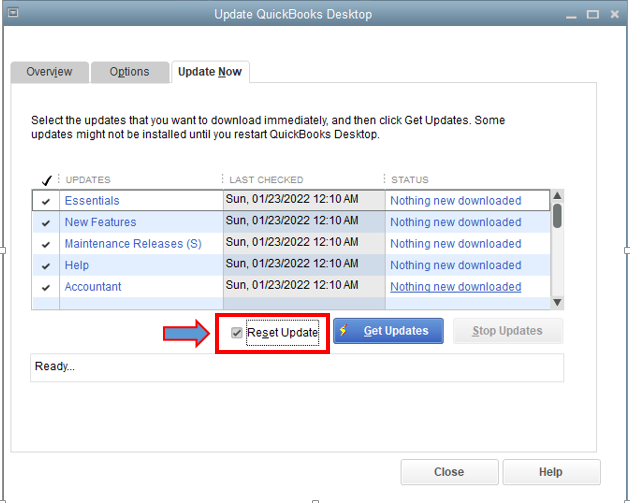
Once done, you can close QuickBooks and then restart your computer. However, if the issue persists, I recommend reaching out to our Support Team. They can pull up your account to investigate this further. You can also request for a screen sharing too.
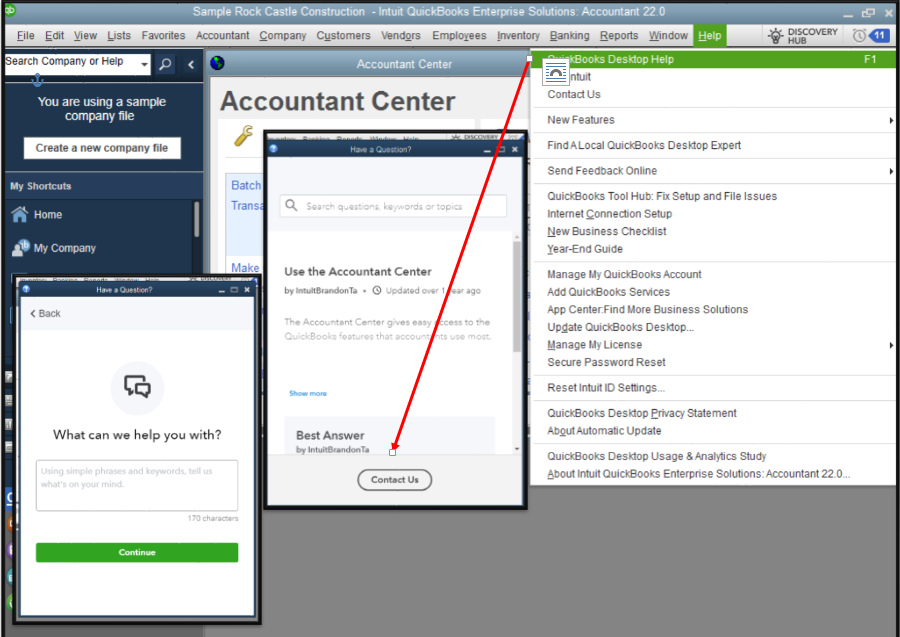
On the other hand, you can review the following articles below additional steps on how to fix printing issues while working with QuickBooks:
Moreover, you can check out our Year-End Guide for QuickBooks Desktop. This will provide you with some info on what you'll need to do when closing your books and preparing for the new one.
You can always drop a comment below or start a new conversation if you need help in managing your payroll or any other payroll forms. The Community Team is always here and ready to help.
Yes - I am updated to the latest QB 2020 release.
Yes - the 1099 can be printed but then my team and I have to go back through and write "22" 10,000+ times.
Any of the newer versions have the ability to print the year on the form itself. For a version that is still active, it should have the same capability.
Thank you for the response and I appreciate you updating QuickBooks so you can print the 1099-NEC form.
Let me share some details about why you aren't seeing 1099-NEC after updating QuickBooks. Year-end payroll forms are usually available at either end of December beginning of January. With this, let's wait on the next payroll update.
The latest payroll update was last September 20, 2022 (22216). You can find more details about this through this link: Get the latest payroll news and updates in QuickBooks Desktop Payroll.
Once our Product Team releases a new one, it'll also be available for printing on your QuickBooks company file. I'm adding this article for instructions on printing 1099-NECs: Print your 1099 and 1096 forms.
Stay in touch with me if you have additional questions about printing 1099s. Please use the Reply button below and I'll provide the things you need.


You have clicked a link to a site outside of the QuickBooks or ProFile Communities. By clicking "Continue", you will leave the community and be taken to that site instead.
For more information visit our Security Center or to report suspicious websites you can contact us here


