Hi there, Lau. The QuickBooks Online (QBO) App for iOS has certain limitations, and neither of the actions you mentioned can be performed within the app. For tasks like adding custom fields, I recommend using a web browser to access QuickBooks Online, as the browser version offers more functionality. Moreover, third-party apps are not accessible through the mobile app.
However, please note that even if you add custom fields via the browser, they will not be reflected in the mobile app. As a workaround, you can manually add the fields when using the browser.
Here’s how to add a custom field via QuickBooks on a browser:
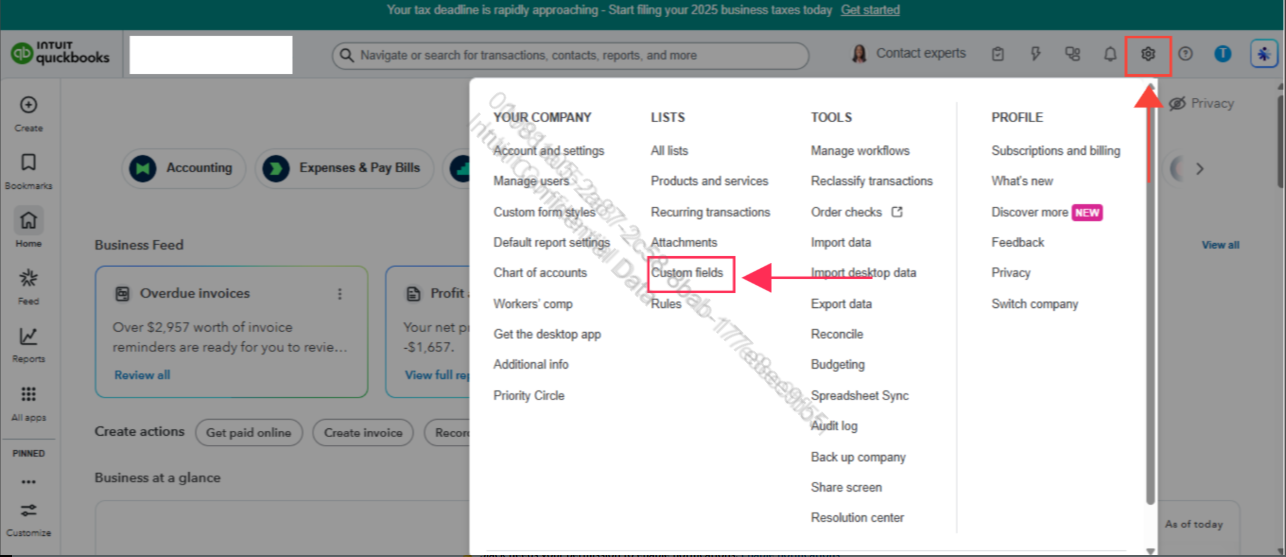
- Navigate to the Gear icon and, under Lists, select Custom fields.
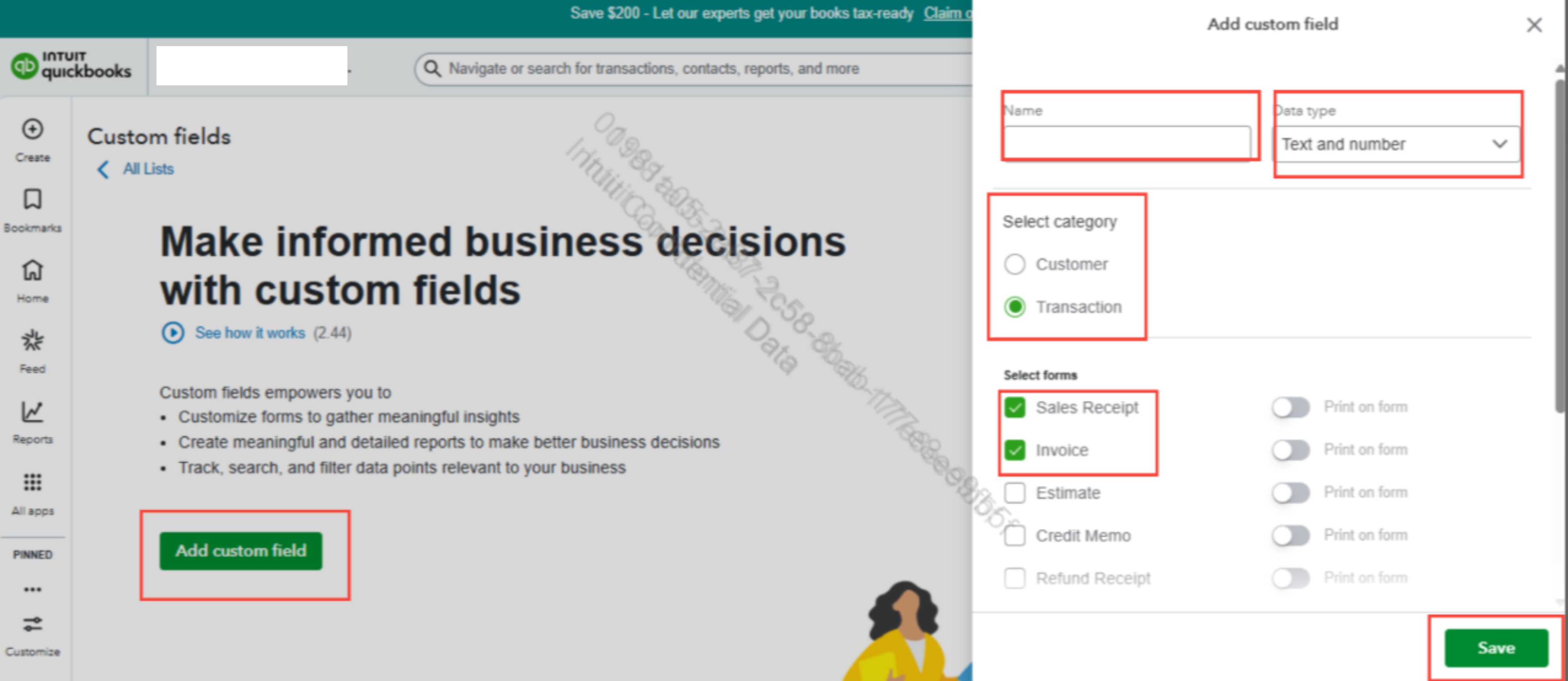
- Click Add custom field, then input the name and other categories.
- Check the box for Custom fields to enable them on forms.
- Click Save to save the template.
Once the custom field is created, you can edit it as needed by following these steps:
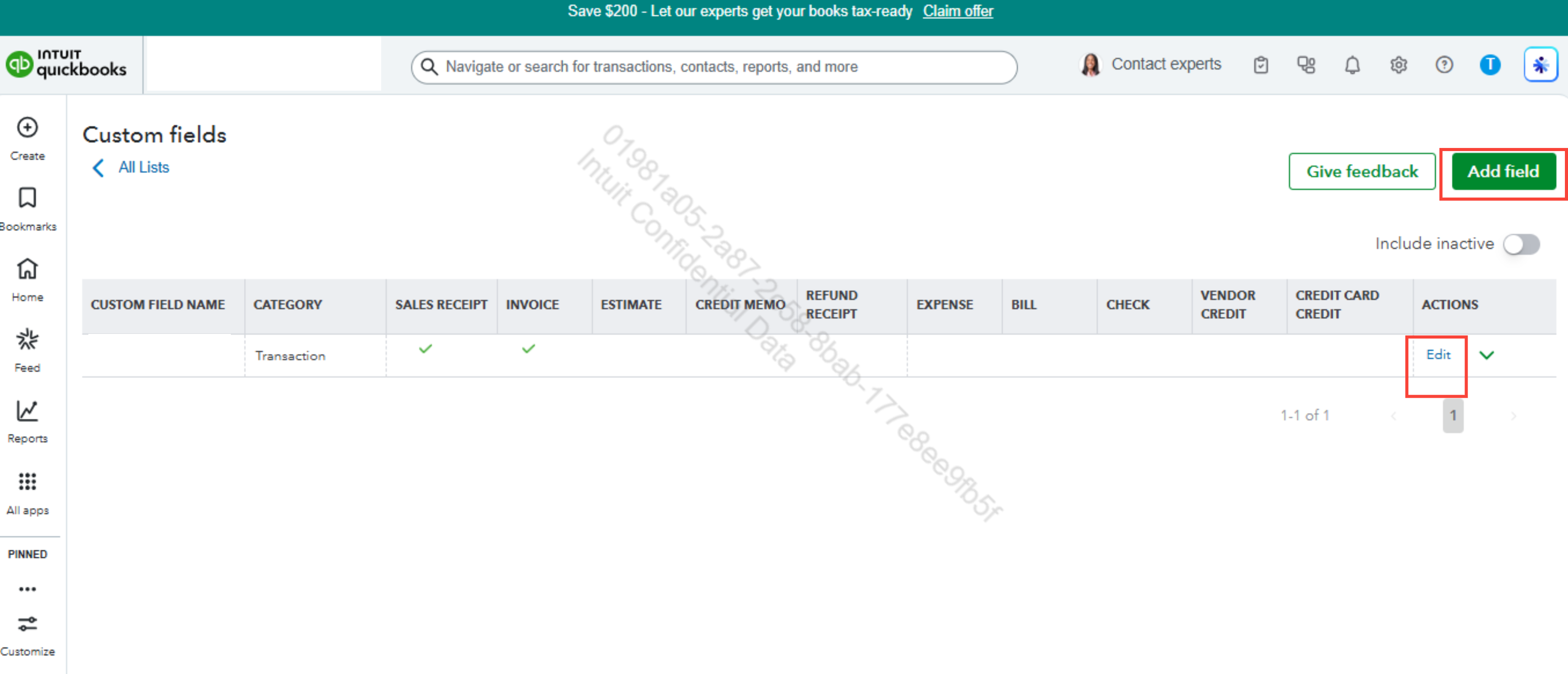
- Open the Custom fields page and click Edit to modify existing fields.
- To create a new field, click on the Add field option.
- Fill in the name and other categories to complete the process.
You can also refer to this guide to learn more about customizing form styles in QuickBooks Online: Customize invoices, estimates, and sales receipts in QuickBooks Online.
Alternatively, you may want to consider subscribing to QuickBooks Advanced or QuickBooks Live Assisted to further enhance your QuickBooks experience.
If you have any additional concerns about QuickBooks, please reach out to us again. We’re always here to help.


