Turn on suggestions
Auto-suggest helps you quickly narrow down your search results by suggesting possible matches as you type.
Showing results for
Get 50% OFF QuickBooks for 3 months*
Buy nowYou've come to the right place, diane.thomas. I'm happy to guide you through the steps about changing the email address that QuickBooks uses for IRS notifications.
You have to change the email address through the Accounts and settings. Here's how
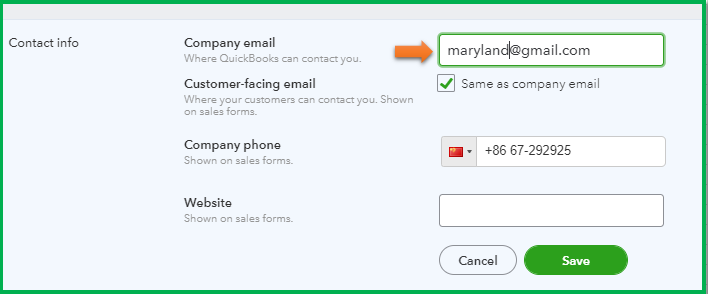
Once done, go to the Payroll settings and check the Email notifications section. You should see the new address.

In case you'll want to change the email address, user ID, or password as well, please check this article to see the steps: Change your email, user ID, or password for QuickBooks Online.
Please know that you're always welcome to post if you have any other concerns. Wishing you and your business continued success.
Im having the same issue with IRS notifications. Can you tell me where to start with " Account Settings"? PLEASE
Warm greetings, @CiCi10. I'm here to assist you in changing your email address so you'll receive reminders or IRS notifications.
Let's change the email address in the payroll setting. Here's the detailed step you can follow.
I've included a screenshot for visual reference.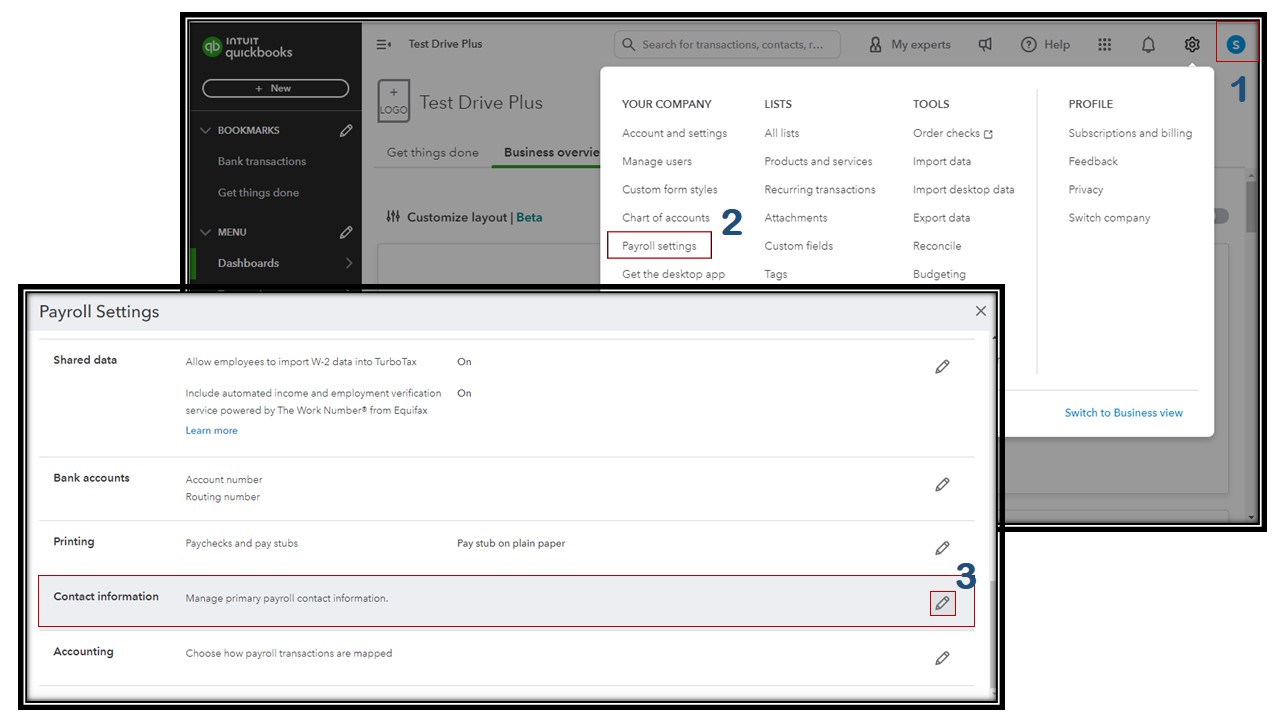
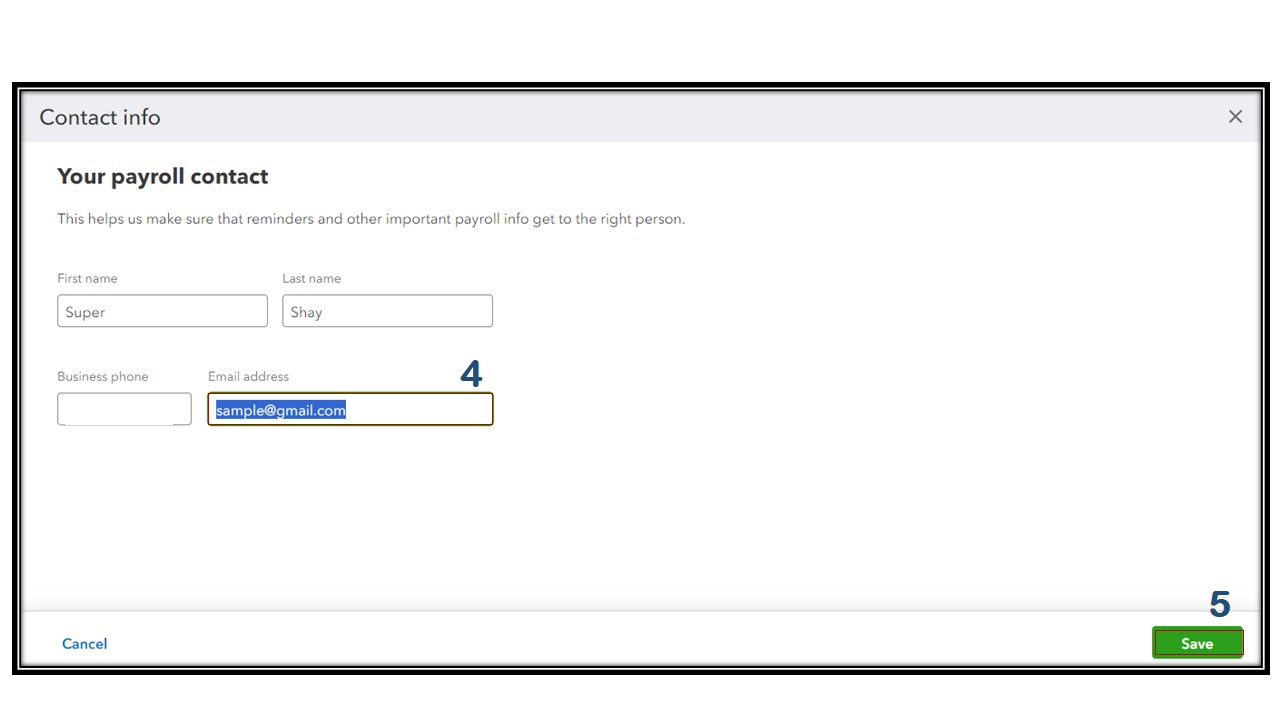
Moreover, I'll add an informative article that provides a comprehensive list of crucial dates and tasks you should consider as you undertake your year-end payroll work: Year-end checklist for QuickBooks Online Payroll.
You can reach out to me again by tapping the reply button below. I'd be happy to assist you further if you need assistance changing your payroll email address. Best wishes, @CiCi10!



You have clicked a link to a site outside of the QuickBooks or ProFile Communities. By clicking "Continue", you will leave the community and be taken to that site instead.
For more information visit our Security Center or to report suspicious websites you can contact us here


