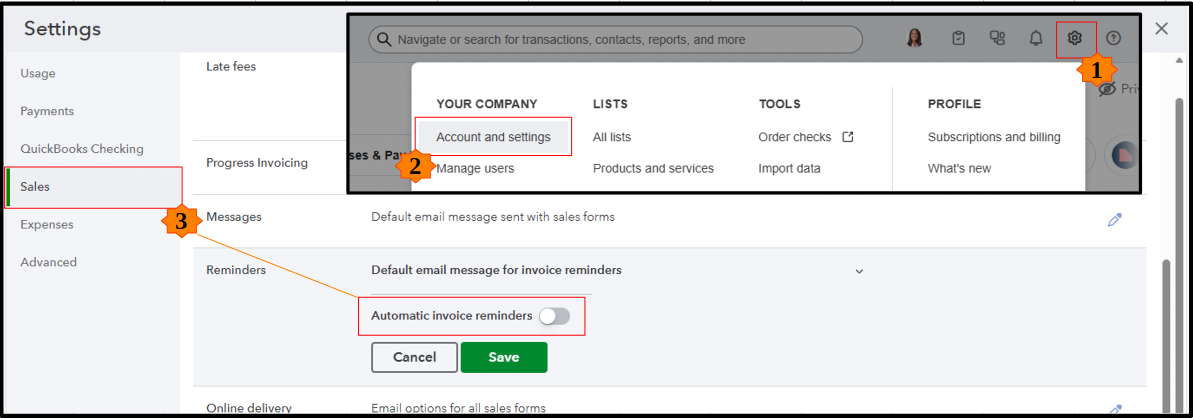
Hi there, @peter146. Just click the Gear icon and go to Account and settings > Sales. Look for the Reminders section and switch off Automatic invoice reminders. Then, click Save, then Done to apply the changes.
I’ve added a visual below to help you spot the right settings.
Beyond this, you can also get one-on-one help through QuickBooks Live Expert Assisted. They’ll walk you through your bookkeeping and sales tasks to help you manage your finances with confidence.
If you need a hand with anything else in QuickBooks, leave a comment below.


