Allow me to address your deposit concern so you can return to focusing on your business, @wydp2007.
If you're a new user, your initial payments will be deposited within five business days. The deposit speed will vary based on the service you are using and the payment type.
The first deposits may take longer due to setting up your merchant account. Once we complete the setup, your funds will be deposited more quickly, typically within two business days.
To check your current deposit speed, you can go to the payments section. Here's how:
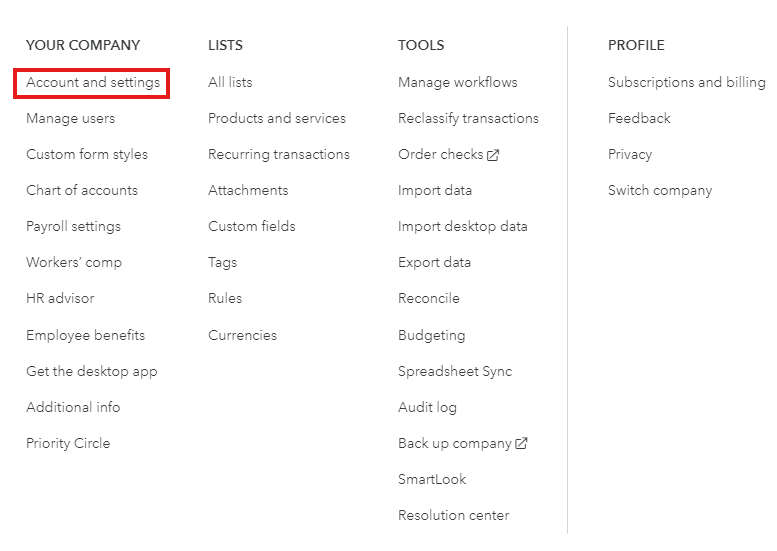
- Click the Gear icon, located at the top right corner.
- Go to Account and Settings.
- Select the Payments tab.
- Check the Deposit Speed section.

Refer to this article to learn more about how QuickBooks Payments handles your deposit and funds: Find out when QuickBooks Payments deposits customer payments.
Below is a list of articles that will provide you with detailed steps on where you can access your statements and change your default deposit account:
Keep me updated on whether you received the deposit. I want to make sure this is resolved. Take care!


