Deposit speeds depend on the type of payment method used by your customers. I'll explain more details below, and also how to check your deposit speed and status inside QuickBooks Online.
QuickBooks Payments deposits your funds within five business days after your first payment. The initial payment may take longer because your merchant account is being set up. After that, your money will arrive much faster, typically within two business days.
If you process payments before 3 PM PT, they should be in your bank account within 2 business days. If you process payments after 3 PM PT, we'll start the deposit the following business day.
Standard deposits are processed every day except for Sundays, Thanksgiving Day, and Christmas Day. Instant deposits are processed every day of the year with no exceptions.
Here's how you can check your deposit speed in QuickBooks Online:
- Go to your Settings or the Gear icon in the upper right corner of your screen.
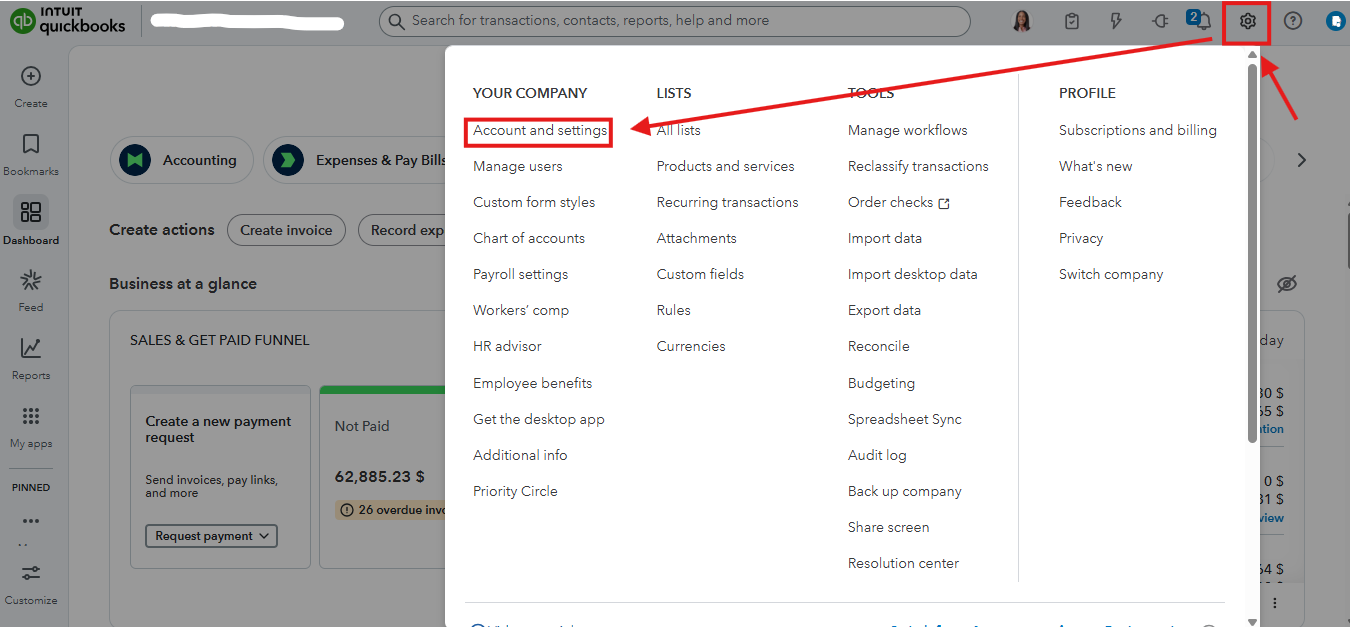
- the Payments tab.
- Review the Deposit Speed section.
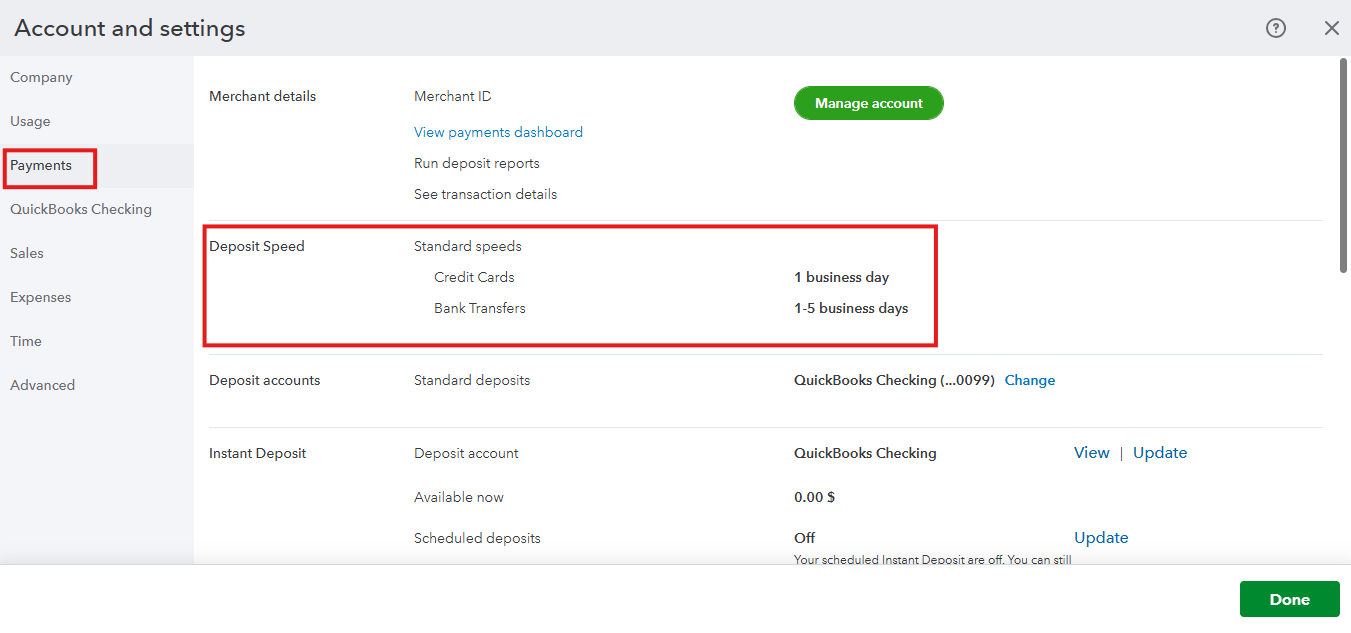
If it's been over five business days and your deposit hasn't arrived, check its status in the Merchant Service Center, including payments processed from QuickBooks Online, to see if it has been successfully sent. Here's how:
- Sign in to the Merchant Service Center.
- From the Homepage, click Activities & Reports, then Deposits.
- Select the date range in the Dates field.
- Hit Search.
You can also refer to these articles to learn more about payment deposit or the payment deposit time frame:
Let us know in the comments below if you have any other questions or concerns about QuickBooks.


