You can log in to the QuickBooks Payments site to verify business or online customers payments, freedomautomotiverepairllc.
However, I'd also like to ask if you can share more details about the email. This is for us to make sure we're giving you the right information about the notification that you received.
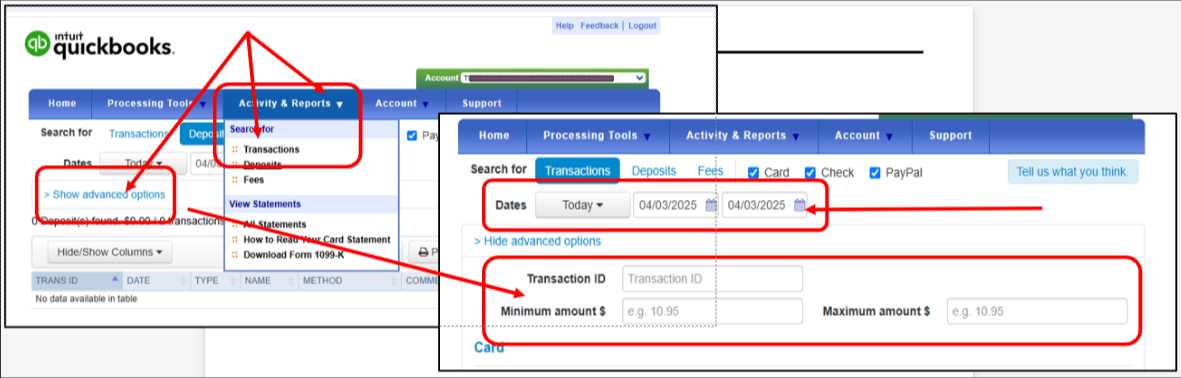
In the meantime, follow these steps to verify payments in the QuickBooks Payments site:
- Sign in to the Merchant Service Center.
- Click the drop-down list beside Activities & Reports and select Transactions.
- Choose the date range in the Dates field.
- You can also click Show advanced options, then type in the amount in the Minimum amount and Maximum amount fields.
- Click Search.
You can also check out these articles for more details and guidance about this:
The Community is open all the time in case you have more questions for us.


