Yes, you can search a customer by a a zip code. Let me help you how.
In QuickBooks Online, you can run a specific report to show complete information available for your customers. You can consider running the Customer Contact List or Sales by Customer reports then, can opt to export the information. To do this:
- In your QBO account, go to Reports from the left panel.
- Enter the report mentioned from the search field section.
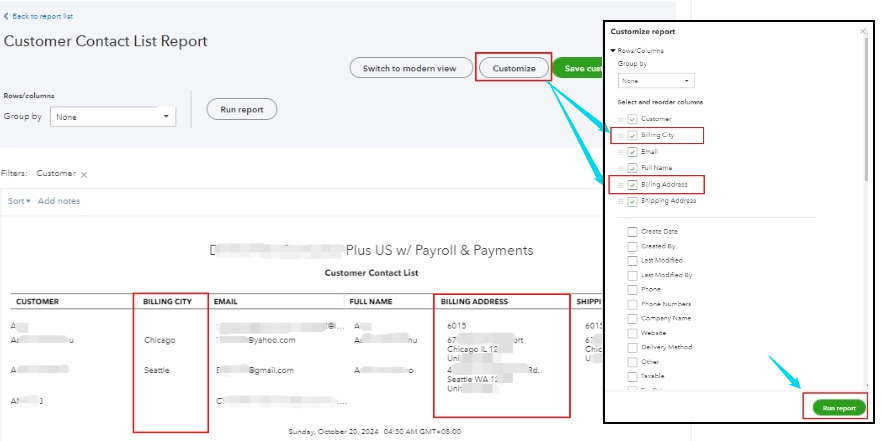
- From there, click Switch to Classic view and select Customize.
- Under the Rows/Column section, enable the checkboxes for Billing City and Billing Address.
- Review other details then click Run report.
Moreover, feel free to utilize this guide to help you save all the customizations made on your reports: Memorize reports in QuickBooks Online.
I'll make sure to get the help you need if there's anything else you require further assistance with when managing customer details in your file. Stay safe.




