Turn on suggestions
Auto-suggest helps you quickly narrow down your search results by suggesting possible matches as you type.
Showing results for
Get 50% OFF QuickBooks for 3 months*
Buy nowIm using quickbooks pro 2019. I am running a report to show transactions by account. I have the class selected on the display section of the customize report section. However when the report generates, the class column is empty.

I'd be pleased to help you run this QuickBooks Desktop report seamlessly, @lvesey.
It seems that you're referring to the Transaction Detail by Account report. If you have picked a class for a specific transaction, that should show the data in the Class column of the customized report. I've added screenshots for visual reference: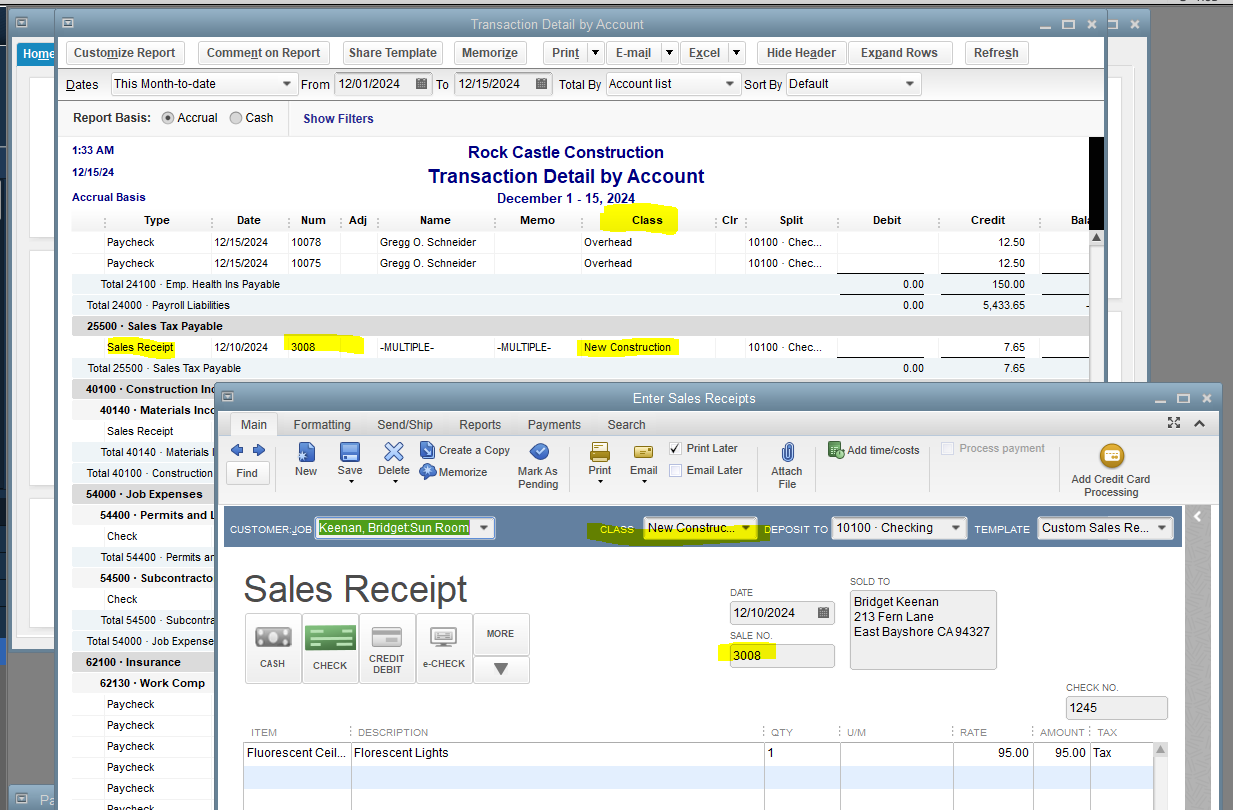
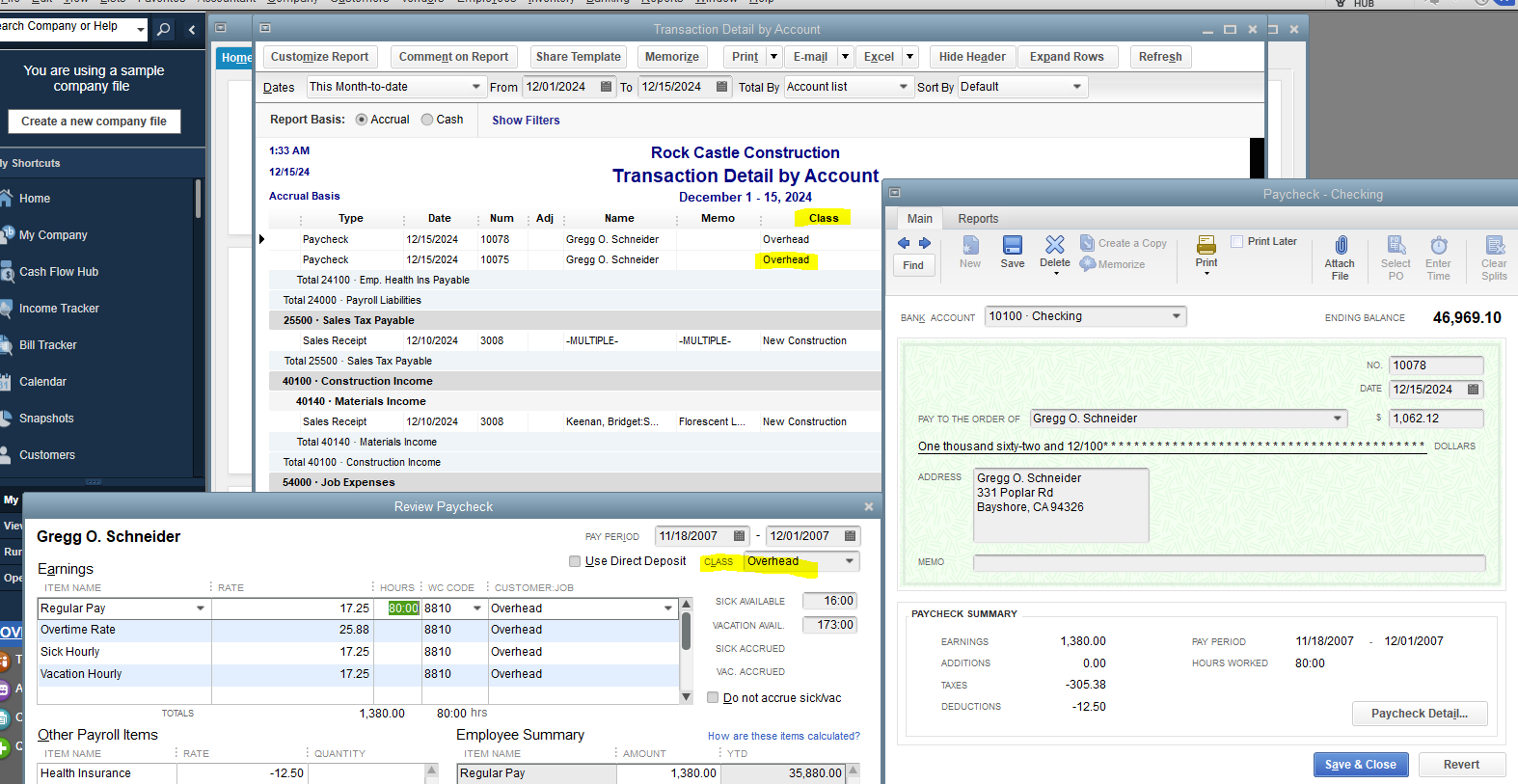
Seeing you're having a company file or system issue since the Class column is empty. I suggest verifying your company data to see system errors and rebuilding it to fix your company file. It will help us determine if there are problems with the company file or software. Here's how:
Feel free to reference this article to rebuild data and fix common company file issues: Verify and Rebuild Data in QuickBooks Desktop.
In addition, I'd like you to check this article for more information about generating a reliable customized report by choosing the right targets and sources: Running and understanding QuickBooks reports.
Should you have questions or anything else about QuickBooks reports? I'll be with you to assist anytime. Stay safe and well, Ivesey.
Yes, I am using the transaction detail by account. I do have the class selected on my individual transactions (checks written). However, they are not appearing on the report. I did verify the integrity of the data and it was fine. It won't let me do a screen shot, but I uploaded a pdf of the screen shot. You can see the class column is empty but it is listed on the check entry.
Hey there, @lvesey.
Thanks for reaching back out to the Community.
Before doing any more troubleshooting steps and looking further into this issue, I recommend making sure your QuickBooks Desktop is updated to the latest release. This will ensure that the system is working properly with all features in your account.
The supported years of QBDT are as follows:
Keep us updated on how this goes. I'm only a post away if you need me. Have a wonderful day!


You have clicked a link to a site outside of the QuickBooks or ProFile Communities. By clicking "Continue", you will leave the community and be taken to that site instead.
For more information visit our Security Center or to report suspicious websites you can contact us here


