Welcome to the Community, @JAGulick.
You can get a customer statement by customizing your statement templates. This will allow you to control how the report looks and what's on it. The steps below will show you how:
- From the Templates list, double-click the template you need to customize.
- In the form of the transactions, go to the Formatting tab, and select Manage Templates (1).
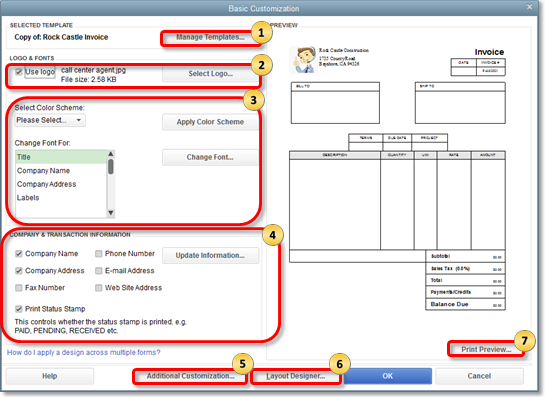
If you need to add more customization, you can choose Additional Information (5). That's all there is to it. Now you can get a customized customer statement. You may find this article about customizing form templates helpful as well.
Feel free to comment below if you have any other questions. I'm always here to help.




