Turn on suggestions
Auto-suggest helps you quickly narrow down your search results by suggesting possible matches as you type.
Showing results for
Get 50% OFF QuickBooks for 3 months*
Buy now
Thanks for getting in touch with the Community, JenG7.
Since you're seeing a message to enter a customer name after already entering one while creating a journal entry, I'd recommend checking your browser. It's possible this could have something to do with temporary internet files. Browsing applications store these types of records, but sometimes they can cause issues with certain webpages. You can open a private window and check to see if you're able to have a customer name entered without seeing the message.
Here's how to access incognito mode in some of the most commonly used web browsers:
If you're able to enter a customer name without seeing the message while browsing privately, it's safe to say this problem's being caused by your browser. It can be fixed by clearing cached data and Intuit-specific cookies.
In the event it continues occurring while you're browsing in incognito mode, you'll initially want to try switching to another browsing application.
Here's a list of supported browsers:
You can also check a browser's compatibility with QuickBooks by utilizing our browser health checkup tool. QuickBooks supports the current and two previous versions of browsers. If you find that you're using an unsupported version, make sure to update it to its latest release. Steps for doing so can be found on the particular company's website.
In the event you've found no problems that could be causing this with your browser, I'd recommend using a different device and/or internet connection. If it continues happening on other devices and/or internet connections, you'll want to get in touch with our Customer Care team.
They'll be able to pull up the account in a secure environment, conduct further research, and create an investigation ticket if necessary.
They can be reached while you're signed in:



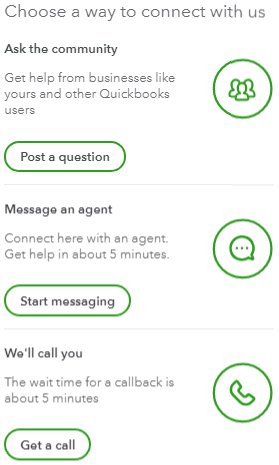
Be sure to review their support hours so you'll know when agents are available.
I've also included a detailed resource about system requirements for QuickBooks which may come in handy moving forward: System requirements
If there's any additional questions, I'm just a post away. Have a great day!
Normally, the preferred way to change the balance in an A/R or A/P account is by recording transactions, such as customer invoices or vendor bills. However, sometimes it’s more convenient to make a General Journal Entry. A common use of General Journal Entries to A/R or A/P accounts is to set up customer or vendor balances in a new QuickBooks company file.
May it be helpful ForAgentsOnly


You have clicked a link to a site outside of the QuickBooks or ProFile Communities. By clicking "Continue", you will leave the community and be taken to that site instead.
For more information visit our Security Center or to report suspicious websites you can contact us here


