Turn on suggestions
Auto-suggest helps you quickly narrow down your search results by suggesting possible matches as you type.
Showing results for
Get 50% OFF QuickBooks for 3 months*
Buy nowHi there, @ranchdadmom-gmai.
Thanks for coming to the Community. Allow me to share some insights about having multiple companies.
In QuickBooks Online (QBO), you can have as many companies as you'd like under the same QBO account. However, each company requires an additional subscription. You may access them with the same sign-in info. This lets you quickly switch between companies, which helps you manage everything more efficiently.
To add a new company:
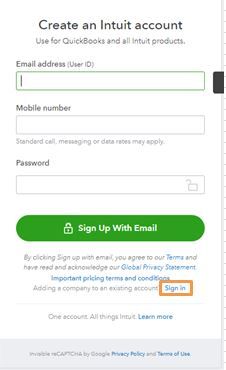
Once done, you’ll be asked which company you want to transfer your file to when converting from QuickBooks Desktop (QBDT).
Be sure to let me know how these steps turn out and if you have further concerns while working in QBO. I'm here to lend a helping hand. Have a good one!

