Turn on suggestions
Auto-suggest helps you quickly narrow down your search results by suggesting possible matches as you type.
Showing results for
Get 50% OFF QuickBooks for 3 months*
Buy nowThank you for joining in on the thread, Kara Finance!
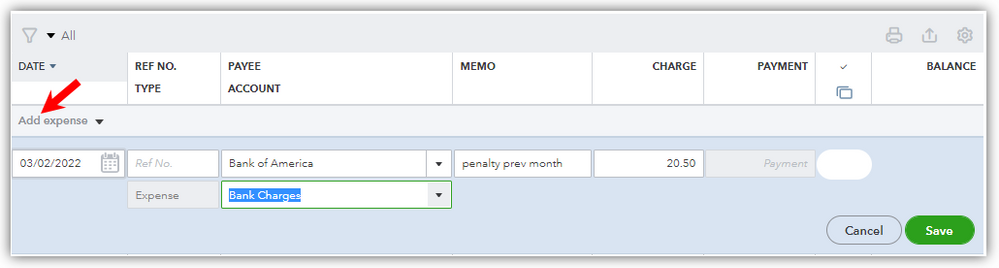
Yes, you're right. There's a slight change in the Reconcile screen because it doesn't have fields for bank charges and interest earned anymore. However, you can enter them as additional transactions within the register before reconciling. The effect is just the same as entering them on the Reconcile screen. Let me walk you through the steps.
Add charges or penalties
Add interests earned
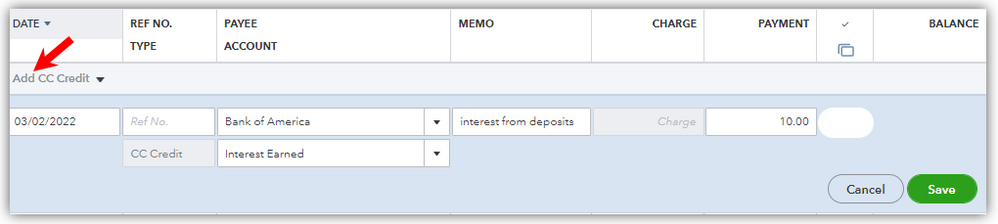
Now that you know how to enter your bank charges and interests, you can be sure to have a balanced reconciliation.
Let me know if you have any other concerns about reconciling your account. I'll be around to continue helping you. Have a good one!

