Turn on suggestions
Auto-suggest helps you quickly narrow down your search results by suggesting possible matches as you type.
Showing results for
Get 50% OFF QuickBooks for 3 months*
Buy nowThanks for joining this thread, Melisa 222.
In the desktop program, you can use the QuickBooks Workforce to email paystubs and forms to your employees. Before activating the feature, make sure you’re able to perform the following tasks.
Once done, let’s go ahead and turn on QuickBooks Workforce. I’ll be your guide today on how to accomplish this task.
Here’s how:
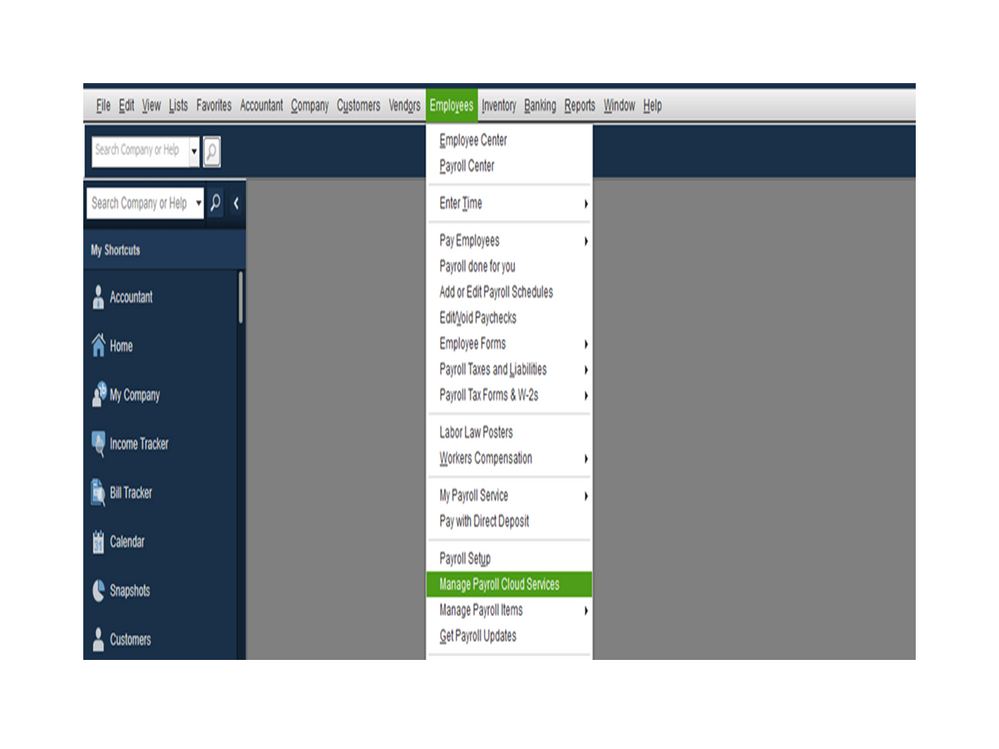
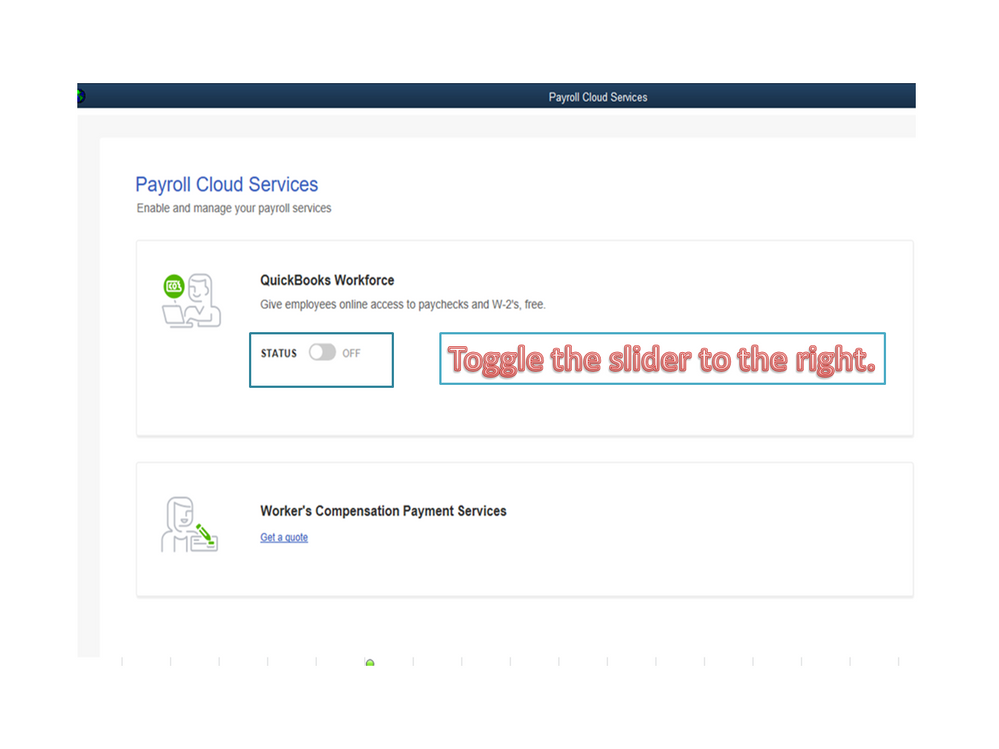
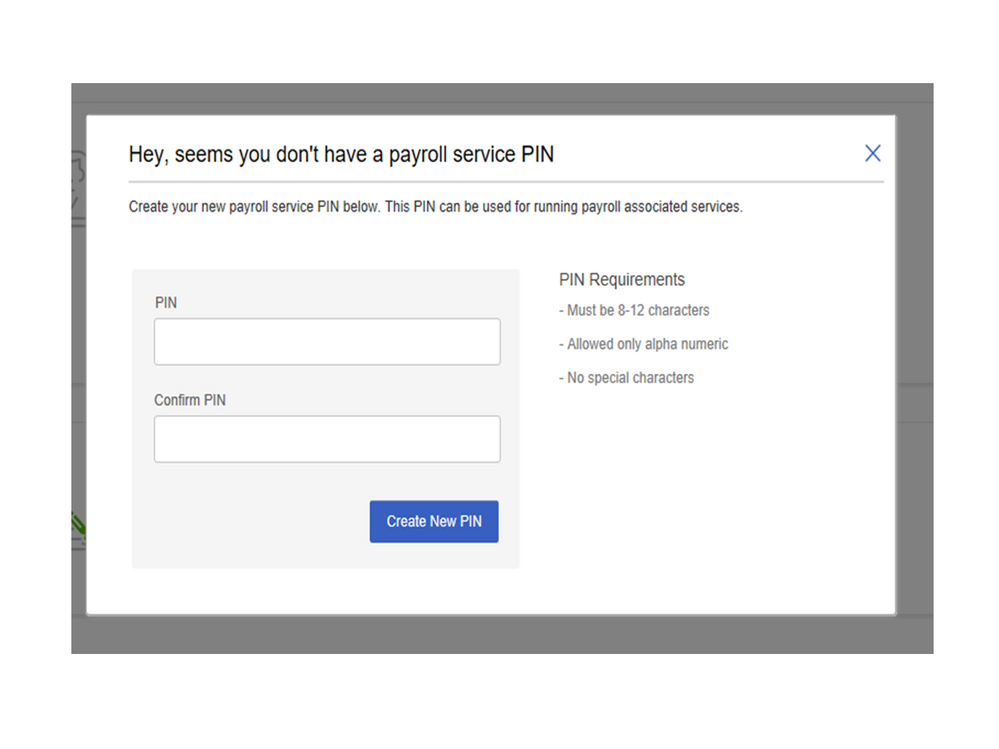
By the time you run payroll, upload the paychecks to Intuit. Follow the process in the following article and proceed to Step 7 in the Set up your company file for QB Workforce Admin section. It contains instructions on how to invite your employees to access the program: Set up QuickBooks Workforce for your QuickBooks Desktop.
To learn more about the task you can do using the feature, check out the View your paychecks and W-2s in QuickBooks Workforce guide.
Reach out to me again if you need more help with QuickBooks. I've always got your back. Have a great day.

