Turn on suggestions
Auto-suggest helps you quickly narrow down your search results by suggesting possible matches as you type.
Showing results for
Get 50% OFF QuickBooks for 3 months*
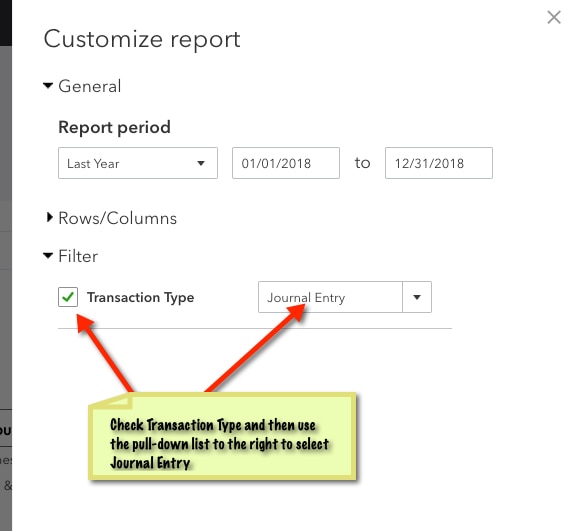
Buy nowWell the answer from QBO support doesn't contain everything you need to do to get a journal entry report. Yes, you run the Journal Report as explained. Then, you should click the customize button in the upper right, select Filter, check the box beside Transaction Type, select Journal Entry (see attached screen shot), select the date range you need and click the Run Report button in the bottom right.
I would save the report and share it with anyone that would benefit from it. Hope this helps!