Turn on suggestions
Auto-suggest helps you quickly narrow down your search results by suggesting possible matches as you type.
Showing results for
Get 50% OFF QuickBooks for 3 months*
Buy nowThanks for looping in, mozi1971.
You've got me here today to help you with customizing your invoices via QuickBooks Online.
Adding columns for color and size is currently unavailable in QuickBooks Online. However, you can add a custom field for color and size and manually enter the information.
Here's how:
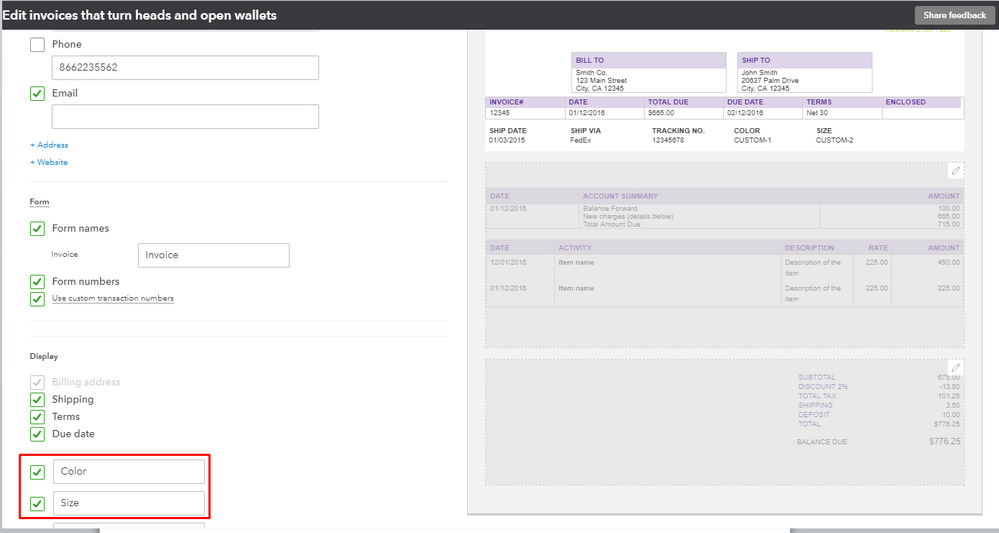
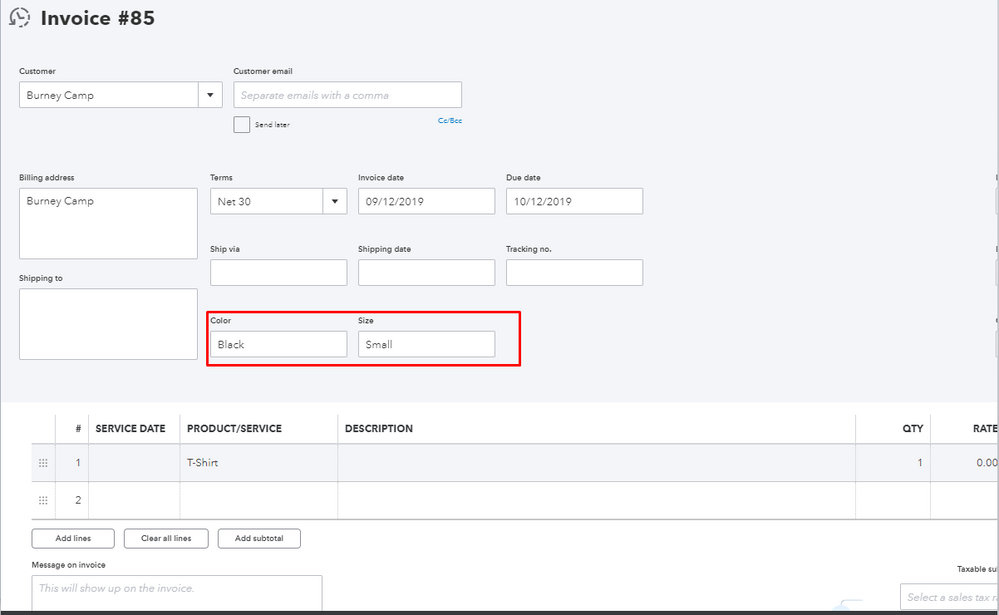
For more details, check this out: Customize your invoices, estimates, and sales receipts in QuickBooks Online.
Also, you have the option to Import your own style of invoice template. You can get more details in this article: Import Styles User Guide.
For account-related discussion, feel free to reach out to our QuickBooks Online Support.
Don't hesitate to drop me a line if you have any other questions about invoices. Have a nice day.

