Turn on suggestions
Auto-suggest helps you quickly narrow down your search results by suggesting possible matches as you type.
Showing results for
Get 50% OFF QuickBooks for 3 months*
Buy nowThanks for joining this thread, @bp14.
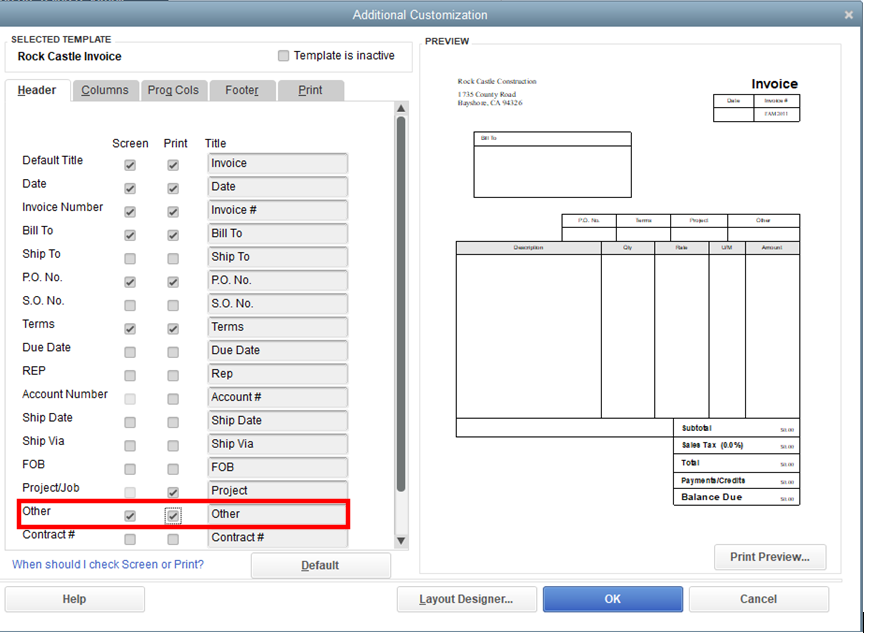
You can only enter a single date column, in which the invoice and the due date. However, you can add the date range manually, just customize the invoice template. I'll show you how:
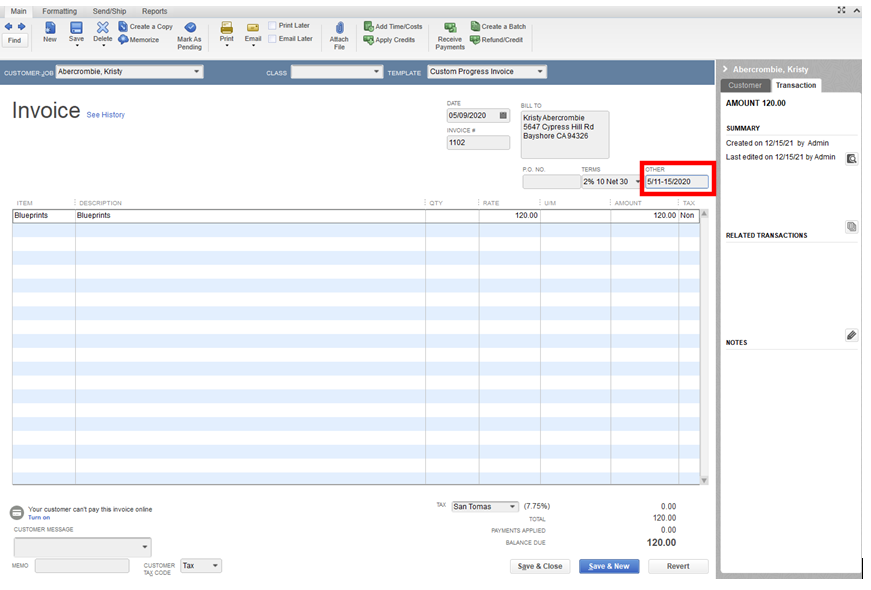
Once you've done, it automatically shows up on all invoices for all customers as long as you've added the field to the template. Then you can now create an invoice and manually add the date range in the Other column.
You can check out this article for additional information on how to use and customize form templates.
On the other hand, you may check out our QuickBook blog to stay updated with the latest QuickBooks news and updates
Let me know in the comment if you have additional questions. I’m here to keep helping.