Turn on suggestions
Auto-suggest helps you quickly narrow down your search results by suggesting possible matches as you type.
Showing results for
Get 50% OFF QuickBooks for 3 months*
Buy nowThanks for coming back to the Community, @Sandie7.
Yes, the Profit and Loss Detail Report is only available in QBO Essentials, Plus, and Advanced. You can consider upgrading to any of these versions so you can access more comprehensive reports.
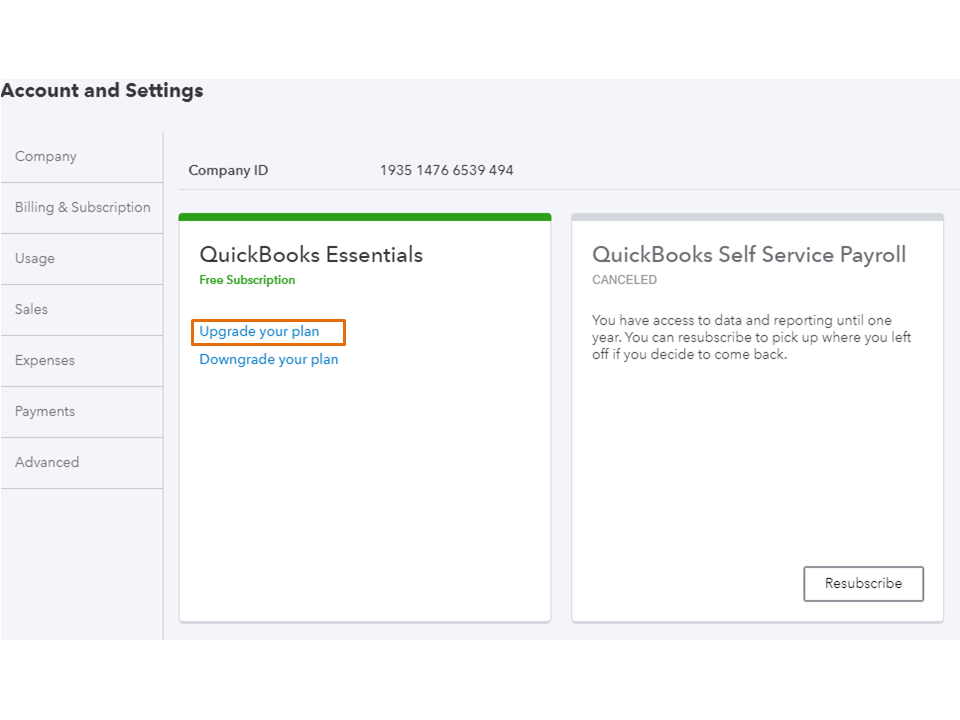
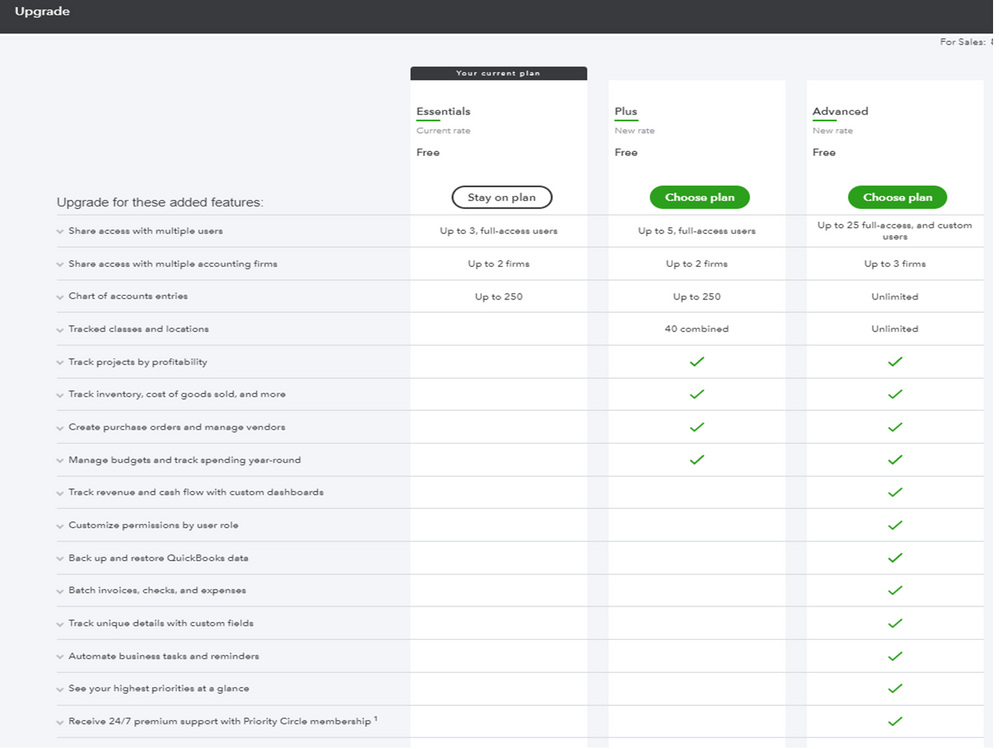
Let me share these links that cover all the features and reports available for each QBO version.
Reach out to me if you have any other concerns or questions about QBO. I’ll be right here to answer them for you. Have a great rest of the week.

